
Illustrator with few power sockets
Wants to draw directly on the screen and first find out whether their computer can provide both the picture and enough power through a single USB-C cable.


Start by checking your computer’s video output and power supply: a USB-C port alone doesn’t guarantee that you can use the device with a single cable. The Wacom Movink 13 could be a compact option with a compatible computer; the original Huion Kamvas 13 and the XPPen Artist Pro 16 (Gen 2) may also require extra cables or a power supply. Then choose according to the screen space, colour reproduction and pen controls that suit your botanical work.
Wants to draw directly on the screen and first find out whether their computer can provide both the picture and enough power through a single USB-C cable.
Compares screen specifications and colour settings for illustrations where subtle shades matter. Stated factory values are not an independent measurement of the individual unit.
Wants precise control over thin lines and a working area suited to the drawing, and compares the pen, screen size and control options to find the right fit.
First check that your computer can drive the pen display and supply enough power. Then compare the screen and pen with your artwork and the space available on your desk.
| What to consider | What to look for | Who is this important for? |
|---|---|---|
| Power and connection | Check video output via USB-C, the available power, and the cable and power supply instructions for the exact model. | If I have few power sockets, I want to know whether my computer can provide both the picture and enough power. Around 36% of consumers put connection and power first. |
| Colour reproduction | Compare the stated coverage within the same colour space and check which colour mode you use for your work. | For subtle plant colours, I want to check which colour space and settings suit my illustrations. Colour reproduction is the main priority for around 29% of consumers. |
| Fine lines | Check which pen is included and which control features and drivers are compatible with your computer. | For thin leaf edges and veins, I’m looking for pen controls that suit my drawing style. Around 21% of consumers prioritise line and pen control. |
| Working area | Compare the screen size with the space available on your desk and the position of your computer and cables. | If I need more room to work on an illustration, I weigh up a larger screen against the space it takes up on my desk. Working area comes first for around 14% of consumers. |
A USB-C connector doesn’t guarantee that the computer can provide both the required video output and enough power. This varies by model and connected device.
Before buying, check what your computer’s port can do, what’s included in the box and the instructions for the exact model.
According to Huion’s manual, the full USB-C cable and power cable for the Kamvas 13 (Gen 3) must be bought separately.
A manufacturer’s warranty does not, on its own, cover all the rights you have against the seller if a product does not conform to the contract.
Keep your proof of purchase and product description, and contact the seller if there’s a problem.
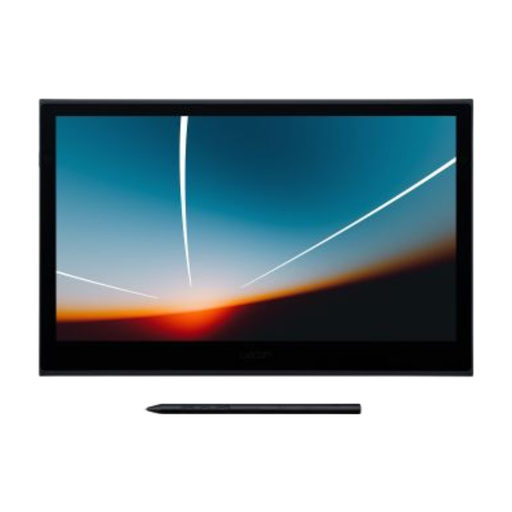
The Movink 13 is a compact pen display with an OLED screen. A single USB-C cable can provide picture and power, provided your computer is compatible.
The original Kamvas 13 and the Kamvas 13 (Gen 3) are separate models, each with its own connection instructions.
The Artist 13.3 Pro V2 combines a compact screen with a dial and shortcut keys; the Artist Pro 16 (Gen 2) offers a larger screen.
This Joybuy product selection features a compact Wacom set-up for drawing via USB-C, provided your computer supports video and supplies enough power.
 No image available
Suited to a compact drawing set-up if your computer supports video via USB-C and supplies enough power. Wacom specifies at least 15 W for single-cable use.
13.3-inch Full HD OLED screen; the product description states 1.07 billion colours and a pen with 8192 pressure levels.
For the version on offer, check whether the applicable EU rules require CE marking and whether the required marking is present.
No. Your computer must provide compatible video output and enough power. Wacom specifies at least 15 W through the single connection for the Movink 13; XPPen recommends extra power via an adapter if the Artist Pro 16 (Gen 2) doesn’t light up.
First check which generation you’re buying. Huion states that the full USB-C cable is not included with the original Kamvas 13 and that extra power is needed when connecting it to an Android device. The Kamvas 13 (Gen 3) has its own cable and power instructions.
According to the Dutch government, the seller must offer an appropriate solution if a product does not meet the requirements of the statutory guarantee. The Netherlands does not have a fixed statutory guarantee period; a manufacturer’s warranty does not replace your rights against the seller.
According to the Dutch government, consumers buying online from a business generally have 14 days to change their mind. Check the seller’s information about the purchase and returns process.
Electrical or electronic equipment covered by applicable harmonised EU rules that require CE marking must comply with those rules and bear the required marking. A brand or model name alone does not confirm that the version on offer meets those requirements.