
Painters with limited power sockets
You want to paint directly on the screen without automatically needing a second mains adapter. So, check the video output and power supplied by your computer’s port for the exact model.


Start with your computer: check whether its USB-C port supports video output and provides enough power before relying on a single cable. Wacom specifies a minimum of 15 W for the Movink 13; other models have their own connection requirements. Then weigh up the drawing area and colour settings you want against the power supply needed. You may still need a power socket for a hub or additional adapter.
You want to paint directly on the screen without automatically needing a second mains adapter. So, check the video output and power supplied by your computer’s port for the exact model.
You compare shades and light-to-dark transitions, and want to know which colour modes and calibration options your chosen model offers. The manufacturer’s specifications do not automatically tell you how colours will appear across your entire setup.
You want to leave room for your still life, computer and hand. Compare not only the screen size, but also the space taken up by the whole device and any stand.
Check the connection and power supply first. Then weigh up the colour settings, drawing area and everything you need for your setup.
| What to consider | What to look for | Who is this important for? |
|---|---|---|
| Power and connection | Check the video output, power and cable requirements of your computer’s port for the exact model. Wacom specifies a minimum of 15 W for the Movink 13; according to its manual, the XPPen Artist 12 3rd requires DisplayPort output via USB-C. | If I want to paint without an extra mains adapter, my computer’s connection really needs to be compatible with the display. Around 36% of consumers say power and connection are their top priority. |
| Colour and light | Compare the colour modes and calibration options available on your chosen model. Huion lists selectable colour modes for the Kamvas 13 (Gen 3); Wacom describes factory calibration and stored colour profiles for the Movink 13. | When painting a still life, I want to assess colours and light-to-dark transitions carefully on screen. Colour assessment is the top priority for around 29% of consumers. |
| Drawing space on your table | Compare the active drawing area, external dimensions and any stand. XPPen lists an 11.9-inch screen for the Artist 12 3rd; Xencelabs lists a 16-inch screen for the Pen Display 16 Bundle. | On a crowded work table, I want to leave enough room for both the display and my still life. Around 21% of consumers prioritise the workspace available. |
| Complete setup | Check which cables and power supplies your chosen model needs, and what’s included. Huion’s connection instructions describe a separate power cable for the relevant USB-C connection; the Xencelabs hub needs power to reach the stated maximum brightness. | I want to know in advance that I have everything I need for my intended connection, so I don’t have to make room at a power socket after all. For around 14% of consumers, a complete setup is the main consideration. |
USB-C alone doesn’t confirm that your computer supports video output or provides enough power. Wacom specifies a minimum of 15 W for the Wacom Movink 13. With less power, brightness may be limited or the screen may not start.
Compare your computer’s port specifications with the requirements and connection instructions for the exact pen display.
You may need a compatible video cable, adapter or another connection solution.
Colour coverage and calibration are manufacturer specifications for a model. They don’t prove that your screen and complete setup will show colours in the same way as another screen.
Check the colour mode and calibration options for the exact model, and assess the screen in the conditions you’ll be painting in.
A larger screen may offer more drawing space, but the complete setup may also take up more room on your table. For the Xencelabs Pen Display 16 Bundle, Xencelabs describes a powered hub for reaching the stated maximum brightness.
Weigh up the drawing area you want against the space available on your table and the power connection you can use.
A limited commercial warranty period does not replace your statutory rights against the seller.
Keep your proof of purchase and the product description. Contact the seller if you think the product may be faulty.
The Movink 13 is a pen display with a 13.3-inch OLED screen, for anyone comparing colour settings and compact connectivity.
The Artist 12 3rd has an 11.9-inch screen, dial controls and shortcut keys. It’s an option if you’re looking for a compact model with on-device controls.
The Kamvas 13 (Gen 3) is a pen display with a 13.3-inch screen and colour modes described by Huion.
The Pen Display 16 Bundle is for anyone looking for a larger screen and wanting to choose a power setup to suit their preferred brightness.
This selection is aimed at painting directly on a compact pen display via USB-C. Before buying, check that your computer’s port provides the required video output and power.
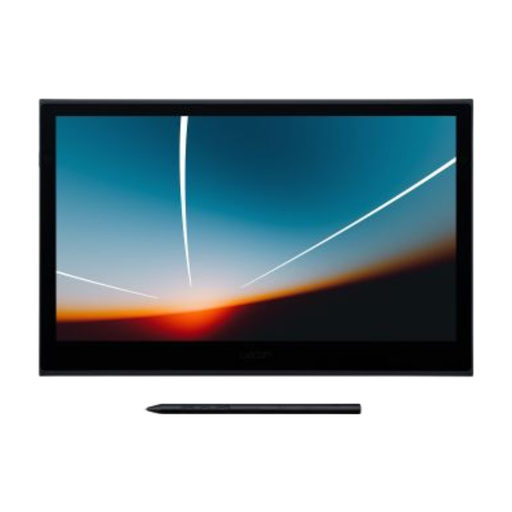 Image unavailable
An option for anyone who wants to paint directly on a compact pen display and can check their computer’s connection in advance.
Wacom lists a 13.3-inch OLED screen. For use with a single USB-C cable, Wacom specifies a minimum of 15 W from the connected computer or power source.
No. The USB-C port must meet the requirements of the specific model. Wacom specifies a minimum of 15 W for the Movink 13’s single-cable connection; Xencelabs requires a compatible DP Alt Mode port for its single-cable connection. These are model-specific requirements, not a general rule for USB-C.
Check the connection diagram for the exact model. For the Kamvas 13 (Gen 3), Huion describes a connection using HDMI and USB; this may require additional power. Use the ports specified in the instructions for your model.
First, check the selected colour mode, connection method and model manual. Huion lists adjustable colour modes for the Kamvas 13 (Gen 3), while Xencelabs warns that not every USB-C cable carries video. A stated colour gamut doesn’t prove that two screens will look the same without further adjustment.
For a standard online purchase by a consumer, you generally have up to 14 days after delivery to change your mind, subject to statutory exceptions. ACM ConsuWijzer also states that a product must meet what you could reasonably expect. If a fault is covered by the statutory guarantee, the seller is responsible for providing a solution.
Yes. Applicable European product rules apply to electrical and electronic devices placed on the market. The Dutch Ondernemersplein outlines this general requirement; this doesn’t confirm that a particular version or supplied adapter has been checked separately.