
Artist creating detailed mural designs
If you mainly work in one place on a wide composition, more screen space may matter more than portability. A larger pen display can help you keep both the overall design and the details in view.


If you mainly work on a wide composition and fine details, compare screen size and resolution first. For reviewing your portfolio elsewhere, a more compact screen may be more practical. Compare colour modes and coverage as manufacturer specifications, not as a guarantee of how the finished mural will look. Also check that your computer can output video through the required connection, supplies enough power and that the right cables are included.
If you mainly work in one place on a wide composition, more screen space may matter more than portability. A larger pen display can help you keep both the overall design and the details in view.
If you want to assess colour choices for a portfolio carefully, compare the stated colour gamut and available colour modes. Manufacturer specifications don’t automatically predict how the design will look on another screen or on painted walls.
If you take your design to a meeting, compare the weight and size with your laptop’s video and power capabilities. A compact set-up may offer less drawing space than a larger screen.
First decide between a larger workspace and a screen that’s easier to carry around. Then check the colour settings, computer compatibility and what’s included in the box.
| Consideration | What to look for | Who is this more important to? |
|---|---|---|
| Colour reproduction for your portfolio | Compare the stated colour gamut and colour modes of the exact model. Also check a sample file on the screen you use to present your portfolio. | If I want to assess colour choices for my portfolio carefully, I look at colour coverage and the available modes without treating them as a guarantee of the final result. Around 25% of consumers put colour reproduction first. |
| Workspace for compositions and details | Compare both the screen diagonal and resolution. Consider how much space the screen and the rest of your set-up will take up. | If I’m working on a wide composition with small details, I want enough space to assess both the overall design and the finer details. Around 25% of consumers put workspace first. |
| Portability for reviews | Check the weight and size of the exact model, and whether your laptop provides the required video output and power. | If I want to discuss my design elsewhere, I weigh up how easy it is to carry against the smaller drawing area of a compact screen. Around 19% of consumers put portability first. |
| Connections and cables | Check the capabilities of your computer’s ports, the power requirements and which cables are included with the version you’ve chosen. | If I want to use my existing computer, I want to know in advance whether its connection provides video and enough power, and which cables I’ll need. Around 19% of consumers consider compatibility their main buying concern. |
| Pen controls and working posture | Check which pen and controls are included, and whether the version you’ve chosen comes with an adjustable stand. | For long design sessions, I look for controls and a working posture that suit the way I draw. Around 12% of consumers prioritise pen controls. |
USB-C ports can have different capabilities. As a result, a pen display may not work as expected with a single cable, even if your computer has a USB-C port.
Check your computer’s video output and power supply, the requirements of the exact screen model, and which cables are included with that version.
GAOMON describes differences between the original PD1561 and the PD1561 V2, including differences in the screen and pen. The XPPen Artist Pro 16 and Artist Pro 16 (Gen 2) are also different versions.
Before assessing the screen, pen and colour specifications, compare the full model name and generation with the manufacturer’s details.
A stated colour gamut describes a screen specification. It doesn’t guarantee that the screen, the software you use and the finished wall paint will all show the same colour.
Choose a colour mode deliberately, and view the design on the screen you use to present your portfolio as well.
The Kamvas 13 (Gen 3) is a compact LCD option for comparing colour modes and controls.
According to GAOMON, the PD1561 V2 offers a larger LCD workspace and comes with an adjustable stand.
The Artist Pro 16 (Gen 2) is an option to consider if you want to compare a larger workspace and the higher resolution stated by XPPen.
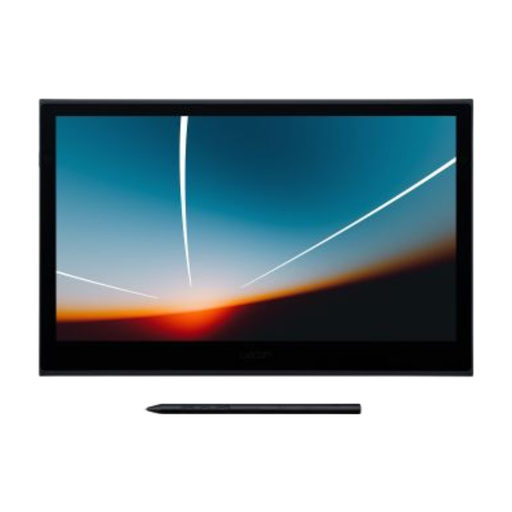
According to Wacom, the Movink 13 combines a compact OLED screen with touch controls for a portable workspace.
This product selection focuses on a compact OLED pen display that you can take with you to a portfolio review.
 No image available
A compact option if you want to take your pen display to another workspace or a portfolio review.
Wacom lists a 13.3-inch OLED screen, Full HD and a weight of 420 g.
To use a single USB-C cable, your computer must be able to output video via USB-C and provide at least 15 W. Wacom lists the stand as an optional accessory.
No, it depends on the capabilities of your computer’s port and the requirements of the pen display. Wacom says the computer must be able to output video via USB-C to use the Movink 13, and that a single-cable connection requires at least 15 W. Also check the cable requirements for the exact model and the connections available on your own laptop.
If there’s no image, first check that the cables are connected to the right ports and that your computer outputs video and provides enough power. Wacom has model-specific care instructions for the Movink 13’s OLED screen; consult them before cleaning the screen.
If you’re a consumer in the Netherlands, your statutory guarantee applies alongside any manufacturer’s warranty. ACM ConsuWijzer explains that the seller is responsible for providing an appropriate solution if a product doesn’t meet what you could reasonably expect under normal use; the statutory period isn’t simply always two years. For online purchases, you often have a 14-day cooling-off period from delivery, with some exceptions.
No, creating a digital design doesn’t tell you whether you’re allowed to paint a particular wall. Whether you need a permit or have to give notice before painting a specific exterior wall depends on the location and project; the Dutch Government directs people to the Omgevingsloket for location-specific rules. Also check whether you need permission if you include other people’s copyright-protected photos or artwork in a design you intend to publish.