Who is this pen display for?

Illustrators working with wide compositions

You want to see the horizon, water, sky and references alongside your drawing area. Screen size and resolution are important points to compare. Adobe also cites computer hardware and storage as factors in processing large files.

Illustrators with specific colour requirements

You’re working towards an agreed digital or printed colour result and want to compare colour modes and the specifications of the exact version. A stated colour gamut alone does not guarantee the final result.

Illustrators with limited desk space

You need to fit the display, stand or arm and cables on your desk. A more compact display may be more practical, but gives you less room to view a wide composition all at once.

Which factors should guide your choice?

What to consider What to look for Who is this important for?
Viewing a wide landscape at a glance Compare the screen size and resolution of the exact version with the space available on your desk. I want to see the horizon, water and tool panels without constantly losing sight of my composition. Around 25% of consumers give being able to view a wide landscape at a glance top priority.
Processing large files Test a representative file in your own software and check your computer’s performance and connections. I want to know whether my computer can handle my source files before buying a display to fix slow performance. Around 25% of consumers prioritise processing large files.
Colour assessment Compare the colour modes and what the stated colour space means for the exact version. I want my colour settings to suit the agreed digital or printed deliverable. Around 20% of consumers put colour assessment for their deliverable first.
Fitting the display on your desk Measure the space available and check whether a stand is included or a suitable arm is needed. I want to fit the display into my workspace and adjust the drawing angle without taking over my whole desk. Around 15% of consumers prioritise how the display fits and their drawing position.
Connections and accessories needed Check the computer connections, supported systems and included accessories for the exact version. I want to know in advance whether the display will connect to my computer and what I’ll need for my setup. Around 15% of consumers prioritise connections and the accessories they need.

Which buying mistakes can you avoid?

  • Buying a sharper display to fix slow files

    A higher screen resolution won’t fix slow performance caused by your computer, storage or software settings. Adobe cites factors including the processor, memory, graphics processor and storage speed as affecting processing in Photoshop.

    First, try a representative source file in your own drawing software and see where the slowdown occurs.

  • Confusing versions in the same model range

    Huion notes differences between generations and resolutions in the Kamvas Pro 24 range. XPPen offers both an Artist Pro 24 (Gen 2) 4K and a separate 165Hz version.

    Check the full model name, resolution and what’s included with the version you want to buy.

  • Not factoring mounting into your setup

    Wacom states that the Cintiq Pro 27 needs a suitable stand or VESA 100 monitor arm. The GAOMON PD2200 is listed as having an adjustable stand.

    Compare the complete setup and check which parts are included with your chosen model.

  • Assuming the stated colour gamut guarantees the final result

    Colour modes and stated colour spaces can help you compare models, but they don’t in themselves prove that an illustration will look the same on every screen or in print.

    Choose a colour mode that suits your deliverable and compare the specifications for the exact version. For commissions, also agree on the required colour profile and delivery method.

Brands to consider

Huion

The Kamvas Pro 24 (Gen 3) is a large 4K model for comparing screen space and colour modes.

  • Huion specifies a 23.8-inch screen, a resolution of 3840 × 2160 pixels and several colour modes for this model.
  • Don’t confuse the Gen 3 with the older Kamvas Pro 24 (4K). Huion’s comparison lists differences, including the pen accessories and stated colour coverage.

XPPen

The Artist Pro 24 (Gen 2) 4K is a large alternative for comparing screen space, colour modes and pen options.

  • For this 4K version, XPPen lists a 23.8-inch screen, two pens and sRGB, Adobe RGB and Display P3 modes.
  • Check the full model name: the Artist Pro 24 (Gen 2) 165Hz is a different version with a different screen specification.

Wacom

The Cintiq Pro 27 is a large 4K pen display for a dedicated workspace where pen and touch input are useful.

  • Wacom specifies 120 Hz, 4K resolution and touch support for this model.
  • Wacom says you’ll need a suitable stand, sold separately, or a VESA 100 monitor arm. Factor the setup into your comparison.

GAOMON

The PD2200 offers a 21.5-inch drawing area for anyone comparing physical screen space without making 4K a priority.

  • GAOMON specifies 1920 × 1080 pixels and an adjustable stand included in the box.
  • According to the stated resolutions, this model has fewer pixels than the 4K models mentioned. Consider whether that suits the detail in your work.

ugee

The UE16 is a more compact screen option for a smaller or portable workspace.

  • The official specifications list Full HD, an active area of 341,0 × 191,8 mm and a stand included in the box.
  • The smaller active area gives you less room to view a wide landscape and tool panels at the same time.

Joybuy products

The Joybuy options below are interactive whiteboards with pen input. Consider them as whiteboards and check whether their large size and mounting options suit your illustration work.
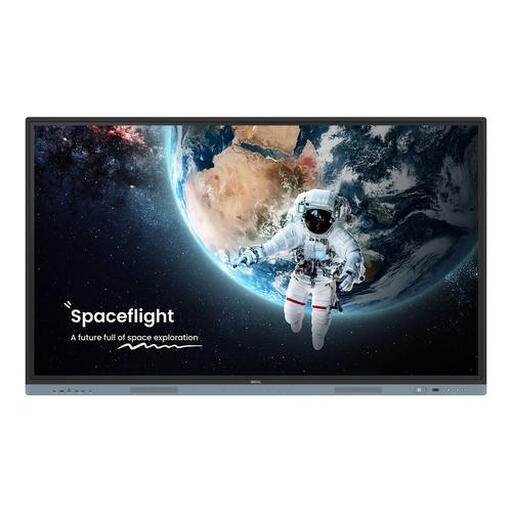
BenQ RM8604 interactive whiteboard, 86 inch, 4K

BenQ RM8604 Interactive Whiteboard, 86 inch, 4K, Black

This interactive whiteboard supports pen input. Check that its size and setup suit your drawing work.

The product name lists an 86-inch screen, a resolution of 3840 × 2160 pixels and a touchscreen with two stylus pens.

The product information requires secure wall mounting or a stable stand and states that at least two people are needed to lift or install it.

Joybuy
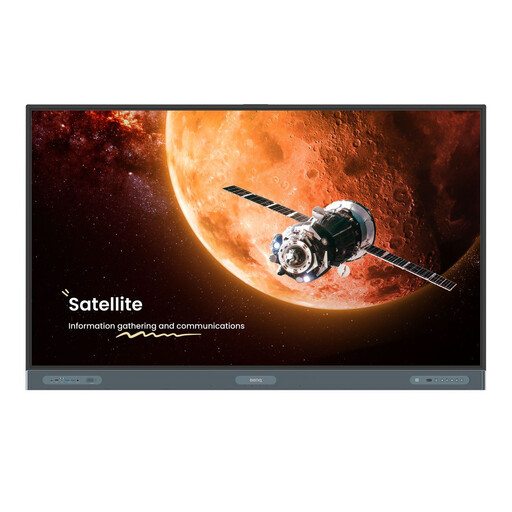
BenQ RP7504 interactive whiteboard, 75 inch, 4K

BenQ RP7504 Interactive Whiteboard, 75 inch, 4K, Black

This interactive whiteboard supports pen input. Check that its size and setup suit your drawing work.

The product name lists a 75-inch screen, a resolution of 3840 × 2160 pixels and a touchscreen with two stylus pens.

The product information states that secure mounting is required and that at least two people are needed to lift or install it.

Joybuy

Frequently asked questions

Will a 4K pen display automatically make large source files run faster?

No. For Photoshop, Adobe cites factors such as the processor, memory, graphics processor, storage and settings as affecting performance. Check your own software and computer if files are slow to open or edit. 4K describes the screen resolution, not the processing power.

What should I check before connecting it to my existing computer?

Compare the connections and supported systems of the exact version with your computer, and check which cables and stand are included. The ugee UE16 specifications list the cables supplied and system requirements. Wacom says the Cintiq Pro 27 needs a suitable stand or VESA 100 arm.

How can I keep my workspace comfortable during long drawing sessions?

Before buying, check whether you can position the display at the angle you want and still have enough desk space. GAOMON lists an adjustable stand for the PD2200; Wacom says the Cintiq Pro 27 needs a suitable stand or VESA 100 arm. Follow the care and cleaning instructions for your chosen version.

What are my rights when buying online in the Netherlands?

For most distance purchases by consumers, you have up to 14 days after delivery to change your mind, according to ACM ConsuWijzer. Check which exceptions apply. Products must also meet the standards you’re entitled to expect. The Dutch Government says to contact the seller if a product is faulty, and that there is no fixed statutory guarantee period covering all products in the Netherlands.

Is CE an independent quality or colour test for a pen display?

No. The European Commission describes CE marking as the manufacturer’s declaration that a product complies with the applicable EU product rules, not as central independent approval. So don’t treat CE marking as proof of a specific model’s colour accuracy or drawing performance.
