
Illustrators short on desk space
You want to draw directly on the screen while still leaving room for a plant, photo or sketchbook. So check the overall dimensions and space for cables, not just the screen diagonal.


Start by checking the overall dimensions and how much space you need beside the screen for references and controls. Then compare the drawing area, pen controls and connection to your computer. A compact pen display of around 12 inches takes up less room than a 13.3-inch model, which offers more screen space. If you plan to print your illustrations, look beyond the stated screen coverage: colour management, lighting and paper all play a part.
You want to draw directly on the screen while still leaving room for a plant, photo or sketchbook. So check the overall dimensions and space for cables, not just the screen diagonal.
When drawing fine veins and contours, the active drawing area and controls for zooming or adjusting brush size can make a difference. Wacom and XPPen describe these features for the models mentioned here.
If you want to assess subtle greens on paper, consider calibration, ambient light, paper and the intended printing process, as well as the screen specifications. Adobe describes these as factors in colour management for print.
A good fit if: your desk is small and you want to move the screen after use. Wacom lists an active area of 257 × 145 mm for the One 12; XPPen lists an 11.9-inch screen with customisable controls for the Artist 12 3rd.
Bear in mind: the full casing and cables also take up space, and your drawing app may use a relatively large amount of room on a smaller screen.
A good fit if: you want more visible space for details, layers, palettes or a reference image, and your desk can accommodate it. Huion lists a 13.3-inch Full HD screen for the Kamvas 13 (Gen 3).
Bear in mind: a larger diagonal doesn't necessarily mean the whole set-up will fit on your desk. Measure the casing and allow for the cables too.
A good fit if: your main goal is predictable colours on paper. Work out how your screen, software and intended printer or print service will work with colour profiles and soft proofing.
Bear in mind: a stated sRGB coverage figure doesn't guarantee that a print will match the screen; calibration, lighting and paper also play a part.
| What to consider | What to look for | Who is it important for? |
|---|---|---|
| Desk space and portability | Measure the available space, including room for your hand, references and cables. Compare the full dimensions of the device and any stand, not just the diagonal. | If I want to draw without putting away my references or sketchbook, I look at the whole set-up. Around 31% of consumers say desk space is their top priority. |
| Fine contours and controls | Compare the active area and control options. XPPen lists dials and eight customisable shortcut keys for the Artist 12 3rd; check that these features work with your drawing software. | If I draw lots of veins and fine contours, I want to be able to adjust the controls quickly. Around 25% of consumers prioritise fine linework and direct controls. |
| Colour for printing | Check the stated colour gamut, but don't treat it as a guarantee of print colour. Adobe also highlights calibration, ambient light, paper and colour management in the software. | If I make botanical prints, I want to assess shades of green without assuming that the screen will predict how the print looks. Around 19% of consumers prioritise colour assessment for prints. |
| Connections and cables | Check whether your computer can output video over USB-C and whether a power supply is needed. The single-cable set-ups described have model-specific requirements; Wacom also describes a USB-A/HDMI connection with a power adapter for the One 12. | If I want to keep cables to a minimum on a small desk, I check my computer's ports and power supply first. Around 25% of consumers say an easy connection is their top priority. |
The diagonal or active drawing area doesn't tell you how large the whole casing is, or how much space the stand and cables will take up.
Measure the available desk space and check the full dimensions of the version you're considering, allowing room for botanical references.
The single-cable set-ups described require video output and sometimes power too. So having a USB-C port alone doesn't tell you whether your computer is compatible.
Before ordering, compare your computer's ports and power output with the manual for the exact model.
A screen specification alone doesn't guarantee that colours will look the same on paper. Adobe also lists calibration, ambient light and paper as factors.
Match the colour profile to your printing process and, where appropriate, use soft proofing or a test print.
Calibration and test prints can take extra time when preparing your illustrations.
The One 12 is a compact pen display worth comparing if drawing area, pen compatibility and connection to your computer are important to you.
The Artist 12 3rd is worth considering if you want on-device controls for zooming and adjusting brush size on a small desk.
The Kamvas 13 (Gen 3) is a 13.3-inch alternative if visible screen space matters more to you than having the smallest possible set-up.
This selection focuses on 13.3-inch pen displays for anyone who wants to draw directly on the screen and have more visible workspace. Measure the full set-up to see whether it'll fit on your desk.
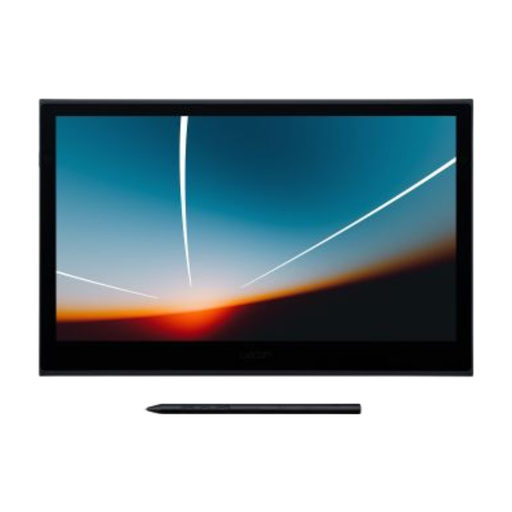 No image available
This 13.3-inch pen display is an option if you want to draw directly on the screen and have more visible workspace.
The product description lists a Full HD OLED screen, USB-C connection and an active area of 294 × 165 mm.
The description states 100% colour coverage; this alone doesn't guarantee a match with a print.
Also listed: 8,192 pressure levels and a 4 mm profile.
Don't assume it will: XPPen explicitly describes the Artist 12 3rd as non-standalone. For any other model, check which computer or compatible mobile device and software you need.
No. For the single-cable set-up described, your computer must also be able to output video over USB-C. Huion also specifies data transfer and cable requirements for supported models; Wacom describes a separate power connection if the computer doesn't supply enough power.
Use a suitable colour profile and check a proof for your intended printing process. Adobe points out that calibration, ambient light and paper all have an effect, as well as software settings; a stated sRGB percentage alone isn't enough.
When you buy as a consumer from a business, you're entitled to a product that works properly, and the seller is your point of contact if there's a problem. According to the Dutch government, the Netherlands has no fixed statutory warranty period. For distance purchases, a 14-day cooling-off period applies in many cases; check the terms and any exceptions that apply to your purchase.
The European Commission states that CE marking is mandatory for products covered by harmonised EU rules that specifically require it. CE marking isn't an independent quality mark; check the product information for the exact version and don't draw conclusions about an individual offer from a general brand page.