Choose a pedestal fan whose height and direction you can adjust to suit where you sit. If you’ll also use it while sleeping, compare the noise levels of the settings you plan to use. Measure the space available for the base, and check the power rating and controls: extra settings are only useful if you’ll actually use them. A fan circulates air, which can help you feel cooler, but it won’t lower the room temperature like an air conditioner, according to Milieu Centraal.
Who is this choice relevant to?
Student who also sleeps in the room
Wants to control the airflow while studying and sleeping, and is particularly concerned about the noise level of the setting they’ll actually use. The Consumentenbond lists noise and adjustability as factors to consider when choosing a fan.
Student with a cramped desk area
Wants to circulate air where they sit without the base getting in the way. The fan’s height, position and ability to direct the airflow all help determine whether it’s right for the room.
Student looking for simple controls
Wants to adjust the settings and airflow without unnecessary features. Consider which controls and adjustment options you’ll actually use; the Consumentenbond recommends comparing the features of each model.
What should you look for when choosing?
Start by considering where you’ll put the fan and which way you want the air to flow. Then compare the noise levels of the settings you plan to use at your desk or while sleeping.
| What to consider |
What should you check? |
Who is this important for? |
| Keeping things quiet while studying and sleeping |
Compare the noise levels for each setting where data is available. Check whether there’s a quiet setting and, if needed, a timer. |
If I study or sleep in the same room, I want to be able to adjust the airflow without the noise becoming unpleasant. Around 29% of consumers put quiet operation first. |
| Directing air where you need it |
Check whether the height is adjustable and if the fan oscillates. Also see whether you can switch off the oscillation. |
If I want to direct air towards where I sit or circulate it around the room, adjustable direction is important. Around 29% of consumers give air distribution top priority. |
| Space for the fan |
Measure the available floor space and check the dimensions of the base and the chosen setup. |
In a small room, I want to position the fan without obstructing the walkway or getting in the way of using my desk. Around 24% of consumers put finding a suitable position first. |
| Running costs and features |
Compare the stated power rating in watts and consider how many hours you’ll use the fan for. Also check which features and accessories are included with that version. |
If I’m mainly looking for a simple fan with running costs that suit me, I don’t want to pay for features I don’t need. Around 18% of consumers consider running costs and simplicity their main priorities. |
How to avoid common buying mistakes
-
Comparing the noise level on the lowest setting with the airflow on the highest
These figures may refer to different settings, so they won’t tell you how quiet a powerful setting is.
Compare the noise level on the setting you expect to use, from the distance you’ll be sitting from the fan beside your desk.
-
Expecting a fan to cool the room
A fan moves air over your skin, but it doesn’t lower the temperature of the air in the room.
Choose a fan to circulate air, and reduce heat in the room by ventilating it and using blinds or curtains to keep out the sun.
-
Assuming an optional accessory is included as standard
The battery for the Duux Whisper Flex² No Wi-Fi is optional, according to Duux.
Check what’s in the box for the exact version before you order.
Brands worth considering
Duux
The Whisper Flex² No Wi-Fi can be used as either a table or pedestal fan, making it worth considering if you want to compare different heights and settings.
- Duux lists a height of 54 or 92 cm and 30 settings.
- The battery is optional, and this version doesn’t have app controls. Noise and energy-use figures are provided by the manufacturer.
Rowenta
The Turbo Silence Extreme VU5690 is worth considering if airflow reach, adjustability and remote control are priorities.
- Rowenta lists an airflow rate of 66,5 m³/min on the highest setting and 32 dB(A) in night mode.
- These figures refer to different settings and weren’t measured together.
Tristar
The VE-5894 is a pedestal fan for anyone who’s happy with manual controls and a limited number of settings.
- According to Tristar, this model has three settings, an adjustable height of 105–125 cm and switchable oscillation.
- It doesn’t come with a remote control.
Princess
The 354860 Smart DC is worth comparing if you’re looking for a wide range of speed settings, a timer and a remote control.
- Princess lists 24 speeds, 90° oscillation and a 1–24-hour timer.
- The stated noise level isn’t an independent comparison with other models.
Philips
The 2000 Series CX2550/00 is an alternative with several settings, modes and a timer.
- Philips lists three speeds, two modes and a timer for this model.
- Check the specifications for the exact version if you want to compare performance.
Joybuy products for circulating air around a desk
This selection focuses on pedestal fans for circulating air around a desk. Check the placement options, direction and controls listed for each version.
 No image available
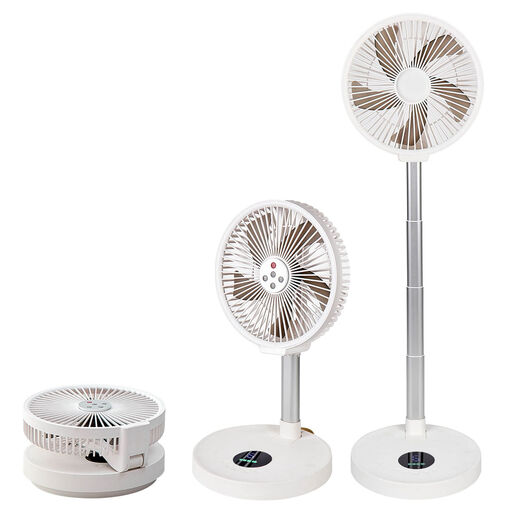
Foldable pedestal fan, 7200 mAh
This foldable model is designed for use as either a floor or table fan.
Features a 7200 mAh battery, remote control, 6 speeds, a timer and adjustable height.
Joybuy
 No image available
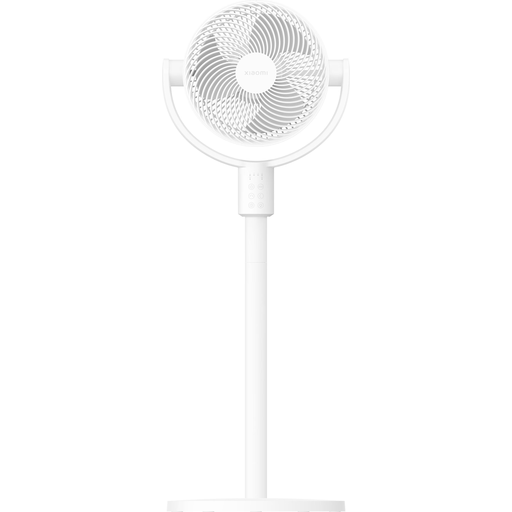
Xiaomi Smart Standing Air Circulation Fan
A pedestal air circulator to compare if you want to adjust the airflow around your desk.
Features 3D automatic oscillation, 2 modes, 100 speeds and a DC inverter motor.
Joybuy
 No image available
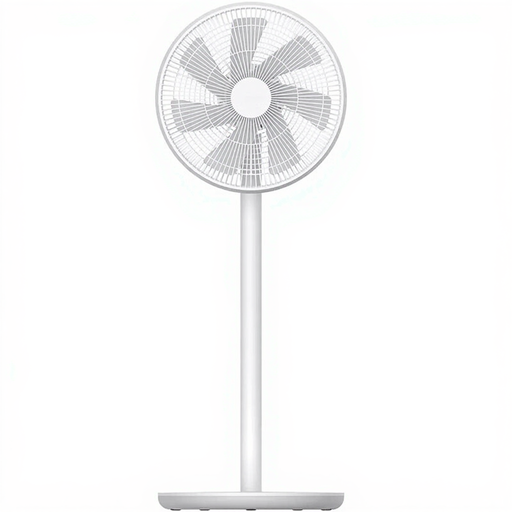
Xiaomi Smart Standing Fan 2 Lite
A pedestal fan to consider if you want to adjust its height and airflow distribution, and use app controls.
Features 7 blades, 90° oscillation, adjustable height and an airflow reach of 12 m.
Joybuy
 No image available
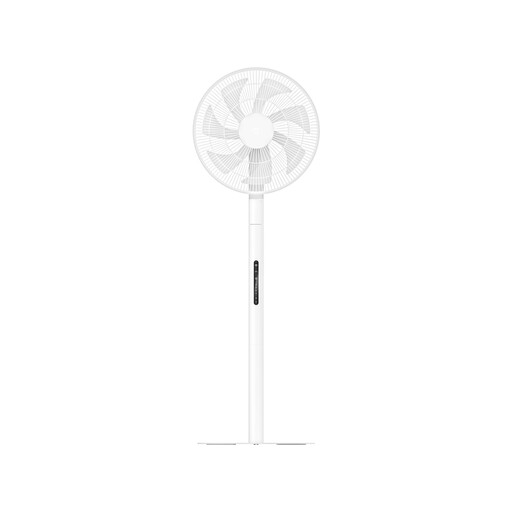
Xiaomi Mijia Smart Standing Fan Pro
This pedestal fan is worth comparing if you want to circulate air around the room and have several ways to control it.
Features an airflow reach of 14 m, a DC inverter motor and control via app, remote control or touch controls.
Joybuy
Frequently asked questions
Does a pedestal fan make the room cooler?
No, a standard fan doesn’t lower the temperature of the air in the room. The airflow can help your skin feel cooler; ventilating the room and using blinds or curtains to keep out the sun can help reduce the heat.
How should I position and maintain a fan in a student bedroom?
Place the fan on a stable surface where its base and cable won’t obstruct the walkway. Follow the instructions for the exact model when assembling and cleaning it; the Brandweer advises keeping electrical appliances free of dust and switching them off when they’re not in use.
Who should I contact if my fan is faulty?
Report the problem to the seller. According to the Rijksoverheid, the seller must provide a solution if there’s a problem with a product; the manufacturer’s warranty is in addition to your statutory rights.
Does an electric fan have to meet product regulations in the Netherlands?
Yes, electrical equipment sold in the Netherlands must comply with the relevant European safety rules. To demonstrate compliance, the manufacturer must apply the CE marking and draw up an EU declaration of conformity. A brand name alone doesn’t show that a specific version complies with these rules.


