
Online shop photographer capturing complete PCBs
You want overview images that show the whole PCB and make its key details easy to recognise. For this task, framing and sharpness across the subject matter more than maximum magnification.


Start by checking your camera’s mount, then decide whether you mainly want to photograph complete PCBs or small component details. A suitable 1:1 macro lens can work for both types of image. For very small markings, magnification above 1:1 may be useful, but framing and depth of field need extra attention. Canon Europe describes focus stacking as a way to combine images taken at different focus positions when components at different heights cannot all be in focus at once.
You want overview images that show the whole PCB and make its key details easy to recognise. For this task, framing and sharpness across the subject matter more than maximum magnification.
You want to capture markings, connectors or solder joints individually and at a larger size. So, assess magnification, depth of field and the right mount together.
You’re working close above a PCB and want to leave room for lighting and handling. The minimum focusing distance is not the same as the free space in front of the lens.
First, check your camera’s mount. Then decide how much of the frame you need to fill and whether your setup leaves enough room for lighting.
| What to consider | What to look for when buying | Who is this important for? |
|---|---|---|
| Lens compatible with your camera | Check the mount and controls for the exact lens version; don’t assume compatibility based on the brand name alone. | If I want to keep using my existing camera, the lens version needs to fit it. Around 33% of consumers prioritise camera compatibility. |
| Fitting the complete PCB in the frame | Measure your largest board and take a test shot to check the framing; if components are at different heights, check your focusing workflow too. | For an online shop overview, I want the whole PCB to be recognisable, not just a highly magnified section. Around 27% of consumers prioritise a useful overall image. |
| Small markings and solder details | Compare the maximum magnification of the exact lens; check whether your shooting workflow provides enough depth of field. | If small markings or solder joints need to be visible individually, I first look at the lens’s magnification. Around 20% of consumers say that capturing micro-details is their top buying priority. |
| Working space for lighting and handling | Check the free space in front of the lens at the magnification you’ll use; don’t confuse it with the minimum focusing distance measured from the sensor. | When I’m photographing close above the PCB, I also need room for lighting and handling. Around 20% of consumers prioritise working space in their shooting setup. |
Minimum focusing distance is measured from the sensor. It doesn’t tell you how much space there is between the front of the lens and the PCB. That difference can affect where you position your lighting.
Check the free space at the magnification you actually plan to use, and test whether the PCB and lights will fit in your setup.
You may need to change your lighting setup if the lens leaves too little space.
Maximum magnification describes how large a subject can appear on the sensor; it doesn’t automatically make that setting suitable for photographing a complete PCB. When shooting close up, you also need to consider depth of field separately.
Start with an overview test shot of your largest PCB, then assess detail shots separately.
Reframing or taking several shots can add to the time involved.
Laowa states that only the Canon EF version of the 100mm f/2.8 2X Ultra-Macro APO has a CPU chip and aperture control via the camera; the other versions are operated manually on the lens.
Before buying, check the controls for the exact mount and lens version you’ve chosen.
Manual controls may mean more steps for each photo in a product range.
ACM ConsuWijzer states that consumer protection does not apply when an agreement is used mainly or exclusively for business purposes.
Check whether you’re buying as a private individual or for business, and read the applicable terms before placing your order.
These model details can help you compare mounts, magnification and setup. One specification alone doesn’t prove how sharply a lens will perform on every PCB.
The RF 100mm F2.8L Macro IS USM is worth considering for a compatible Canon RF camera if you need magnification above 1:1.
The NIKKOR Z MC 105mm f/2.8 VR S is a 1:1 macro lens for a compatible Nikon Z camera.
The FE 90mm F2.8 Macro G OSS and FE 100mm F2.8 Macro GM OSS are two different Sony E lenses with different maximum magnifications.
The 105mm F2.8 DG DN MACRO | Art is a 1:1 option available in separate Sony E and L-Mount versions.
The 100mm f/2.8 2X Ultra-Macro APO is designed for photographers who want to capture details at up to 2:1.
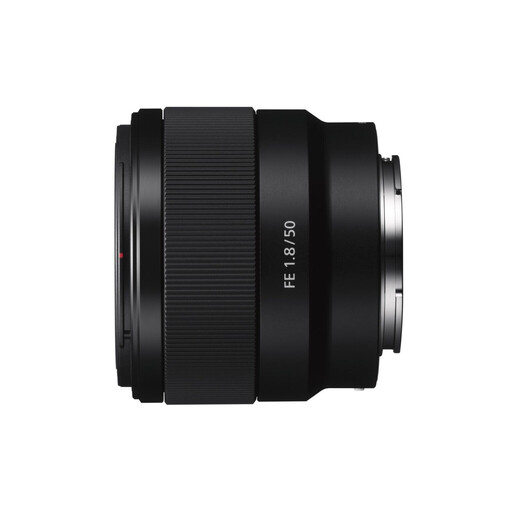
This Joybuy product selection is aimed at product and close-up photography with Sony E cameras. Check the limited magnification before choosing this lens for small PCB details.
 No image available
An option for product and close-up photography with a compatible Sony E camera, but its magnification is limited for very small markings and solder details.
Maximum magnification: 0.16×. Weight: 202 g.
No, 1:1 magnification isn’t needed for every shot. Sony Netherlands describes maximum magnification as a measure of how large a subject can appear on the sensor. For an overview shot, first decide how much of the frame the whole PCB needs to fill. Compare magnification separately for small markings or solder details.
If a single shot doesn’t provide enough depth of field, you can combine shots taken at different focus positions. Canon Europe describes this as focus stacking. Check which features your camera and editing software offer for this, and keep the camera steady.
No. Sony Netherlands distinguishes between the minimum focusing distance, measured from the sensor, and the working distance between the front of the lens and the subject. Check the free space at the magnification you actually use.
This depends in part on how the lens is used and the terms of the agreement. ACM ConsuWijzer states that consumer protection does not apply when a contract is used mainly or exclusively for business purposes. The assessment may be different if it’s mainly for private use, and limited application of consumer protections may sometimes apply to small businesses. So, check the applicable terms and any commercial warranty.