
Vandaag of morgen in huis

Kwaliteit gegarandeerd

Welkomstaanbiedingen ontgrendelen: GRATIS bezorging | Tot 80% korting | Gratis 30 dagen JoyPlus-proefperiode
Download de app
Is your processor running at high temperatures during gaming or rendering? Are you distracted by the sound of roaring fans? Then you're probably considering an upgrade to water cooling for your PC. Proper CPU cooling is crucial for stable performance, especially if you want to get the most out of your hardware.
This article is intended as a practical guide. We'll look at the specifications that truly matter and help you make a choice that fits your system and needs. We focus on All-in-One (AIO) systems, as they offer an effective and accessible solution for most PC builders.
Before you make a decision, there are a few key points to consider. Paying attention to these will help you avoid compatibility issues and ensure you get the right cooling performance for your situation.
The radiator is the component that dissipates heat. Its size is indicated in millimetres, such as 240mm, 280mm, or 360mm. A larger radiator has more surface area and can therefore dissipate more heat, often resulting in lower temperatures or quieter operation.
A CPU cooler must physically fit on your motherboard and in your case. Therefore, always check two things:
For many, quiet PC cooling is just as important as the temperature. Pay attention to the noise level (expressed in dB) and the fan speed (RPM). Many modern AIO coolers have PWM fans, allowing you to adjust the speed via your motherboard software. Some models even offer a 'zero RPM' mode, where the fans stop spinning at low temperatures.
Based on specifications, functionality, and user-friendliness, we have listed some interesting options for you.
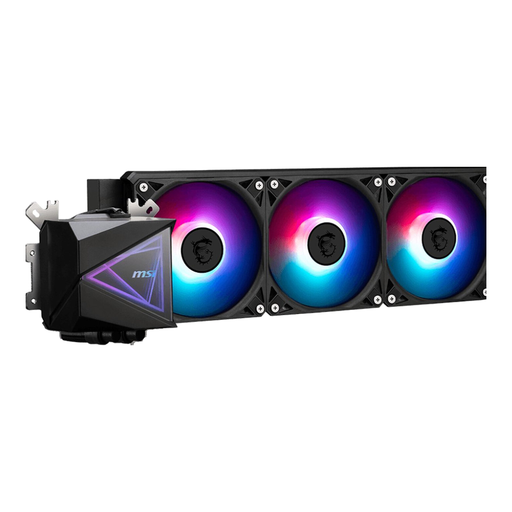
Why It Stands Out: The MSI MAG CORELIQUID I360 is designed for users who need serious cooling power. With its large 360mm radiator and three 120mm fans, this model is aimed at taming the most demanding processors. Its broad socket compatibility, including the latest from Intel and AMD, makes it a versatile choice. The ARGB lighting on the pump and fans adds a visual flair that can be customised via MSI's software.
Pros:
Who Is It For? For PC builders and gamers with a powerful, heat-producing CPU who are looking for maximum cooling performance for overclocking or heavy workloads.
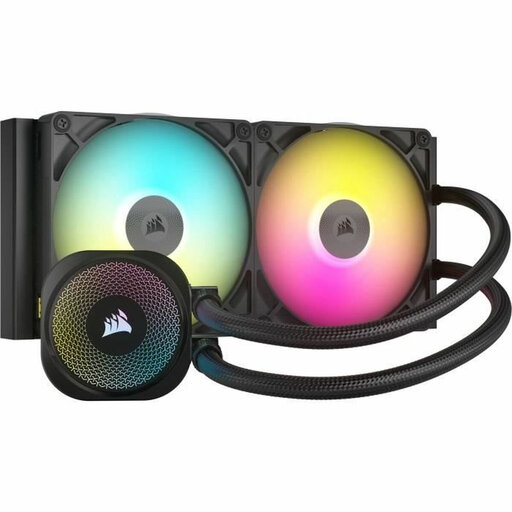
Why It Stands Out: This Corsair water cooler is part of the iCUE LINK ecosystem, which drastically simplifies cable management. Components are connected via a single cable, resulting in an exceptionally clean build. The 280mm radiator, combined with two RX140 RGB fans, offers an excellent balance between performance and quieter operation. According to Corsair, the FlowDrive cooling engine ensures efficient heat transfer, and the fans support a zero RPM mode for when the PC is not under heavy load.
Pros:
Who Is It For? For the PC enthusiast who values a clean aesthetic, innovative technology, and a quiet system, without compromising on cooling performance.
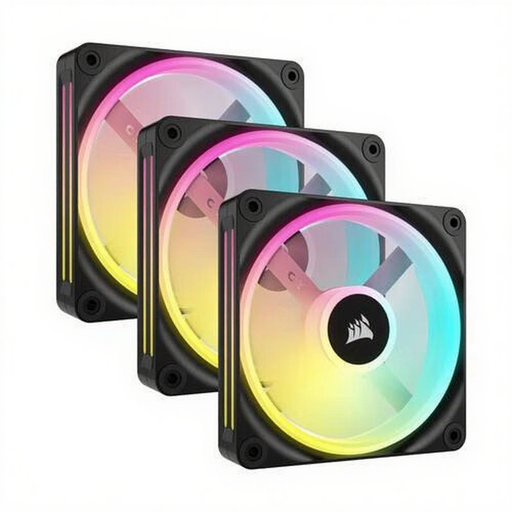
Why It Stands Out: While not a complete AIO cooler, this set of three Corsair QX120 RGB fans is an excellent upgrade for your system. Whether you want to replace the stock fans on your radiator or improve the overall airflow in your case, these fans offer a combination of performance and aesthetics. Each PC fan features 34 individually addressable RGB LEDs. Thanks to the wide RPM range (480-2400 RPM), you can define the balance between cooling and noise yourself.
Pros:
Who Is It For? For users who want to improve the aesthetics and airflow of their current system, or who want to upgrade their water cooler's stock fans for better performance and more RGB effects.
Good airflow is the foundation of any well-cooled system. If you are specifically looking for fans to complete your build or improve your current setup, a wide range of options is available.
Check out our range of Black PC Fan options for more choices that suit your build.
1. Is water cooling better than air cooling? It depends on your situation. An AIO cooler generally offers better cooling performance for high-end, overclocked processors and can be quieter under heavy load. A traditional air cooler is often simpler, highly reliable, and can be an excellent choice for most systems. The choice depends on your processor, case, budget, and personal preference.
2. How long does an AIO water cooler last? Most AIO water coolers have an expected lifespan of about 5 to 7 years. The most common issues over time are pump failure or permeation (the very slow escape of liquid through the tubes). Manufacturers often provide a long warranty, which is an indicator of its expected durability.
3. Is water cooling difficult to install? Modern AIO systems are designed for a relatively simple installation. They are a closed-loop, pre-filled, and sealed, so you don't have to worry about filling liquid or leaks during assembly. The installation is similar to that of a large air cooler: you mount the pump on the processor and the radiator in the case. Always follow the included manual for the correct steps.
