
Vandaag of morgen in huis

Kwaliteit gegarandeerd

Welkomstaanbiedingen ontgrendelen: GRATIS bezorging | Tot 80% korting | Gratis 30 dagen JoyPlus-proefperiode
Download de app
A PC power supply does more than simply start up your computer. It needs to handle your graphics card’s peak power draw, fit inside your case and provide the right cables. Yet when shopping, people often focus mainly on the wattage. This can lead to an unnecessarily expensive model, cable problems or a power supply that isn’t compatible with modern hardware.
A 1000W power supply isn’t automatically suitable for every PC. Check the 12V capacity, the type of PCIe connector and the dimensions too. A system with an energy-efficient processor and mid-range graphics card usually won’t need 1300W or 1600W. Extra headroom can be useful for a powerful gaming PC, though, because of temporary power spikes.
An 80 PLUS Gold power supply converts a greater proportion of the power it draws into usable electricity than a model with a lower certification, under the conditions used for certification. That doesn’t mean every PC will automatically use less electricity with one: consumption depends mainly on the components and the load.
A modular PC power supply can help with cable management, but you still need to check that the cables supplied are compatible with your graphics card and motherboard. Also check the length. A 160 mm ATX power supply may leave less room in a compact case than a 140 or 150 mm model.
Only use the modular cables supplied with the power supply. Cables from another power supply may have a different pinout and could cause damage.
Start by estimating the power consumption of your processor, graphics card, storage, fans and accessories. Then choose a power supply with enough headroom. A 750W power supply may be suitable for a modern gaming PC with one graphics card. For a more powerful system, 850W or 1000W PC power supplies are sensible options to compare.
A 1300W or 1600W power supply is mainly relevant for systems with very powerful components, multiple expansion cards or sustained heavy loads. More wattage won’t automatically improve your PC’s performance.
Check that the power supply is compatible with your motherboard and graphics card. A modern ATX power supply with ATX 3.1 support may be worth considering if you’re building a new PC. For current graphics cards, a PCIe 5.0 power supply or a model with a 12V-2x6 connector is practical, as it means you’re less reliant on adapters.
Check the difference between:
A quiet PC power supply often has a semi-passive mode, where the fan runs more slowly or stops temporarily under a light load. Check the product specifications rather than relying on terms such as “silent”.
The 80 PLUS rating, such as Gold or Platinum, is a verifiable indication of efficiency. Other certifications, such as Cybenetics ETA or LAMBDA, can provide additional information about efficiency and noise. Treat these labels as points of comparison, not as a guarantee of a completely silent computer.
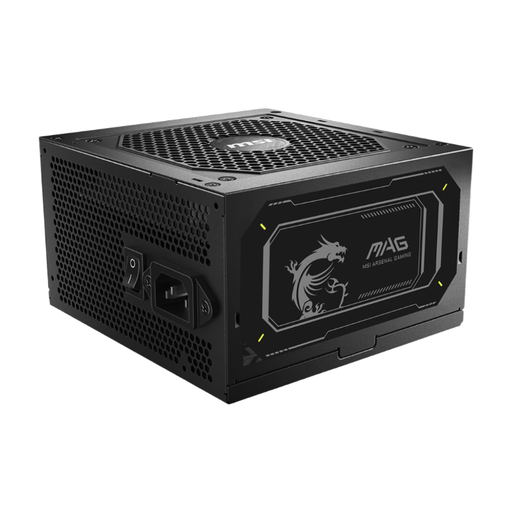
Why it suits this profile: Its 750W capacity is worth considering for a typical gaming PC, without stepping up to a higher-wattage power supply straight away.
The product specifications list ATX 3.1, 80 PLUS Gold and a fully modular design. However, check first that 750W is suitable for your components.
750W continuous power, 8 SATA connectors, 2 EPS connectors and a length of 140 mm.
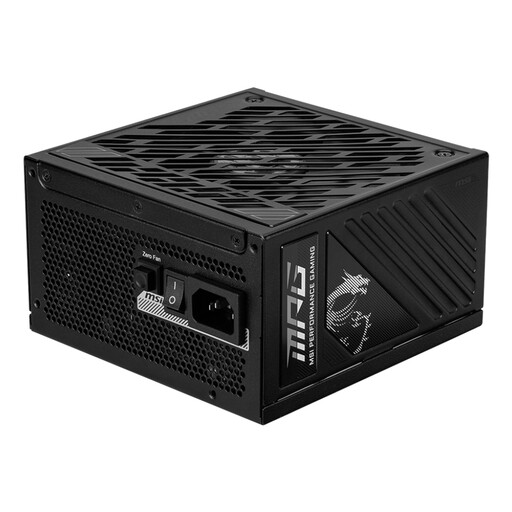
Why it suits this profile: This 850W gaming power supply offers extra capacity for a powerful system and modern graphics cards with a compatible connector.
The listing includes a 12V-2x6 PCIe Gen 5.1 connector and fully modular cables. This makes it less likely that you’ll have to rely solely on separate adapters.
850W continuous power, 80 PLUS Gold, semi-passive cooling and 8 SATA connectors.
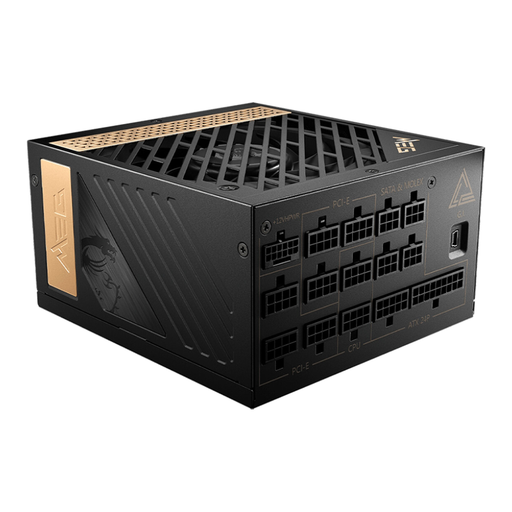
Why it suits this profile: Its high wattage is designed for demanding systems where a 1000W PC power supply may leave little room for upgrades.
The specifications list 1300W continuous power, a PCIe Gen 5 connector and protection against overload and overheating, among other things.
80 PLUS Platinum, fully modular cables, 16 SATA connectors and a semi-passive 120mm fan.
We’ve put together a complete, up-to-date list of products that meet these strict selection criteria and the applicable European safety regulations.
It depends on your processor, graphics card and other components. Check the recommended wattage for your graphics card, then allow some headroom for peak loads and future upgrades. Compare 750W, 850W and 1000W models by their connectors and dimensions, not just the number on the box.
With a modular power supply, you only connect the cables you need. This can make installation neater and free up space inside the case. It doesn’t automatically make the power supply more efficient or quieter. Always check which cables are included.
Its lifespan depends on the load, temperature, dust and the quality of its components. Make sure there’s enough ventilation, keep the filters clean and use the power supply within its specified wattage. According to the product information, the products listed come with at least two years of statutory warranty in the EU; additional rights may apply under the relevant national legislation.
