
Vandaag of morgen in huis

Kwaliteit gegarandeerd

Welkomstaanbiedingen ontgrendelen: GRATIS bezorging | Tot 80% korting | Gratis 30 dagen JoyPlus-proefperiode
Download de app
A PC power supply doesn’t determine how many frames per second your graphics card can deliver, but it does determine whether your whole system gets the power it needs. Even so, many buyers look only at the wattage. This can lead to unnecessary expense, limited upgrade options or a power supply that doesn’t fit your case and graphics card properly.
When comparing an ATX power supply, watch out for these three common pitfalls:
Don’t just add up the stated power consumption of your graphics card. Your processor, motherboard, storage drives, fans and USB devices all use power too. Leave some headroom for power spikes and future upgrades as well.
As a general guide:
Don’t use wattage as your only selection criterion. Check the capacity of the 12V rail too, as the processor and graphics card draw much of their power from it.
A modern ATX 3.1 power supply is designed for current PC platforms and, when used with a suitable cable, can provide better support for newer graphics cards. A PCIe 5.0 power supply or a model with PCIe 5.1 support may offer a direct 12V-2x6 connection.
Before buying, check:
If you have a modular PC power supply, use only the cables supplied for that specific model. Cables from another power supply may be wired differently and could cause damage.
An 80 PLUS Gold power supply is a popular choice for modern gaming PCs. Platinum and Titanium indicate higher efficiency under certain test conditions. However, the certification doesn’t tell you everything about noise, connectors, dimensions or protection features.
You’ll come across certifications including:
Check the cooling design too. A semi-passive fan can stop spinning under light loads, while a quiet PC power supply with a larger or slower-spinning fan can help keep noise down. Actual noise levels depend on the load, ventilation and the rest of your system.
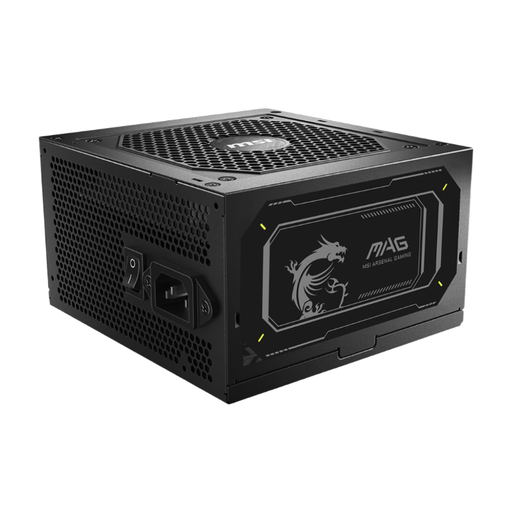
Why it suits this profile: With 750W, ATX support and a fully modular design, this is a straightforward choice for your first gaming PC or a standard upgrade.
This model combines a stated continuous power output with a PCIe 5.1 connector and several protection features, so you don’t have to rely on marketing claims alone.
750W continuous power, 80 PLUS Gold, two EPS connectors, eight SATA connectors and a compact depth of 140 mm.
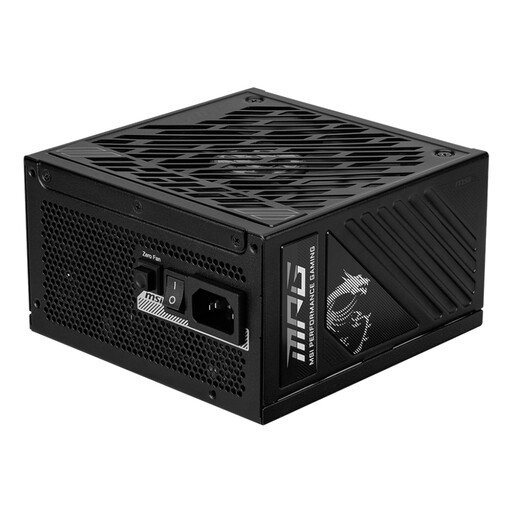
Why it suits this profile: This MSI power supply offers 1000W, ATX 3.1 support and a fully modular cabling system for a powerful PC with room to upgrade.
The 12V-2x6 connector is rated for up to 600W, making it easier to check compatibility with a modern graphics card before you buy.
1000W continuous power, 80 PLUS Gold, eight SATA connectors and semi-passive cooling with a 135 mm fan.
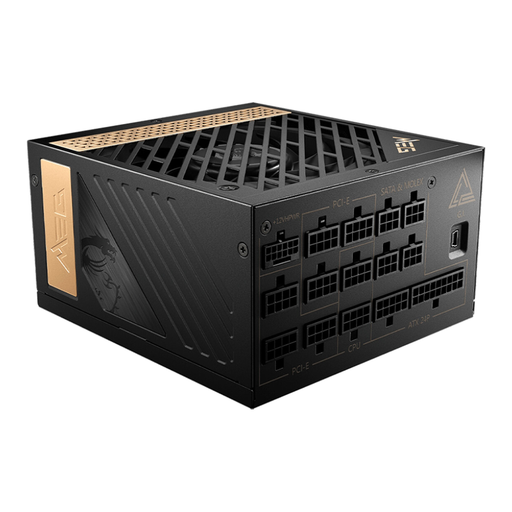
Why it suits this profile: Its high power output and PCIe Gen 5 connector are designed for demanding systems with a powerful processor, graphics card and multiple expansion components.
The specifications list the power output, PCIe connector, EPS connectors and dimensions separately. This makes it easier to check the power supply against your components.
1300W continuous power, 80 PLUS Platinum, fully modular design and support for up to eight PCIe 6+2-pin connectors.
We’ve put together a complete, up-to-date list of products that meet these strict selection criteria and current European safety regulations.
That depends on the processor, graphics card and other components. For many systems, 750W is a practical starting point. A powerful graphics card or a future upgrade may call for an 850W or 1000W PSU. Use the graphics card manufacturer’s recommendation as a check, not as your only criterion.
Its lifespan depends on the load, temperature, dust and how long it’s used for. A power supply that constantly runs close to its maximum output has less headroom. Make sure there’s enough ventilation and keep it free of dust. Never open the power supply casing, as dangerous voltages may remain inside.
No. The certification describes efficiency under set test conditions. A powerful PC will use more electricity than a basic office PC, even if both power supplies have the same certification. Check your system’s actual power consumption and choose a wattage that suits your configuration.
