
Vandaag of morgen in huis

Kwaliteit gegarandeerd

Welkomstaanbiedingen ontgrendelen: GRATIS bezorging | Tot 80% korting | Gratis 30 dagen JoyPlus-proefperiode
Download de app
A PC power supply often gets less attention than the processor or graphics card. Yet it determines which components you can install, how many cables will fit in your case and whether your system supports modern standards. Choosing the wrong one can leave you short of connectors, lead to unnecessary expense or mean the power supply won’t fit in your PC case.
For gamers, PC builders and professionals, these are the main pitfalls to watch out for:
The wattage you need depends on your processor, graphics card, storage and any additional components. First, check the graphics card’s recommended power supply wattage, then allow some headroom for power spikes and future upgrades.
A practical guide:
More power doesn’t automatically mean better efficiency or that you need it. Choose the wattage based on your current components and planned upgrades.
An ATX power supply is the usual choice for standard desktop cases. As well as checking the form factor, check the maximum depth. Some high-powered power supplies are longer than a typical model and may clash with a hard drive cage or cable space.
An SFX power supply is more compact and designed for small PC cases. Check whether your case supports SFX directly or needs an adapter bracket. The Corsair SF850 below, for example, has an SFX form factor and a specified power output of 850W.
An 80 PLUS Gold power supply or 80 PLUS Platinum power supply may be more efficient than a Bronze model under the relevant test conditions. This can matter if you spend long periods gaming, rendering or working. Also check for:
With a modular PC power supply, you only connect the cables you need. This can make cable management easier and improve airflow inside the case. A non-modular power supply has permanently attached cables. It can be a more affordable option, but you’ll need to tuck away any unused cables.
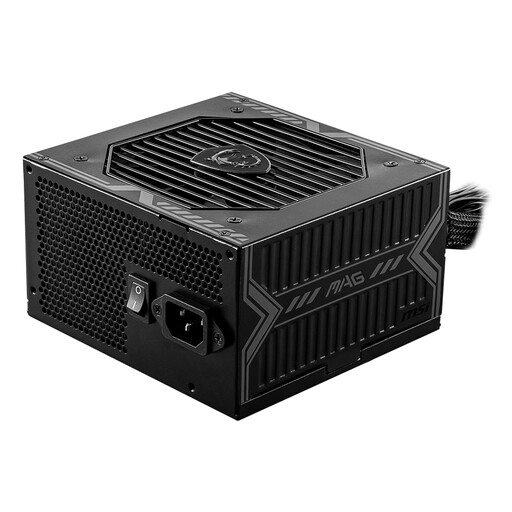
Why it suits this type of user: This 650W ATX power supply is designed for a straightforward PC build. Its non-modular design keeps installation simple.
The product details list 5 SATA, 2 PCIe and 1 4+4-pin EPS connector. Check beforehand that these match your components.
650W, 80 PLUS Bronze, ATX form factor, and protection against short circuits, overloading and voltage problems.
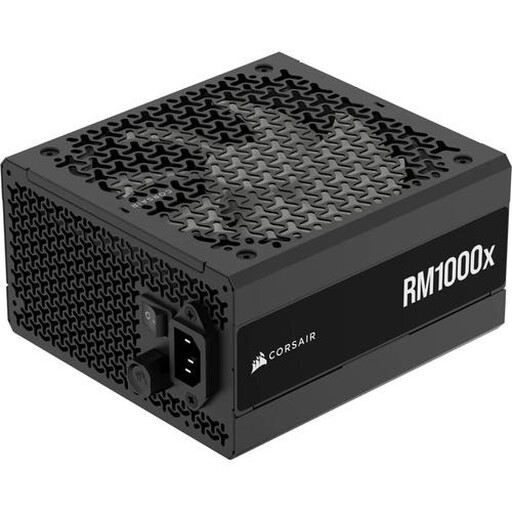
Why it suits this type of user: This fully modular ATX power supply delivers 1000W and is designed for powerful PC builds with plenty of room for upgrades.
The fully modular cables mean you only need to connect the ones you need. Be sure to check that the listed connectors and dimensions are compatible with your case.
1000W, 80 PLUS Gold, 4 PCIe connectors and 12 SATA connectors, according to the product information.
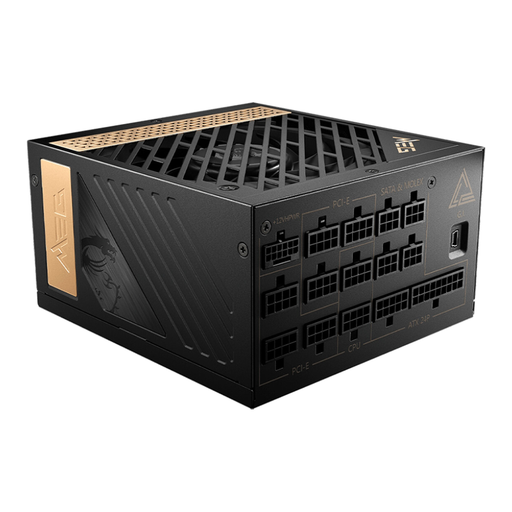
Why it suits this type of user: Its high power output and PCIe 5 connector are designed for high-performance gaming PCs and workstations with demanding components.
The product details list ATX 3.0, a PCIe Gen 5 connector and fully modular cables. This reduces the risk of running short of modern connectors.
1300W, 80 PLUS Platinum, 8 PCIe 6+2-pin connectors and a semi-passive fan, according to the product specifications.
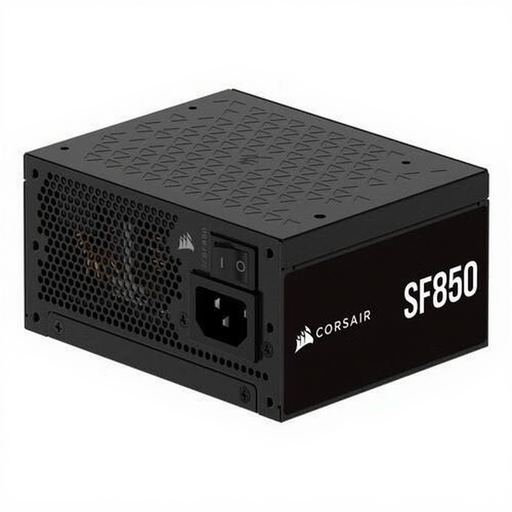
Why it suits this type of user: The SFX form factor is designed for small PC cases where a standard ATX power supply won’t fit.
The compact SFX design helps you avoid choosing a power supply based only on wattage and forgetting to check its physical size. Check whether you need an adapter bracket.
850W, 80 PLUS Platinum, fully modular and supports ATX 3.1, according to the product description.
We’ve put together a complete, up-to-date list of products that meet these strict selection criteria and comply with current European safety regulations.
When building your PC, always follow the power supply and motherboard manuals. Keep these points in mind:
It isn’t safe to open a power supply. Capacitors inside may still hold a dangerous charge after it has been switched off.
That depends on the graphics card and processor. 650W may be enough for a mid-range system, while a powerful gaming PC may need 750W or 850W. Use the manufacturer’s recommendation as a starting point and allow for future upgrades.
Its lifespan depends on usage, temperature, dust and load. A well-ventilated case and a power supply that isn’t constantly running at its limit can help it perform reliably. Check the warranty too, and replace the power supply if you notice unusual smells, sparks, shutdowns or audible electrical noises.
Not always. The certification refers to efficiency under specific test conditions. Actual power consumption depends on your PC’s load, its components and how long you use it. So don’t look at Gold or Platinum alone: consider the power output, connectors, form factor and suitability for your system too.
