
Vandaag of morgen in huis

Kwaliteit gegarandeerd

Welkomstaanbiedingen ontgrendelen: GRATIS bezorging | Tot 80% korting | Gratis 30 dagen JoyPlus-proefperiode
Download de app
Building a new PC or upgrading an existing one is an exciting project. You carefully select a processor and graphics card, but the component that provides stable power to everything is often overlooked: the PC power supply (PSU). The wrong choice can lead to instability, noise, or even damage to your components.
This article serves as a practical guide. We'll help you understand the specifications and ask the right questions, so you can make an informed decision for your specific build. We'll highlight some popular choices for different users, from first-time builders to seasoned enthusiasts.
The power supply market is filled with technical terms. Let's break down the three most important factors that will determine your choice.
The required wattage depends directly on the components in your system, especially the processor (CPU) and the graphics card (GPU). A general guideline:
It's wise to choose a power supply with some extra capacity (about 20-30% more than the estimated peak consumption) to ensure efficiency and a longer lifespan.
The 80 Plus certification indicates how efficiently a power supply converts power from the wall outlet into usable power for your PC. Higher efficiency means less energy is wasted as heat. This leads to a lower electricity bill and often quieter operation, as the fan doesn't have to spin as fast.
The most common levels are:
This refers to how the cables are attached to the power supply.
Most power supplies, including the models mentioned below, follow the ATX power supply form factor, which fits in most standard PC cases.
Based on specifications and user applications, we have selected a few MSI power supply models that cover different needs.
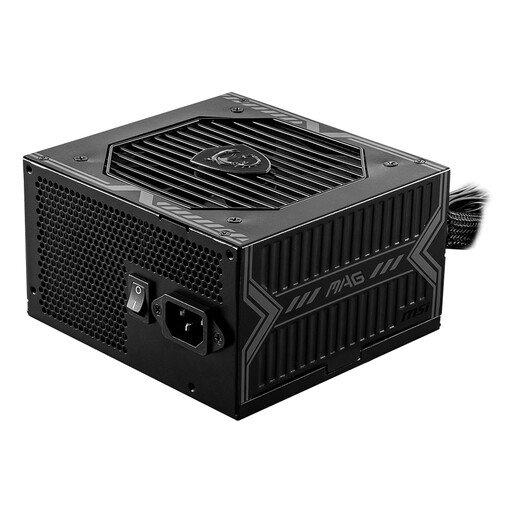
Why It Stands Out The MSI MAG A650BN is a reliable and accessible choice for those looking for their first gaming PC power supply. It delivers stable power without unnecessary frills, keeping the focus on functionality.
Key Features
Who Is It For? Ideal for PC builders on a limited budget who need a solid, reliable power supply for a system with a mid-range graphics card, for example. The non-modular design is easy to install.
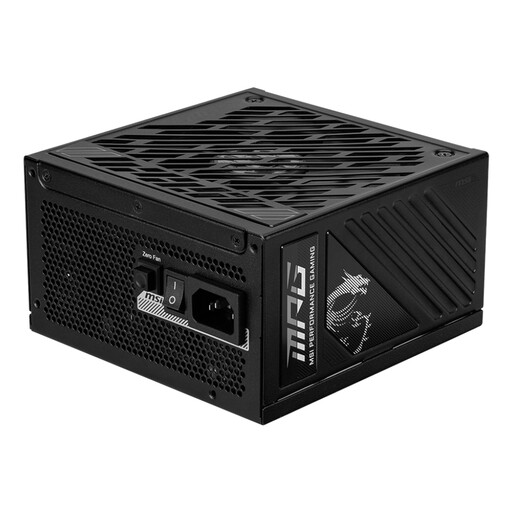
Why It Stands Out This PSU offers an excellent combination of power, efficiency, and modern features. Its PCIe 5 power supply support makes it ready for the latest generation of graphics cards.
Key Features
Who Is It For? Perfect for enthusiast gamers and PC builders who are putting together a powerful system and value efficiency, silence, and a clean build.
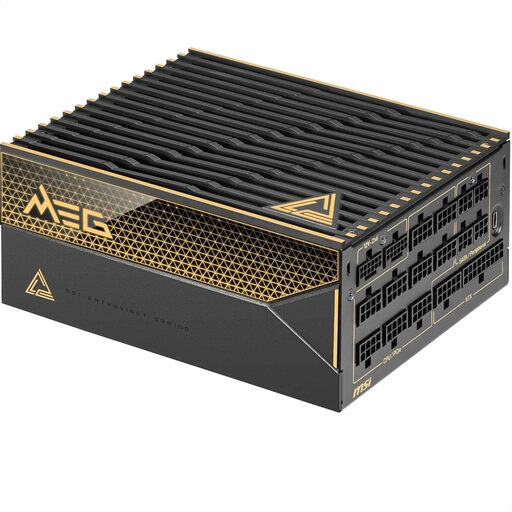
Why It Stands Out The MEG Ai1600T is designed for systems that allow for no compromises. With immense power and the highest achievable efficiency, this is a power supply for the most demanding builds.
Key Features
Who Is It For? Aimed at professionals, content creators with render workstations, and extreme enthusiasts who push the limits of performance and demand absolute stability.
Is a new PC power supply just one part of your project? Perhaps you're also looking for something to add a personal touch to your setup or workspace. For unique accessories, you can take a look at our Black Brooch collection.
That depends on your priorities. For builders who want a clean, tidy look and optimal airflow, a fully modular power supply offers a clear advantage. For a budget build where the PC case has enough space to tuck away unused cables, a non-modular model can be an excellent and more economical choice.
Check the form factor. Most cases and power supplies use the ATX power supply standard. However, it's always wise to check the specific dimensions (especially the depth in mm) of the PSU and compare them with the maximum length supported by your PC case. This is usually listed in the case's specifications.
A PCIe 5 power supply is equipped with a 12VHPWR (or 12V-2x6) connector, which is designed to deliver up to 600W to the latest generation of graphics cards via a single cable. If you plan to purchase a high-end graphics card that requires this connector, choosing a compatible PSU is the most direct and reliable solution. For older or less powerful cards, it is not strictly necessary.
