
Vandaag of morgen in huis

Kwaliteit gegarandeerd

Welkomstaanbiedingen ontgrendelen: GRATIS bezorging | Tot 80% korting | Gratis 30 dagen JoyPlus-proefperiode
Download de app
Building a new PC or upgrading an existing one is an exciting project. You carefully select the processor and graphics card, but PC cooling is often underestimated. A good PC fan is crucial for keeping your components cool, quiet, and stable. However, the market is flooded with marketing jargon and specifications that confuse more than they help. This can lead to you overpaying for features you don't need, or ending up with a system that sounds like a jet engine.
As a Joybuy Product Recommendation Officer, I'm here to help you make the right choices. We'll look past the hype and focus on what truly matters. Let's discuss the most common pitfalls when buying a PC fan.
To avoid buyer's remorse, it's important to understand a few technical specifications. These determine the performance, noise level, and suitability for your specific PC.
This is perhaps the most important distinction. The choice depends on where you place the fan.
Nobody wants a PC that's constantly noisy. A quiet PC fan is the goal.
The physical characteristics are just as important for compatibility and performance.
Based on these criteria, we have selected a few popular choices that suit different user profiles.
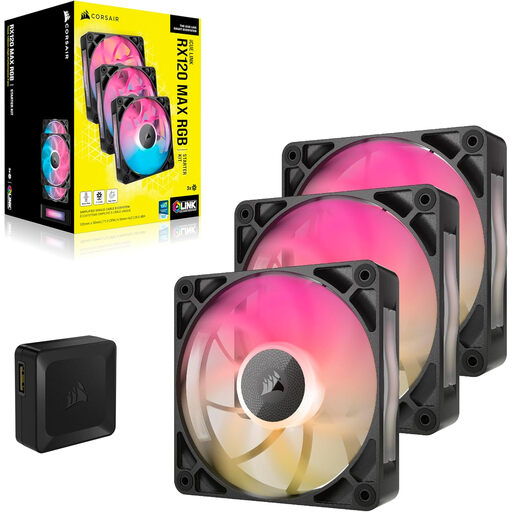
Why This Fits Their Persona: Ideal for builders who want a visually stunning PC without the headache of complex wiring. The iCUE LINK system enables a clean and simple installation.
This system directly tackles the 'cable chaos' pitfall. You connect multiple fans with a single cable, which drastically simplifies the installation.
Simple installation with the iCUE LINK system. Each fan has 8 addressable RGB LEDs for vibrant lighting effects.
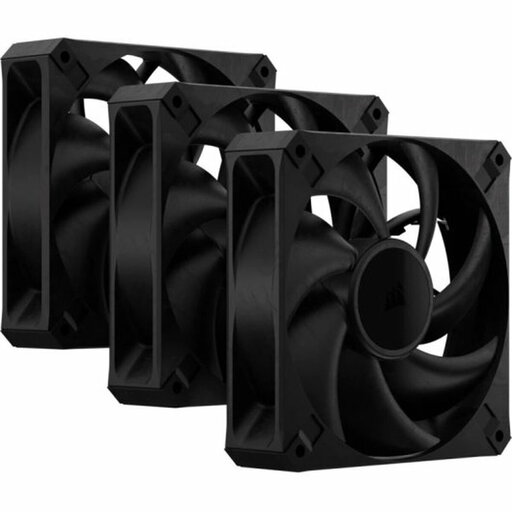
Why This Fits Their Persona: For those who need maximum cooling performance for overclocking or heavy tasks. Here, every degree counts and RGB is a secondary concern.
This fan focuses on pure performance (high static pressure and airflow) instead of aesthetics, thus avoiding the 'looks over function' pitfall.
High static pressure (up to 4.2 mmH2O) makes it ideal for radiators. The 30mm thickness contributes to better performance.
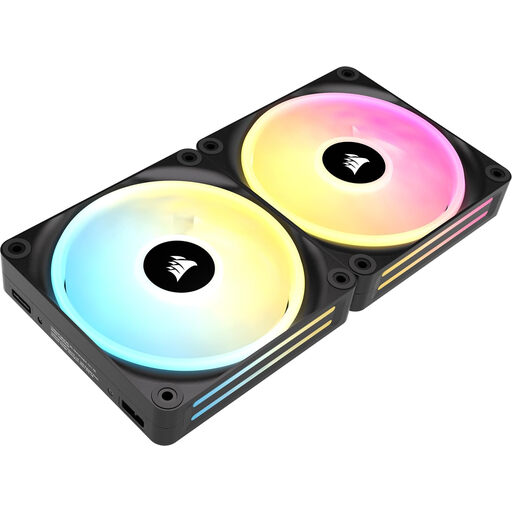
Why This Fits Their Persona: Perfect for those who work in a quiet environment or are sensitive to noise. The focus is on silent operation, especially under low PC load.
Counters the 'higher RPM is better' idea by offering a very low minimum speed (480 RPM) and a noise level of just 10 dB at low speeds.
According to Corsair, the magnetic levitation bearing ensures minimal friction and noise. The wide PWM range provides an excellent balance between silence and performance.
We have compiled a complete, up-to-date list of products that fully meet these strict selection criteria and safety regulations.
A good basic configuration for most systems consists of two or three fans: one or two at the front for cool air intake, and one at the back for warm air exhaust. For more powerful systems that generate more heat, additional fans at the top (exhaust) or bottom (intake) can further optimize airflow.
In general, a 140mm fan can move the same amount of air as a 120mm fan at a lower rotational speed. This often results in quieter operation. If your PC case has mounting points for 140mm fans, this is usually the preferred choice for a silent build. However, always check your case's specifications before making a purchase.
That depends entirely on your personal priorities. An RGB fan adds aesthetic value and allows you to personalize your build. Higher-end models, such as those from the Corsair fan series, often combine this with superior technologies like magnetic bearings or simplified cabling systems. This benefits both performance and ease of building. If you're purely focused on cooling performance and aesthetics are less important, a non-RGB model with similar specifications can be a more budget-friendly option.
