
Vandaag of morgen in huis

Kwaliteit gegarandeerd

Welkomstaanbiedingen ontgrendelen: GRATIS bezorging | Tot 80% korting | Gratis 30 dagen JoyPlus-proefperiode
Download de app
Putting together a new PC seems straightforward until you discover that components don’t always play nicely together. A powerful graphics card can be too long for your PC case, DDR5 memory won’t fit in a DDR4 motherboard, and a compact SFX power supply isn’t suitable for every chassis. If you only look at marketing terms and clock speeds, you can end up paying for performance the rest of your system can’t actually use.
This guide helps you compare PC components for compatibility, capacity, connections, size and power consumption. That way, you’ll find the right gaming PC parts for a new build, an upgrade or a workstation.
A graphics card with a high boost clock or a RAM kit with a high MT/s rating sounds appealing. However, the GPU architecture, memory bus, cooling, processor and resolution all determine how useful those specifications really are. So, check the whole system rather than focusing on one standout number.
With memory, you also need to distinguish between DDR4 RAM and DDR5 RAM. The modules have different notches and won’t work in the same memory slots. Buying a DDR5 kit for a DDR4 motherboard won’t give you extra performance – it will just be incompatible.
Measure the available space inside your case before you buy. With a graphics card, pay attention to:
A card that’s 340 mm long and four slots wide needs a different PC case than a compact card. A CPU cooler, radiator and side fans can also get in each other’s way.
Wattage matters, but it isn’t the only factor. Also check the 80 Plus certification, the type of connectors, the size and support for modern power supply standards. A high-end graphics card may need multiple PCIe connectors or a specific 12+4-pin connector.
A power supply with too little headroom can cause instability. On the other hand, an excessively large unit increases the purchase price without automatically making your system faster.
For gaming and graphics work, the amount of video memory, the type of memory and the connections are practical points to consider. According to its product data, the Acer Predator BiFrost Radeon RX 9070 OC has 16 GB GDDR6, a 256-bit memory bus, PCIe 5.0 x16 and three DisplayPort connections plus HDMI. The card is 297 mm long, takes up three slots and uses two 8-pin power connectors.
The Gigabyte GeForce RTX 5080 Gaming OC lists 16 GB GDDR7, a length of 340 mm and a width of 140 mm. The card uses four slots and a 12+4-pin PCIe Gen 5 connector. So, check that your PC case offers at least this much space and that your PC power supply has the right cables.
Claims about 4K, 8K, ray tracing or AI performance come from the manufacturer’s product information. Treat them as capabilities of the model, not as a guarantee of a specific frame rate in every game.
For a typical gaming PC, 32 GB is often a practical capacity when you’re gaming, browsing and using other programmes at the same time. For video editing, virtual machines or large projects, 64 GB DDR5 RAM may be a better fit.
Keep these points in mind:
The G.SKILL Aegis kit offers 32 GB DDR4 in 2 x 16 GB, with 3200 MT/s and CL16. The G.Skill Trident Z5 Neo RGB kit consists of 64 GB DDR5 in 2 x 32 GB, with 6000 MT/s, CL30 and AMD EXPO. Always check the memory list and support of your chosen motherboard.
A gaming motherboard must match the processor, RAM type and storage you want. An Intel motherboard with LGA1700, such as the MSI PRO H610M-G DDR4, won’t work with an AM5 processor. This Micro-ATX model supports DDR4, has one PCIe x16 slot and one M.2 slot.
For a new AMD platform, you’ll need an AM5 motherboard and DDR5 memory. According to its product specifications, the Colorful BATTLE-AX B650M Frost WIFI V15 supports AMD Ryzen 7000, 8000 and 9000 processors, four DDR5 slots, two M.2 slots, Wi-Fi 6 and 2.5Gb Ethernet. The MSI PRO B840-P WIFI has an ATX form factor, four DDR5 slots, support for up to 256 GB and Wi-Fi 7, as per the listed product specifications.
Before you buy, check:
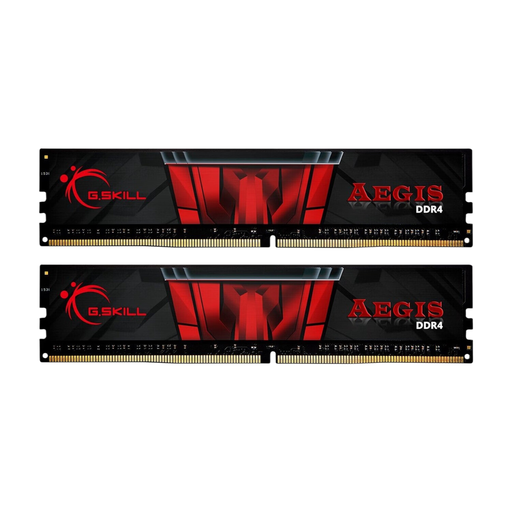
Why this fits the profile: This 2 x 16 GB kit is suitable for a DDR4 platform and provides a straightforward foundation for gaming and everyday multitasking.
The capacity and module configuration are clearly stated. Just check that your motherboard supports DDR4-3200.
32 GB total, 2 x 16 GB, DDR4-3200 and CL16; no LED lighting.
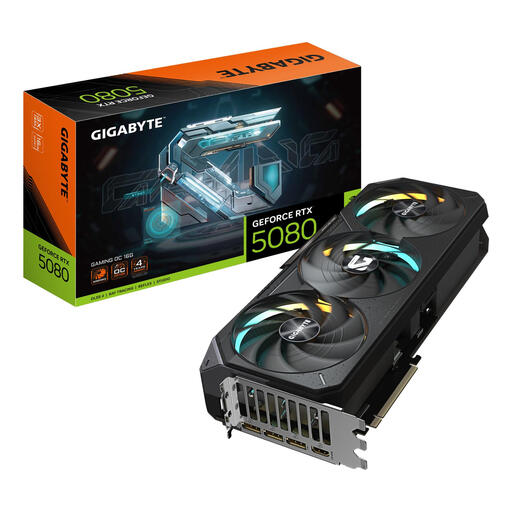
Why this fits the profile: Aimed at users building a high-end gaming or creative setup who can plan for space and power requirements in advance.
The required space and power supply are not hidden: the card is 340 mm long, four slots wide and, according to the product information, needs at least 850 W.
16 GB GDDR7, PCIe 5.0 x16, three DisplayPort connections and HDMI 2.1b.
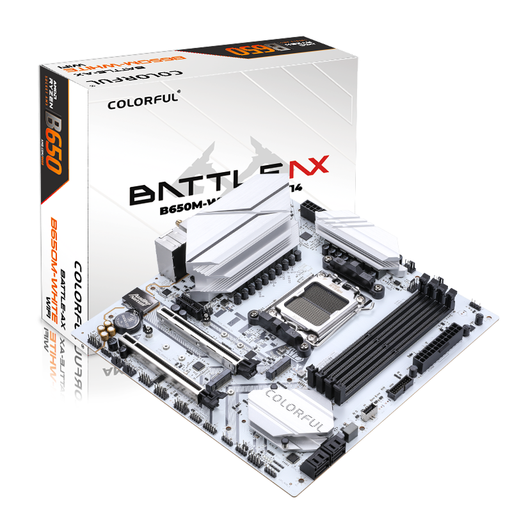
Why this fits the profile: A solid starting point for an AM5 build with DDR5, multiple storage options and built-in wireless connectivity.
The AM5 socket and DDR5 support make the platform choice clear. Check the current CPU compatibility list before installation.
Four DDR5 slots, two M.2 slots, 2.5Gb Ethernet, Wi-Fi 6 and Bluetooth 5.2.
We’ve put together a full, up-to-date list of products that fully meet these strict selection criteria and current European safety regulations.
A powerful build needs good airflow. A PC fan of 120 or 140 mm must match the mounting points and the desired airflow direction. Generally, place intake fans at the front or bottom and exhaust fans at the rear or top.
The MSI MAG Pano 100R PZ offers room for graphics cards up to 380 mm, CPU coolers up to 166 mm and up to ten fans. For larger systems, the MSI MEG Prospect 700R lists space for GPUs up to 400 mm and CPU coolers up to 185 mm.
For a compact PC, the Corsair SF series with 850 W, SFX form factor and fully modular cables could be of interest. Just check whether your case supports an SFX power supply or needs an adapter bracket. For a standard ATX build, the MSI MAG A650BN with 650 W, ATX form factor and 80 Plus Bronze is another option. Its non-modular design can make cable management trickier.
At a minimum, you need a processor, motherboard, RAM, storage, power supply, PC case and usually a CPU cooler. For gaming, add a gaming graphics card if the processor’s integrated graphics aren’t sufficient. Check the socket, RAM generation, case size and power connectors beforehand.
Yes, DDR4 RAM can be suitable for an affordable upgrade or a system with a DDR4 motherboard. The key thing is that your motherboard and processor support this generation. For a new AM5 setup, you’ll need DDR5.
That depends on the processor, graphics card and other components. Add up the stated power consumption of the components and leave headroom for peak loads and future upgrades. Also check the size, certification and available PCIe or CPU connectors.
