
Vandaag of morgen in huis

Kwaliteit gegarandeerd

Welkomstaanbiedingen ontgrendelen: GRATIS bezorging | Tot 80% korting | Gratis 30 dagen JoyPlus-proefperiode
Download de app
Building a new gaming PC or upgrading an existing computer often starts with a single search term: PC components. However, the cheapest offer is not automatically the smartest purchase. For example, a fast SSD may not perform to its full potential in an older PCIe slot, while a new graphics card may not fit inside your case. RAM and the motherboard also need to be technically compatible.
As a Joybuy Product Recommendation Officer, I filter product information based on verifiable specifications. This helps you see which points matter and which marketing claims are best ignored.
An M.2 NVMe SSD with a quoted read speed of 7,000 MB/s sounds appealing. However, that speed depends on your motherboard’s PCIe generation, the software being used and the workload. In a PCIe 3.0 system, a PCIe 4.0 SSD will generally not use its full interface speed. The SSD may still work, but you would be paying for capacity and capabilities that your computer cannot fully use.
DDR4 RAM and DDR5 RAM are not interchangeable. The notch on the module is in a different position, and motherboards usually support only one memory type. Always check the exact motherboard model or the manual first. Also pay attention to the difference between a desktop module with DIMM and laptop memory with SODIMM.
A powerful RTX graphics card requires sufficient space, cooling and power. Check its length, number of slots, power connector and the recommended power supply wattage. A three- or four-slot card may block adjacent expansion slots. This is a practical issue in a compact case, even if the PCIe connection is technically compatible.
For an internal SSD, check three things:
A PCIe 4.0 SSD makes sense for a modern system with a compatible slot. For an older platform, an M.2 NVMe SSD with PCIe 3.0 may be a more balanced choice. Choose 512 GB for a basic installation, 1 TB for an average gaming PC and 2 TB when you store multiple large games, video projects or work files locally. Also check whether a heatsink is needed. According to the product information, a heatsink is required for some PS5 configurations with the Lexar NQ790.
For general desktop use, 16 GB is a practical starting point. For modern games, streaming, photo editing and multitasking, 32 GB provides more headroom. A 2 x 16 GB kit can use dual-channel mode, provided the modules are installed in the correct motherboard slots.
Bear in mind:
A higher MT/s value does not automatically mean a noticeably faster computer. The processor, motherboard, timings and usage scenario also play a role.
A gaming motherboard determines which processor, RAM generation, storage and expansion cards you can use. An AM5 motherboard is suitable for processors with AMD Socket AM5, but always check the supported Ryzen series and any BIOS requirements.
For a gaming graphics card, these specifications are particularly relevant:
Brands may promote performance, efficiency or cooling based on their own measurements. According to the brand’s own research or claims, these are not universal guarantees for every PC configuration. Therefore, use the stated technical specifications as your starting point.
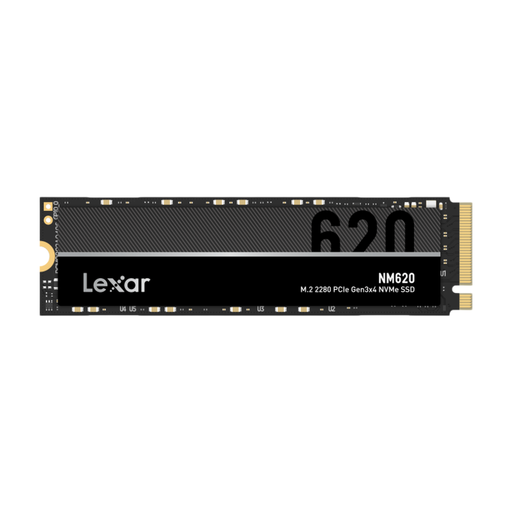
Why it suits this profile: This 2TB internal SSD provides plenty of storage for games and files and uses PCIe 3.0 x4 with NVMe 1.4. This makes it suitable for systems that do not need PCIe 4.0.
The PCIe 3.0 specification makes the performance level you are buying clear, without paying for a higher interface that your platform may not fully use.
2TB capacity, M.2 2280 form factor, quoted read speed of up to 3,300 MB/s and an NVMe interface.
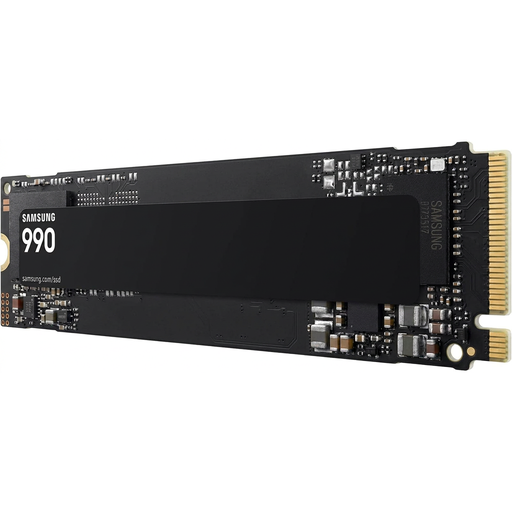
Why it suits this profile: This 2TB PCIe 4.0 SSD is designed for users looking for fast storage for gaming, creative projects and professional workloads.
The interface and M.2 2280 form factor are clearly stated. Check beforehand that your system supports PCIe 4.0; PCIe 3.0 compatibility is also listed.
2TB capacity, PCIe 4.0 x4, NVMe 2.0 and a quoted read speed of up to 7,250 MB/s.
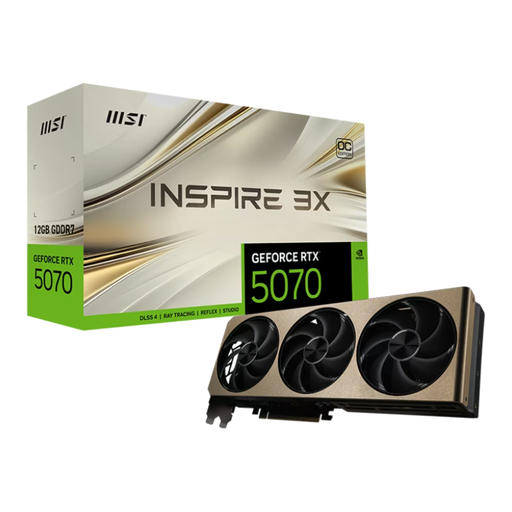
Why it suits this profile: This gaming graphics card is aimed at users who combine higher graphics settings, ray tracing or creative 3D and video workflows.
The card specifies 250 W power consumption, three slots and a 12+4-pin PCIe Gen 5 connector. This allows you to check the power supply and case in advance.
12GB GDDR7, PCIe 5.0 x16, three DisplayPort connections and active cooling with three fans.
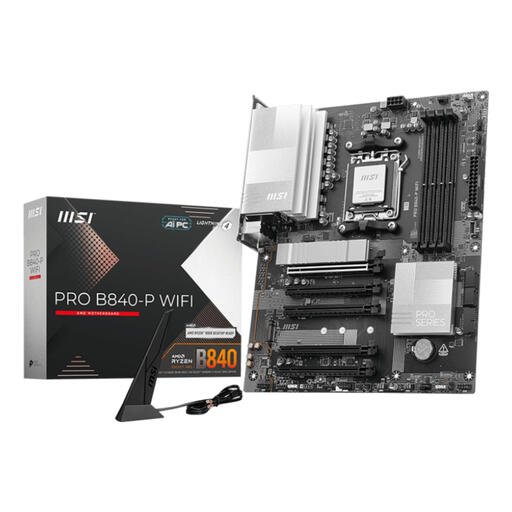
Why it suits this profile: This ATX motherboard provides a foundation for AMD Ryzen 7000, 8000 and 9000 processors and DDR5 memory.
Socket AM5 and DDR5 are listed in the specifications. However, check processor support, BIOS version, case size and the number of expansion slots you need.
Four DDR5 slots, support for up to 256 GB, two M.2 PCIe 4.0 slots, Wi‑Fi 7 and 2.5 Gb Ethernet.
We have put together a complete, up-to-date list of products that fully meet these strict selection criteria and the applicable European safety regulations.
Start with the component that is causing the current limitation. An internal SSD speeds up start-up and loading if you are still using a hard drive. Too little RAM becomes noticeable during multitasking and in modern games. A graphics card mainly affects graphical performance. Check the connections and compatibility before buying.
No. Your computer must have a suitable M.2 slot, and the motherboard or laptop must support the correct protocol. Also check the length, usually M.2 2280, and whether there is enough room for cooling. An M.2 slot is not automatically suitable for every NVMe or SATA drive.
Lifespan varies depending on the component, workload, temperature and maintenance. SSDs have a quoted TBW rating, among other specifications, while RAM and motherboards largely depend on correct installation and stable temperatures. Make regular back-ups: no storage solution can replace a separate copy of important files.
