
Vandaag of morgen in huis

Kwaliteit gegarandeerd

Welkomstaanbiedingen ontgrendelen: GRATIS bezorging | Tot 80% korting | Gratis 30 dagen JoyPlus-proefperiode
Download de app
Building a desktop PC seems straightforward until individual PC components fail to work well together. A fast processor does not automatically work with every motherboard, a powerful graphics card will not fit in every case, and an inexpensive SSD may not offer enough storage for modern games.
The three most common purchasing mistakes are:
Use the checks and product examples below to compare computer components more practically. The specifications are based on the available product information; before purchasing, also check the manufacturer's compatibility list.
The processor, also known as the CPU, must use the same socket as the motherboard. For example, an AMD Ryzen processor for AM5 will not fit an Intel motherboard with LGA1700 or LGA1851.
Also pay attention to:
A DDR4 motherboard such as the MSI PRO H610M-G DDR4 is designed for Intel processors with socket 1700 and supports DDR4 memory. An AM5 motherboard, such as the MSI MAG X870E TOMAHAWK WIFI, uses DDR5-SDRAM and is suitable for certain AMD Ryzen 7000, 8000 and 9000 processors.
A graphics card, often referred to as a video card, has a major impact on performance in gaming, 3D software and video editing. Do not focus solely on the model; also consider:
A card that needs to fit in a Small Form Factor case requires extra attention to its length, height and width. According to the product specifications, the GIGABYTE GeForce RTX 5080 WINDFORCE OC SFF 16G is 304 mm long, 126 mm wide and three slots high. Always check the case's maximum GPU dimensions.
An NVMe SSD uses an M.2 connection and generally offers shorter loading times than a traditional hard drive. However, not all M.2 slots are the same. Check the following:
According to the product specifications, the Kingston Technology 500G NV3 M.2 2280 NVMe SSD has a capacity of 500 GB and a PCIe Gen 4x4 interface. The Lexar NM790 offers 2 TB of storage and supports PCIe Gen4x4. The stated speeds are maximum sequential values; everyday performance also depends on the system, firmware and workload.
A power supply with sufficient wattage is important, but you should also check that it has the right cables and connectors. A powerful graphics card may use a 12+4-pin PCIe Gen 5 connection, while more compact models sometimes have an 8-pin connection.
Also consider:
According to the product information, the AMD Ryzen 5 7600X3D Boxed is supplied without a heatsink. You will therefore need to include a suitable CPU cooler separately in your PC components list.
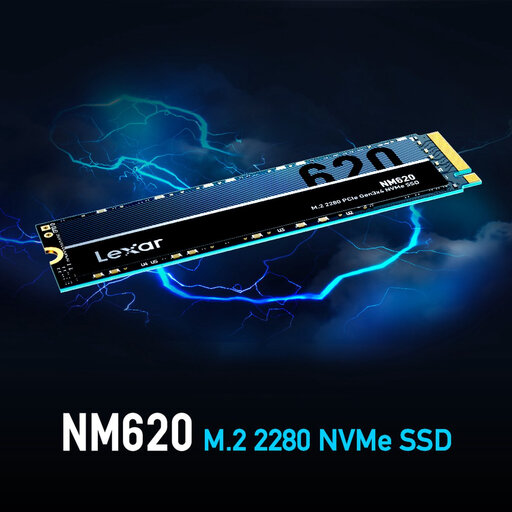
Why it suits this profile: A practical NVMe SSD for a basic desktop, office PC or affordable gaming PC with a compatible M.2 slot.
The specification clearly states PCIe 3.0 x4, M.2 2280 and 512 GB. However, check that the motherboard supports this type of connection.
NVMe format, 512 GB capacity and a stated read speed of up to 3,300 MB/s.
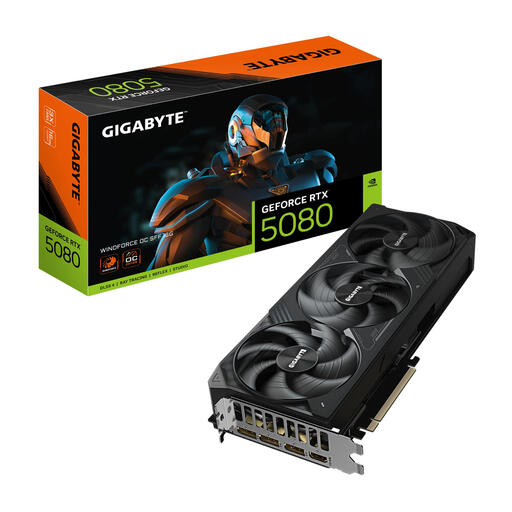
Why it suits this profile: Designed for users seeking high graphics performance for gaming, 3D applications and creative software, while also taking a more compact case into account.
The SFF designation does not make checking the dimensions unnecessary. The card is 304 mm long, three slots high and, according to the product information, requires a power supply of at least 850 W.
16 GB GDDR7, PCIe 5.0 x16, three DisplayPort connections and one HDMI 2.1b connection.
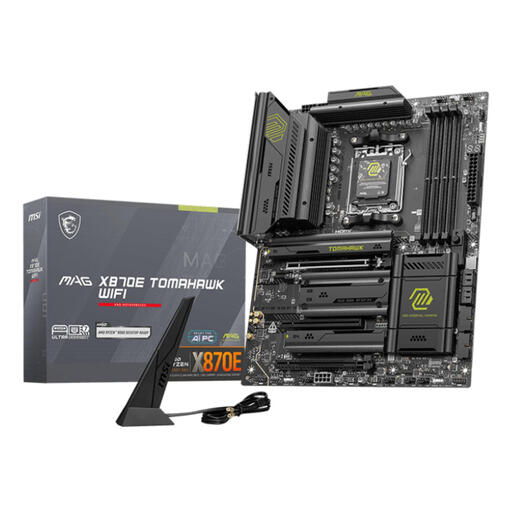
Why it suits this profile: For an AMD AM5 system with multiple storage devices, plenty of memory and modern network connections.
The socket, chipset and memory type are clearly specified: AM5, AMD X870E and DDR5. This allows you to match the CPU and RAM accurately.
Four memory slots, support for up to 256 GB, multiple M.2 and SATA connections, 5 Gigabit Ethernet and Wi-Fi 7 according to the product specifications.
We have put together a complete, up-to-date list of products that fully meet these strict selection criteria and the applicable European safety regulations.
For a complete desktop, you need at least a processor, motherboard, memory, storage, power supply, case and usually a graphics card. A processor with integrated graphics can handle office work without a separate graphics card. For modern gaming, 3D rendering and some creative programmes, a dedicated graphics card is usually the more sensible choice.
Start by checking the motherboard. DDR5 RAM will only fit in a DDR5 motherboard, while DDR4 memory belongs on a DDR4 platform. Also check the form factor. According to the specification, Kingston FURY 16GB 4800MT/s DDR5 CL38 Laptop RAM Dual-Pack uses 262-pin SO-DIMM and is designed for laptops. For a desktop, you will generally need UDIMM modules.
Its lifespan depends on usage, temperature, quality and the amount of data written to the drive. Check the stated TBW rating when available and make regular backups. An SSD is not a substitute for a backup: files can be lost if the drive fails, regardless of its theoretical lifespan.
