
Vandaag of morgen in huis

Kwaliteit gegarandeerd

Welkomstaanbiedingen ontgrendelen: GRATIS bezorging | Tot 80% korting | Gratis 30 dagen JoyPlus-proefperiode
Download de app
Buying computer hardware seems straightforward until you discover that a graphics card won’t fit in your PC case, an NVMe SSD won’t connect to your motherboard or a gaming monitor won’t deliver the refresh rate you want. Marketing often focuses on big numbers, RGB lighting and terms such as “gaming”, while practical compatibility gets less attention.
So, keep an eye out for these three common pitfalls:
The motherboard determines which processor and memory you can use. According to the product information, the COLORFUL BATTLE-AX B650M-E WIFI V14 uses an AMD AM5 socket and supports Ryzen 7000, 8000 and 9000 processors. The board has two DDR5 slots and supports up to 96 GB of memory.
This also means that DDR3 memory isn’t suitable. DDR3 is designed for older systems with a compatible DDR3 motherboard. The 4 GB Kingston module uses a 240-pin DIMM, runs at 1600 MT/s and requires 1.5 V, but always check your existing PC’s manual before buying.
Also look out for:
A large graphics card needs enough room inside the PC case. According to the product details, the ASUS Dual GeForce RTX 5050 OC Edition measures 203 × 120.2 × 40 mm, occupies two slots and requires one 8-pin PCIe power connector. The recommended power supply is listed as 550 W.
The ASUS Prime Radeon RX 9070 XT also needs a suitable power supply and enough clearance. So, always check:
The Corsair 3500X ARGB Midi Tower White supports graphics cards up to 410 mm long and CPU coolers up to 170 mm tall. The larger Corsair 9000D RGB AIRFLOW Full Tower Black has room for cards up to 400 mm, up to ten expansion slots and several 2.5- and 3.5-inch drive bays. Dimensions and clearances may vary between versions, so check the latest product information before installation.
A 144Hz gaming monitor isn’t automatically suitable for every PC. Your graphics card needs to deliver enough frames per second, and the cable must support the resolution and refresh rate you want.
For competitive games, a Full HD screen with a high refresh rate can be a practical choice. According to its product description, the KTC 24-inch gaming monitor offers 144 Hz, an IPS panel, HDMI and DisplayPort. For a sharper picture, QHD monitors are worth considering. The AOC Q27G42XNE has a resolution of 2560 × 1440 and a stated refresh rate of 180 Hz.
An ultrawide monitor is particularly suited to multitasking, simulation games and video editing. The LG 34WR50QK-B has a 21:9 aspect ratio, 3440 × 1440 pixels and a 100 Hz refresh rate. Check that your PC’s graphics card can drive this resolution via DisplayPort or HDMI.
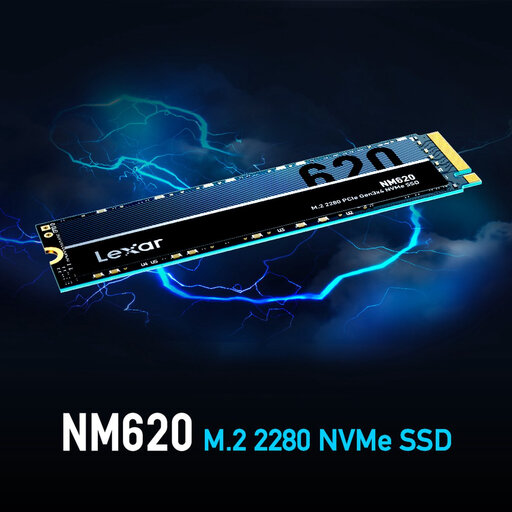
Why it suits this user: A compact storage upgrade for a desktop or laptop with a spare M.2 slot. According to the product information, this SSD offers PCIe 3.0 x4, NVMe 1.4 and 512 GB of storage.
The interface and M.2-2280 form factor are clearly stated. Just check that your motherboard supports PCIe NVMe.
512 GB capacity and stated read and write speeds of up to 3,300 and 2,400 MB/s respectively.
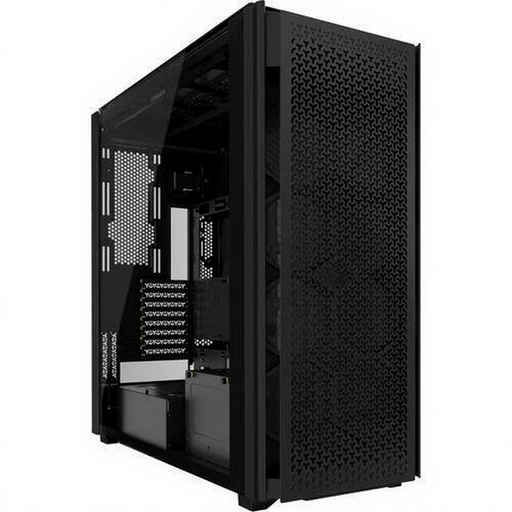
Why it suits this user: This full-tower case offers plenty of room for a large gaming PC build, lots of storage and air or liquid cooling.
The case explicitly lists ATX support, graphics cards up to 400 mm long and dust filters.
Six 2.5-inch bays, five 3.5-inch bays, two USB-C ports and support for several fan sizes.
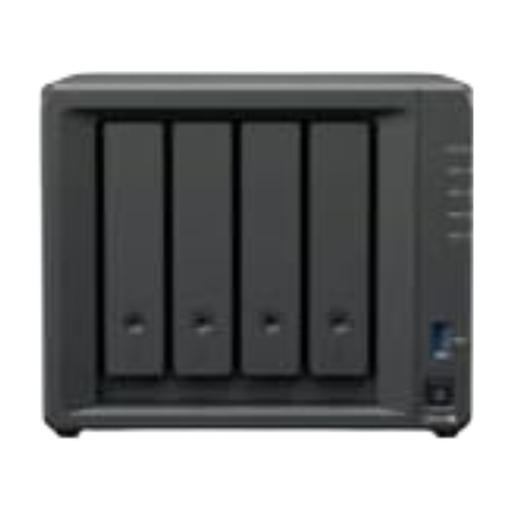
Why it suits this user: A central NAS for backups and files, ideal for people working from home, content creators and families.
The storage capacity, number of bays and network ports are clearly specified, so you don’t have to rely solely on the term “private cloud”.
Four bays, 48 TB of included storage according to the product information, and two 1GbE network ports.
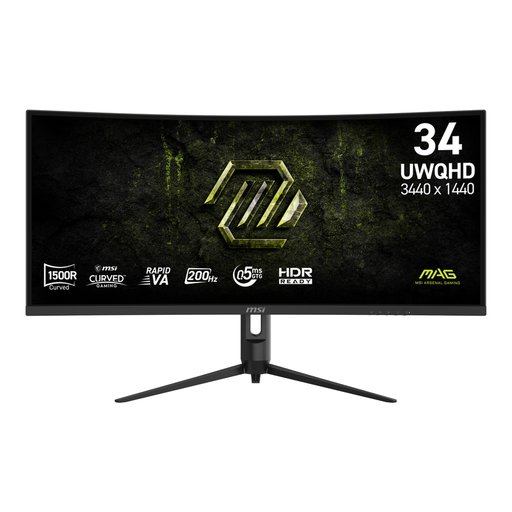
Why it suits this user: For gamers and multitaskers who want to combine a wide UWQHD workspace with a high refresh rate.
The resolution, connections, aspect ratio and refresh rate are specified separately. Check that your graphics card supports 3440 × 1440 at the refresh rate you want.
34 inches, UWQHD resolution, 200 Hz, Adaptive Sync and two HDMI 2.0b ports alongside DisplayPort.
We’ve put together a complete, up-to-date list of products that meet these strict selection criteria and current European safety regulations.
Start with the motherboard, processor, RAM and power supply. Then check the dimensions of the graphics card and PC case. These components largely determine which upgrades will be possible later.
Its lifespan depends on how you use it and its stated TBW rating, which is the total number of terabytes that can be written to the SSD. Back up important files regularly. An SSD is not a substitute for a separate backup.
That depends on its power consumption, how many hours you use it and your energy tariff. A mini PC such as the MSI Cubi NUC typically uses a different amount of power from a desktop with a powerful graphics card. Check the power supply’s stated wattage and the system’s actual consumption while gaming, rendering and idling.
