
Vandaag of morgen in huis

Kwaliteit gegarandeerd

Welkomstaanbiedingen ontgrendelen: GRATIS bezorging | Tot 80% korting | Gratis 30 dagen JoyPlus-proefperiode
Download de app
Putting together a new desktop or upgrading your current computer may seem straightforward. Yet many purchases go wrong because of unclear compatibility, appealing marketing claims or components that do not fit their intended use. When it comes to PC components, it is not just about speed. The right connections, dimensions, power supply and cooling determine whether your system runs reliably.
In this guide, you will learn what to look for in computer components, PC hardware and PC components. You will then find several recommendations for different user profiles.
A motherboard with DDR5 memory slots will not work with DDR4 RAM. The reverse is also true. Always check:
A product name containing “gaming” says nothing by itself about compatibility with your system.
A high clock speed or maximum fan speed may sound appealing, but the complete configuration matters. For example, DDR5 RAM running at 6,000 MT/s requires a motherboard that supports this speed. On some motherboards, the stated speed is also linked to an overclocking profile such as AMD EXPO or Intel XMP.
The theoretical read speed does not tell the whole story with an SSD either. A SATA SSD remains dependent on the SATA interface, while an NVMe SSD uses different performance characteristics and connections via M.2.
RGB case fans can enhance the look of a PC, but lighting does not provide cooling. When choosing RGB case fans, look at:
Also check that your motherboard has enough fan and RGB connections.
The motherboard forms the foundation of your PC. An AMD AM5 motherboard, such as a model with a B650 or X870E chipset, is designed for compatible AMD Ryzen processors. An Intel LGA 1700 motherboard with a B760 or H610 chipset requires a suitable Intel processor.
Also consider the number of memory slots, M.2 sockets, PCIe slots and fan headers. Micro-ATX is practical for a compact computer, but a larger ATX board often offers more room for expansion.
DDR4 RAM and DDR5 RAM have different physical connections. They cannot be used interchangeably. DDR4 may be sufficient for standard office work and older systems. For a new platform, DDR5 is often the more logical choice, provided the motherboard supports it.
Pay attention to the total capacity and module configuration. Two modules, for example 2 x 32 GB, can operate in dual-channel mode. Also check the stated voltage, CAS latency and supported profiles. A 64 GB kit is appealing for content creators, large projects and multitasking, while 16 or 32 GB is sufficient for many everyday applications.
The Kingston KC600 in 2.5-inch format uses SATA III. According to the product specifications, this SSD achieves read speeds of up to 550 MB/s and write speeds of up to 500 MB/s. This makes it suitable for upgrading a system with a hard drive or older SSD, provided there is a spare SATA data and power connection.
A capacity of 256 GB may be enough for an operating system and a few programmes, but modern games and video files benefit from more storage space. Also consider whether you want to use the SSD as your system drive; this may require a reinstallation or cloning process.
A graphics card does not just need to fit into the PCIe slot. Check the length, thickness, power connector and recommended power supply. According to the product information, the ASUS PRIME RTX5060 O8G GAMING has 8 GB of GDDR7 memory, a PCIe 5.0 x8 interface and an 8-pin power connector. The card is 268.3 mm long and occupies three slots.
The power supply must provide enough power for the processor, graphics card and other PC hardware. Also ensure that the PC case has unobstructed air intake and exhaust. A case such as the Corsair iCUE LINK 5000T LX RGB supports motherboards from Mini-ITX to EATX and graphics cards up to 450 mm, according to the stated product specifications. Check the exact dimensions before placing your order.
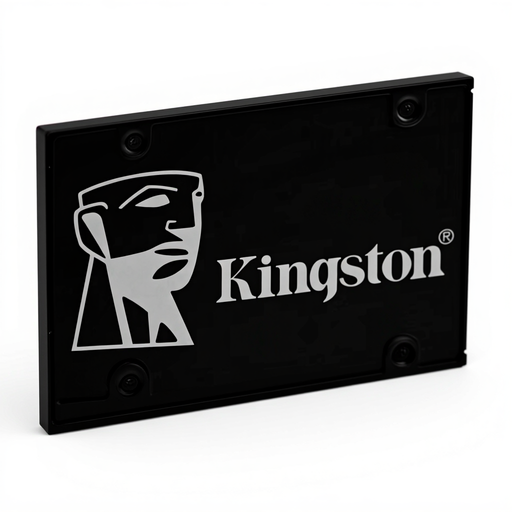
Why it suits this profile: A straightforward SATA upgrade for an existing desktop or laptop with a spare 2.5-inch drive bay.
The interface, format and required SATA connections are clearly specified. This helps you avoid buying the wrong M.2 drive for a SATA system.
256 GB capacity, 2.5-inch format, SATA III and a stated read speed of up to 550 MB/s.
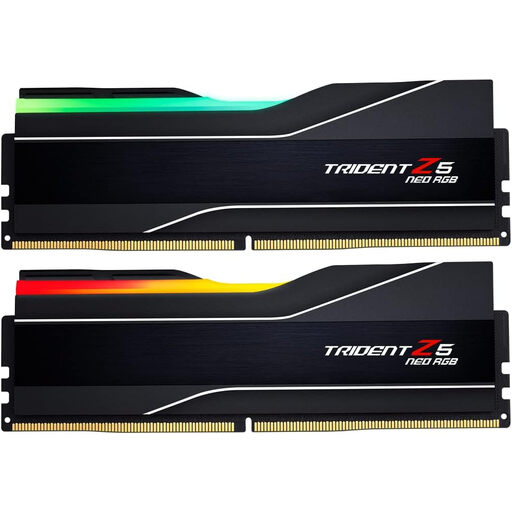
Why it suits this profile: Designed for users who need plenty of memory for gaming, content creation and demanding multitasking.
The kit consists of 2 x 32 GB DDR5 modules. Check beforehand that the motherboard supports DDR5 and AMD EXPO.
64 GB total, DDR5-6000, CAS latency of 30 and RGB lighting with black heatspreaders.
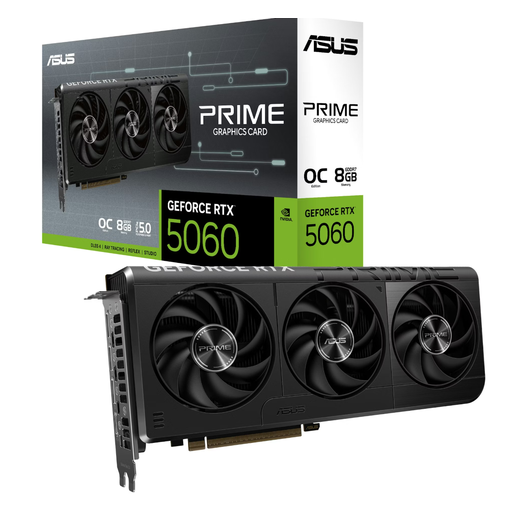
Why it suits this profile: An option for gamers and content creators looking for multiple displays, modern video connections and GDDR7 memory.
The 268.3 mm length, three-slot thickness and required 8-pin connection can all be checked in advance.
8 GB GDDR7, 3 DisplayPort 2.1a connections, HDMI 2.1b and a stated power consumption of 145 W.
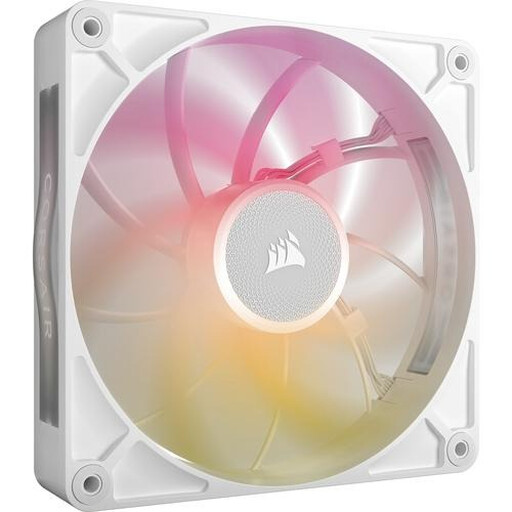
Why it suits this profile: For a desktop where airflow, PWM control and a uniform appearance are important.
The fan uses a 4-pin PWM connection and has a clearly specified range of 300 to 1,600 RPM. However, check that you have a compatible iCUE LINK controller.
140 mm format, airflow of up to 102.9 CFM, PWM support and 8 RGB LEDs.
We have put together a complete, up-to-date list of products that fully meet these strict selection criteria and the applicable European safety regulations.
For a complete desktop, you will generally need a processor, motherboard, RAM, storage, power supply, PC case and cooling. For gaming, a graphics card is usually added to the list. Before buying, check that the socket, memory, connections, dimensions and power requirements are compatible with one another.
Only if the motherboard supports DDR5. DDR5 RAM will not fit into a DDR4 slot. When upgrading an existing system, you will often need to replace the motherboard and sometimes the processor as well. Check the motherboard manual and compatibility list.
Lifespan depends on usage, temperature, dust and installation. Maintain sufficient airflow, clean fans with compressed air and avoid keeping an SSD completely full at all times. The computer and power supply must be fully switched off during installation. For many of the products mentioned, the product information and EU consumer rules provide at least two years of statutory warranty.
