
Vandaag of morgen in huis

Kwaliteit gegarandeerd

Welkomstaanbiedingen ontgrendelen: GRATIS bezorging | Tot 80% korting | Gratis 30 dagen JoyPlus-proefperiode
Download de app
A PC case fan may seem like a simple component, but choosing the wrong one can result in restricted airflow, unnecessary noise or a difficult installation. This is particularly important for gaming PCs and compact cases, where you need to look beyond the number of RGB LEDs or a high speed rating on the packaging.
Three common pitfalls are:
The most common sizes are 120mm and 140mm. A 120mm case fan fits many standard cases and radiators. A 140mm case fan generally has larger fan blades, but the case must have suitable mounting points.
Also check:
A thicker fan may require additional space. The CORSAIR iCUE LINK RX120 MAX RGB, for example, is 30mm thick according to the product information. This can be useful for a radiator, but check beforehand that the frame will not come into contact with memory modules or other components.
CFM and m³/h indicate the maximum amount of air that can be moved. High airflow is particularly useful when hot air needs to be expelled from the case quickly. For a radiator or a dense dust filter, static pressure, measured in mmH2O, is also important.
Bear in mind that these figures are usually maximum values. According to the product information, the CORSAIR LX120 RGB has a maximum airflow of 69,9 CFM and a range of 400 to 2400 RPM. The CORSAIR iCUE LINK RX140 MAX RGB is listed with a maximum airflow of 102,9 CFM, a speed of 300 to 1600 RPM and a maximum of 31 dB.
Noise ratings are useful for comparison, but real-world performance depends on the fan speed, case resonance and how the fan curve is configured. A quiet PC fan therefore does not run at maximum speed continuously.
A PWM case fan usually uses a 4-pin connector for automatic speed control via the motherboard. This allows you to adjust the fan speed in response to the temperature of the processor or graphics card.
Lighting uses a separate connection or a dedicated ecosystem:
Connecting an ARGB case fan to an unsuitable header can cause damage. Switch off the PC, unplug it from the mains and follow the manual before connecting internal cables. With iCUE LINK models, you should also check that a suitable hub and power supply are available.

Why it suits this profile: A standalone 120mm PC fan is a straightforward choice for a first upgrade or replacement. The white finish and RGB lighting complement modern builds.
The product information lists PWM control, 34 addressable LEDs and a speed of 480 to 2400 RPM. This means you do not have to base your decision solely on the lighting or maximum speed.
120mm size, 4-pin PWM connection, maximum airflow of 63,1 CFM and a stated noise range of 10 to 37 dB.
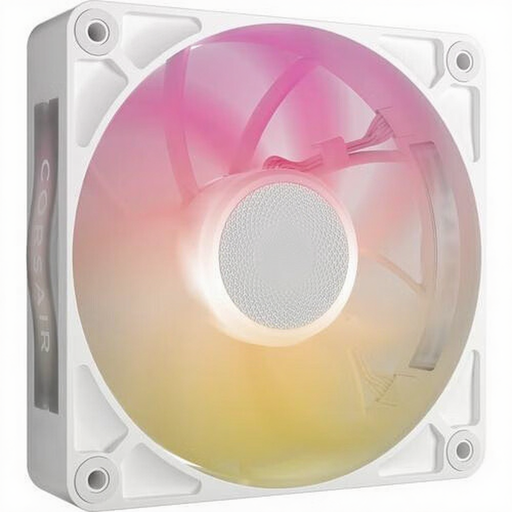
Why it suits this profile: This fan is aimed at builders who want to combine a compact 120mm setup with high static pressure and centralised RGB control.
The additional 30mm thickness is clearly stated. This allows you to check in advance whether the radiator, mounting points and side panel provide enough space.
Maximum airflow of 71,3 CFM, static pressure of 4,16 mmH2O, PWM control and eight RGB LEDs according to the product description.
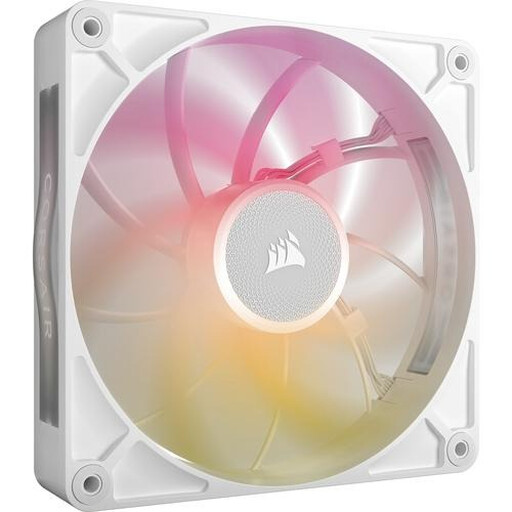
Why it suits this profile: For a large case, radiator or system under sustained load, a 140mm model can be an appealing option, provided the size and connections are suitable.
The product lists both the speed range and the maximum noise level. The PWM connection allows you to customise the fan curve instead of running at maximum speed continuously.
140mm size, maximum airflow of 102,9 CFM, static pressure of 2,38 mmH2O and a stated range of 300 to 1600 RPM.
First determine which fans draw air in and which expel hot air. A common setup is intake at the front or bottom and exhaust at the rear or top. The arrows on the frame usually indicate the direction of airflow.
Also keep these points in mind:
A 3-pack of case fans can be cost-effective when you want to fill several positions at once. The CORSAIR iCUE LINK LX120 RGB is supplied as a 3-pack and, according to the product information, has a speed of 400 to 2400 RPM. However, check in advance how many headers, hubs and mounting positions your PC requires.
We have compiled a complete, up-to-date list of products that fully meet these strict selection criteria and the applicable European safety regulations.
That depends on the case and the available mounting points. A 120mm case fan is widely compatible. A 140mm model can be a practical choice for cases designed for it, but always check the dimensions and the space around the radiator.
An ARGB case fan generally uses a compatible 5V connection. The PWM cable controls the fan speed, while the ARGB cable is for the lighting. Consult the motherboard manual and do not force a connector that does not match.
A PC fan’s power consumption is generally limited, but the exact figure varies by model and speed. With PWM control, the fan can run more slowly when the temperature is low. This prevents unnecessarily high speeds and noise during light use.
