
Listener with limited space near a wall
Your speaker needs to fit on a shelf or piece of furniture close to a wall. Check how much clearance the exact model needs and whether it offers ways to adjust the sound to suit its position.


Start by measuring the space you have near the wall, then decide whether the speaker will mainly stay in one place, needs to serve a larger group or will be moved between rooms. Follow the placement instructions for the exact model: a wall can affect bass response, while a larger speaker takes up more room and a portable model may not fill a large space.
Your speaker needs to fit on a shelf or piece of furniture close to a wall. Check how much clearance the exact model needs and whether it offers ways to adjust the sound to suit its position.
You want to play party music in a larger room and weigh up whether extra size, a light show or microphone inputs are worth the space they take up.
You move your speaker between rooms or use it outdoors too. In that case, battery power, portability and Bluetooth playback may matter more than a fixed setup.
First, measure the available space. Then decide how much of the room you want to fill and whether you plan to move the speaker regularly.
| What to consider | What should you look for? | Who should pay particular attention? |
|---|---|---|
| Positioning and sound | Measure the shelf or piece of furniture and compare the available clearance with the instructions for the exact model. Use room or placement correction only if the model offers it. | If my speaker is close to a wall, I want to know whether it will fit and how I can adjust the sound in that position. Around 40% of consumers say positioning and sound are their main concern when buying. |
| Coverage for your group | Think about the room and where your guests will sit or stand. Also check the speaker’s size and whether it has microphone inputs or lighting effects, if you want to use them. | For music in a larger room, I weigh the coverage I need against the space a larger speaker takes up. Around 30% of consumers prioritise coverage for a group. |
| Portability and battery | Check the weight, carrying options and the conditions behind the stated battery life. If you plan to use it outdoors, check the protection offered by the exact model. | If I take the speaker to another room or outdoors, portability and use without a mains socket are important. Around 20% of consumers put portability first. |
| Connections and setup | Check the initial setup, connections and whether you may need to buy any accessories separately. Compare the complete setup you want, not just the speaker. | I want to know in advance whether my music source will work without extra preparation and what equipment my setup requires. Around 10% of consumers are most concerned about ease of use or the overall setup. |
The clearance you need depends on the speaker and where you place it. Advice for studio monitors is not a universal guideline for portable speakers.
Check the instructions for the exact model and assess the sound where you plan to use the speaker.
Battery life can vary depending on how you use the speaker. A smaller model may also be less suitable for filling a large room at high volume.
Consider the room and group size alongside the occasions when you want to use the speaker without a mains socket.
Bluetooth, Wi-Fi and a wired input may each require different setup steps. The Sonos Era 100 needs Wi-Fi for its initial setup; a separate adapter is needed for a wired audio source.
Before you buy, check which sources you want to use, how the initial setup works and what comes with the speaker.
A separate adapter may be needed for a wired source with the Era 100. A stereo pair requires two speakers.
These models illustrate different setups; manufacturer information is not an independent comparison of sound quality.
The Era 100 is an example of a fixed speaker with Wi-Fi and Bluetooth for home use.
The PartyBox Club 120 is an example of a larger party speaker with lighting effects and microphone options.
The ULT FIELD 3 is an example of a portable Bluetooth speaker for use in different places.
The Acton III is an example of a fixed Bluetooth home speaker with adjustable tone controls and placement correction.
This selection includes portable Bluetooth speakers for party music and moving between locations, a Wi-Fi and Bluetooth speaker, and a soundbar for a setup near a wall.
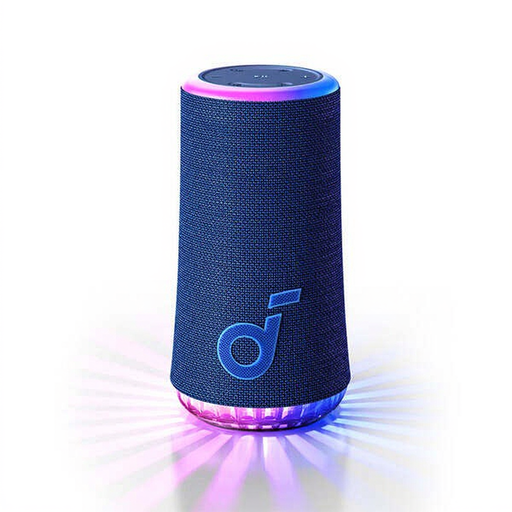 No image available
A Bluetooth speaker for parties, with lighting that moves in time with the music.
The description mentions customisable LED lighting and USB-C charging.
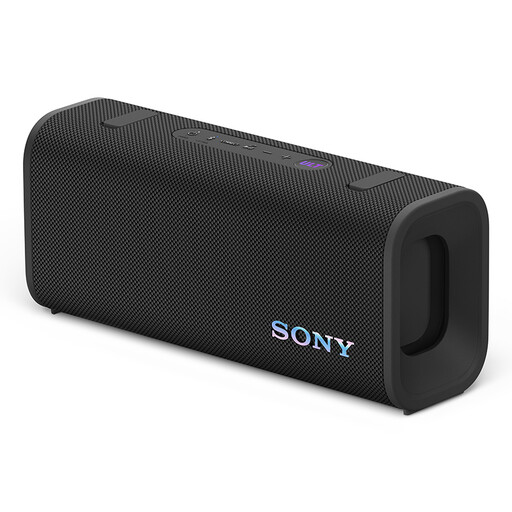 No image available
A portable Bluetooth speaker for listening to music in different places.
The description mentions a detachable shoulder strap, IP67 protection and a stated battery life of 24 hours. The speaker can be positioned horizontally or vertically and has a 7-band equaliser in the app.
 No image available
A Wi-Fi and Bluetooth speaker for anyone who wants to use several wireless sources.
The product name lists 60 W. The description mentions Wi-Fi, Bluetooth, USB, AUX and synchronisation via AirPlay 2.
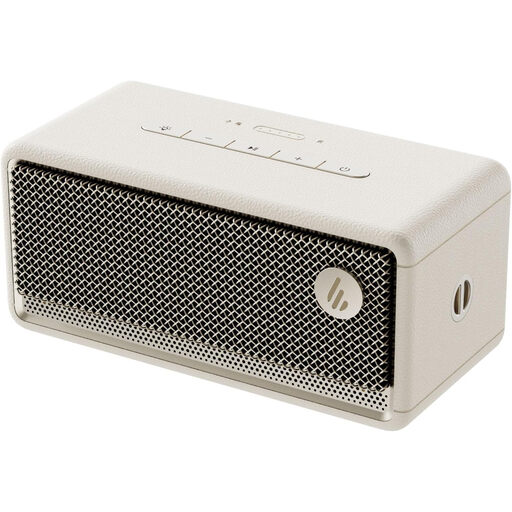 No image available
A portable Bluetooth speaker for listening to music in different places.
The product name lists IP66 protection and pairing two speakers for stereo playback.
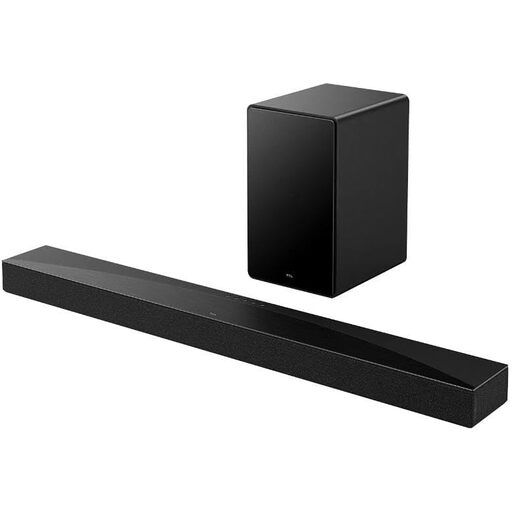 No image available
A soundbar for a living room setup where Bluetooth playback and positioning near a wall are important.
The product name lists 5.1-channel and 580 W. The description mentions Bluetooth, HDMI, USB and optical connections, along with a wall-mounting kit and AI Sonic adjustment. According to the description, the TCL Home app is required for the initial setup.
Follow the placement instructions for the exact model; there is no single distance that works for every speaker. Measure the available space and assess the sound where you plan to use the speaker.
No. According to Sonos, the Era 100 must first be set up over Wi-Fi; after that, you can use Bluetooth.
It depends on the connections and setup you want. A separate adapter is needed for a wired audio source with the Sonos Era 100; a stereo pair consists of two speakers.
For consumer purchases made remotely from a business, a 14-day cooling-off period applies in many cases. According to the Dutch government, the Netherlands has a legal guarantee but no fixed statutory guarantee period. If a product is faulty, contact the seller.
Agree with your neighbours in advance on what time the music will stop. The Dutch government recommends agreeing on timings as one way to tackle noise nuisance between neighbours.