
Switch players who enjoy motion-controlled minigames
You want to play minigames that require separate Joy-Con controls. Nintendo notes that the required play style can vary by game and game mode.


First, choose a controller that supports both your console and the minigame you want to play. Then check that the wireless connection works where you’ll be playing. For Switch minigames with motion controls or separate Joy-Con controls, Joy-Con are often the right choice, while a traditional gamepad may suit supported games that use button controls. Also check the number of players supported in each game mode and how the controllers are charged.
You want to play minigames that require separate Joy-Con controls. Nintendo notes that the required play style can vary by game and game mode.
You’re organising a local gaming night and want to know in advance how many players the chosen game mode supports and how many controllers you’ll need. Nintendo says the maximum number varies by game mode.
You play from somewhere further away from the console and want to avoid interruptions. For wireless Joy-Con issues, Nintendo recommends, among other things, moving closer and positioning the console in a more open space.
Your controller needs to suit the game mode and respond reliably from where you play. Check both before deciding how many controllers you need and how you’ll charge them.
| What to consider | What should you check? | Who should pay particular attention? |
|---|---|---|
| Wireless connection | Test the controller from where you play. Try positioning the console in a more open space and check whether charging it or moving closer helps. Nintendo doesn’t give a general range guarantee in metres. | If you play from the sofa or somewhere else further from the console, you’ll want the controls to respond reliably there. Around 33% of consumers say a reliable connection from their playing position is their top priority. |
| Minigame controls | Check the exact game, edition, game mode and required controller. Nintendo notes that some minigames require separate Joy-Con or motion controls; Joy-Con 2 only works with Switch 2. | If you want to play a specific minigame, check that the controller suits the required play style. Around 27% of consumers prioritise support for the minigames they’ve chosen. |
| Number of players | Check the maximum number of players and the required play style for the game mode you’ve chosen, then count the controllers needed for each player. | For a local gaming night, you’ll want enough controllers for everyone in the chosen mode. Around 20% of consumers say the number of simultaneous players is their top priority; Nintendo notes that the maximum can vary by mode. |
| Power and charging | Check which batteries or charging accessories are included and whether the supplied grip can actually charge the controllers. Keep your proof of purchase in case a product develops a fault. | If you want to avoid interruptions during a gaming night or need to know what’s required for charging, check the power options and after-sales support. Around 20% of consumers prioritise these points. |
A controller with motion controls won’t automatically work with minigames that require separate Joy-Con. Nintendo excludes the motion-controlled modes in Super Mario Party Jamboree from use with the Switch Pro Controller; PowerA says the Switch 2 model mentioned isn’t designed for Joy-Con-only games.
Check the controller requirements for the specific game mode, rather than just whether the controller has motion controls.
If the minigame requires Joy-Con only, you may need an extra compatible pair.
A system may be able to pair several controllers, but the game mode you choose may support fewer players. That means extra controllers won’t be useful in every mode.
First check the game mode and its maximum number of players, then count how many controllers you’ll need.
Nintendo distinguishes between the standard Joy-Con 2 grip and the separate charging grip; the standard grip doesn’t charge the controllers.
Check how you’ll charge the controllers between gaming sessions before buying a grip or extra controllers.
If you want to charge Joy-Con 2 away from the console, you’ll need a separate charging grip.
Joy-Con and Joy-Con 2 are worth considering for Switch minigames that require separate controllers or a specific Joy-Con play style.
The Pro 2 is a traditional Bluetooth gamepad for supported devices. Check the exact model name and device mode.
PowerA makes a range of wireless controllers for Switch systems, with power options and features varying by model.
An Xbox Wireless Controller may suit supported Xbox, Windows and mobile games that use traditional gamepad controls.
DualSense is designed for PS5 and compatible games or applications on PC and other supported devices.
This selection includes controllers for certain Switch, Switch 2, PS4 and PC games. Before buying, check that your console and chosen minigame support the specific controller.
 No image available
Worth considering for compatible PS4 or PC games that support wireless gamepad controls.
The product name states that it’s compatible with PS4 and PC; the description provided doesn’t mention Nintendo Switch.
 No image available
A multiplatform gamepad to consider if your game and device support this specific model.
The product name lists PC, Switch, iOS and Android; check the connection required and compatibility with your game.
 No image available
A pair to consider for local Switch minigames that support separate Joy-Con controls.
The product name lists a Joy-Con pair for Nintendo Switch. Check the play style required for the minigame you’ve chosen.
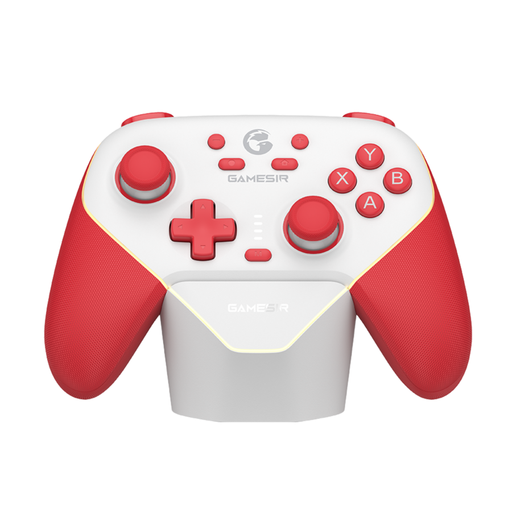 No image available
An option for wireless or wired gaming when the specific game and device support this controller.
The product name lists Switch; check which connection method suits your setup and game.
 No image available
A pair to consider for local Switch 2 minigames that support Joy-Con 2 controls.
The product name lists a Joy-Con 2 pair for Switch 2. Nintendo says Joy-Con 2 doesn’t work with the original Switch.
No, there’s no guarantee. If a Joy-Con connection keeps dropping, Nintendo recommends moving closer, positioning the console in a more open space and checking for sources of interference. Microsoft says Bluetooth reliability also depends on the receiving device’s hardware. So test the controller where you’ll be playing.
No. A Joy-Con can be used separately if the software supports that play style, but not every minigame does. Nintendo also notes that the maximum number of players can vary by game mode.
Pair the controllers using the Switch controller menu, then choose the play style that suits the game mode. Charge them beforehand and, if you’re using Joy-Con wirelessly, attach the wrist straps as Nintendo recommends.
Not if you charge them on a powered Switch 2. Nintendo says the standard Joy-Con 2 grip doesn’t charge them; the charging grip is a separate product for charging away from the console.
No. The Dutch government says you’re entitled to a product that works properly and that the seller must help resolve any problems. When considering an extended warranty, check what it offers beyond your statutory rights.