What should you consider when choosing?
Start with the exact game and console, then check the controls required for each game mode. Next, count how many people will be playing at once and see which controllers or phones you already have.
| Concern |
What to check |
Who is this important for? |
| Compatibility |
Check your console model and the controls required for the specific game and game mode. |
If I’m playing a Switch or Switch 2 mini-game, I want to be sure the controller works with both my system and the game mode; around 31% of consumers say compatibility is their top priority. |
| Controls for the group |
Check the player limit for each game mode and count the controllers you already have. |
When playing as a group, I want to know how many people can join in at once and whether a pair of controllers can be shared. Around 25% of consumers put the number of controls needed first. |
| Movement and table space |
Check whether the game uses motion or mouse controls, and consider the table surface and space around the players. |
If my mini-game uses motion or mouse controls, I consider the space available and whether there’s a suitable surface; around 19% of consumers say this type of control matters most to them. |
| Grip and charging |
Compare a single Joy-Con with a full-size gamepad and check how it charges. |
If you prefer a larger grip or want to know how the controllers charge, first check which controls the game supports. Around 13% of consumers say grip and charging are their main concerns when choosing. |
| Do you need a controller? |
Check whether players can use their phones as input devices. |
For a party game controlled by phone, I want to avoid buying hardware the players don’t need; around 12% of consumers prioritise avoiding an unnecessary controller purchase. |
Joybuy products for party mini-games
This selection includes Joy-Con pairs and full-size gamepads for Switch or Switch 2 game modes that support the relevant controls.
 No image available
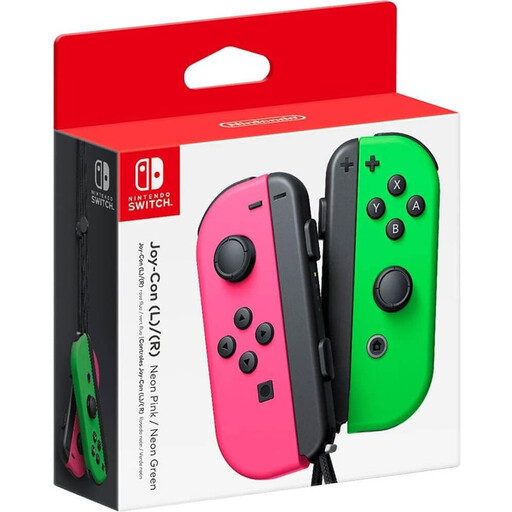
Nintendo Switch Joy-Con-paar - Neon Green/Neon Pink
A Joy-Con pair suits supported Switch mini-games that allow separate controllers; check the controls required for the game mode.
View at Joybuy
 No image available
Nintendo Switch 2 Joy-Con 2-paar - Light Blue/Light Red
This pair is designed for supported mini-games on Switch 2; Nintendo says Joy-Con 2 don’t work with the original Switch.
Nintendo says the Joy-Con 2 set includes two wrist straps. Mouse controls require compatible software and may not work properly on glass or highly reflective surfaces.
View at Joybuy
 No image available
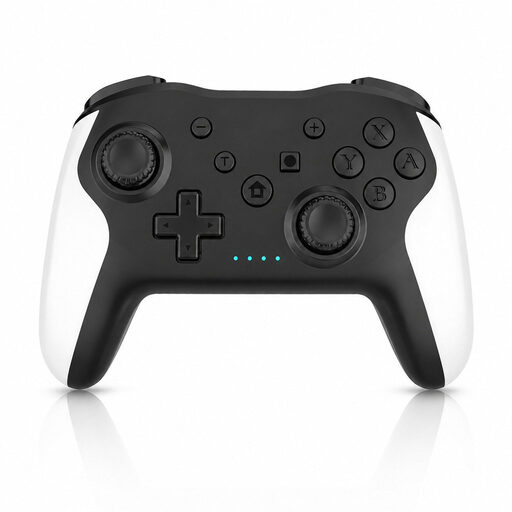
Gaming Controller with Dual Vibration & Gyro for Switch & PC
A full-size gamepad is only suitable for mini-games whose game mode supports gamepad controls.
The product name mentions dual vibration, a gyroscope and use with Switch and PC.
View at Joybuy
 No image available
GameSir Cyclone 2 - Black-Bundle Edition
This full-size controller is an option for game modes that support gamepad controls; check this for your chosen mini-game.
The product name mentions Switch, iOS, Android and PC, as well as a charging dock.
View at Joybuy
 No image available
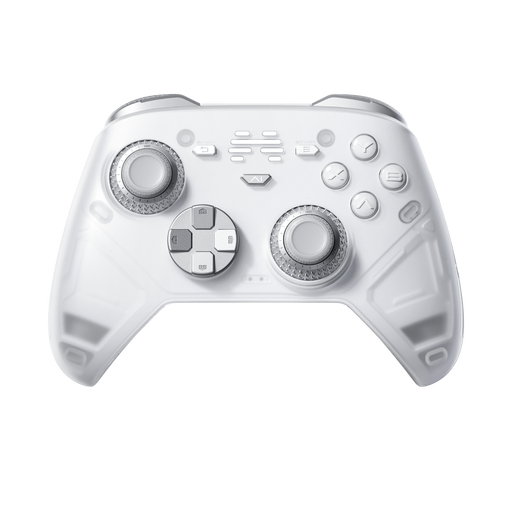
BEITONG KP70 Elite Wireless Gaming Controller
A full-size gamepad is only suitable for mini-games that support this type of control.
The product name mentions six programmable buttons and Nintendo Switch and Switch 2 systems.
View at Joybuy
Frequently asked questions
How many players can play Super Mario Party Jamboree on one system?
It depends on the game mode. Nintendo says player numbers vary by mode, so check the one you want to play before deciding how many controllers you’ll need.
Can I use older Joy-Con with Switch 2 and charge them?
Older Joy-Con can be used wirelessly with Switch 2, but you can’t attach them to the console or charge them through it. Nintendo lists an original Switch or a compatible charging accessory as charging options.
What can I do if Joy-Con 2 mouse controls don’t work properly on the kitchen table?
Try a suitable, flat surface: Nintendo warns that glass and highly reflective surfaces can interfere with mouse controls. For mouse controls, also attach the Joy-Con 2 wrist straps as instructed by Nintendo.
Do I need to buy extra controllers for Jackbox?
Players can join on their own device using a browser and room code, so they generally won’t need extra controllers. If the host wants to play too, they’ll need a second device to use as a controller.
What are my rights when I buy a controller online in the Netherlands?
According to the Dutch government, when you buy from a business online, you often have a 14-day cooling-off period. The product must also be of satisfactory quality; if there’s a fault, contact the seller. The Netherlands doesn’t have a fixed, general statutory warranty period of two years.


