
Sofa gamers with one TV
You want to play quick mini-games with friends or family, without everyone needing their own screen. Nintendo notes that the player count varies between game modes in Super Mario Party Jamboree.


For party mini-games on one TV, a Nintendo Switch connected to the TV gives you a way to play Super Mario Party Jamboree; Switch 2 adds specific Jamboree TV modes. A PS5 or Xbox Series S is suited to phone-controlled party games such as The Jackbox Party Pack 9. Check the player count, controls and language for each game. If space to move is limited, choose mini-games that can be played sitting down.
You want to play quick mini-games with friends or family, without everyone needing their own screen. Nintendo notes that the player count varies between game modes in Super Mario Party Jamboree.
You’re planning a games night where the furniture can stay where it is. Check in advance whether your chosen mini-game can be played sitting down or involves movement. Nintendo recommends using wrist straps when Joy-Con controllers are used wirelessly.
You want guests to join in without having to provide a standard console controller for everyone. According to the PlayStation game page, players can use their phone or tablet for The Jackbox Party Pack 9. Also check that the connection and game language work for your group.
A good fit if: you mainly want to play Switch party games such as Super Mario Party Jamboree on one TV.
Keep in mind: the number of players varies by game mode; Switch Lite does not support TV mode.
A good fit if: as well as compatible Switch games, you want to play the Jamboree TV modes exclusive to Switch 2.
Keep in mind: CameraPlay requires a compatible USB-C camera, sold separately.
A good fit if: you want to play a phone-controlled party game such as The Jackbox Party Pack 9.
Keep in mind: the game requires online play; the PS5 Digital Edition has no disc drive.
A good fit if: you want an all-digital Xbox for party games such as The Jackbox Party Pack 9.
Keep in mind: the Series S does not play discs; check the language and player options for your chosen game.
| What to consider | What to look for | Who is this important for? |
|---|---|---|
| Playing together on one TV | Check the player limit for the specific mini-game and which controllers it requires. | If I want to play with friends on one TV, I need to know whether everyone can join in the mini-game at the same time. Around 28% of consumers say local multiplayer on one TV is their main reason for buying. |
| Room to move | Check how the mini-games are controlled and clear some space if needed; fasten wrist straps when using Joy-Con controllers wirelessly. | If there’s little clear floor space, I look for games that suit the room between the furniture. Around 22% of consumers prioritise a way to play that works in a small living room. |
| Getting a larger group involved | Check the maximum player count for each mini-game and whether players need a phone, tablet or console controller. | If there are more guests than standard controllers, I want to know whether a phone-controlled game will work. Around 17% of consumers say being able to include a larger group is their main reason for buying. |
| Language and your group | Check the languages available and the PEGI rating for the specific game; an age rating doesn’t tell you how easy the rules are to follow. | If children or players with different preferences are joining in, I look for clear rules and content that’s suitable for the group. Around 17% of consumers prioritise language and suitability for their group. |
| Complete gaming set-up | Check which game and accessories are included in the bundle, and whether the console supports discs if you want to use physical games. | If I want to plan the whole games night with one purchase, I need to know what else I’ll need. Around 16% of consumers prioritise buying the console, game and controls together. |
Switch Lite does not support TV mode, so it isn’t suitable for a games night where everyone watches the same TV screen.
For this kind of set-up, choose a system that explicitly supports TV mode.
Controls vary between mini-games; some modes involve moving your whole body.
Check the specific game modes and the amount of floor space available. When playing wirelessly, make sure the correct Joy-Con wrist straps are fitted.
The number of players can vary by game mode or mini-game. Jackbox uses phones, while Jamboree modes have their own controller requirements.
Check which mini-games you want to play, then count the devices and controllers you’ll need.
The PS5 Digital Edition and Xbox Series S do not support discs. The languages available for The Jackbox Party Pack 9 matter for your group.
Check your existing games and the languages available for the specific game before choosing a console or game bundle.
Switch and Switch – OLED Model offer a TV gaming option for Super Mario Party Jamboree. Switch 2 also has specific Jamboree TV modes. These differences apply to the systems and game mentioned, not every Nintendo game.
The Dutch PlayStation game page lists The Jackbox Party Pack 9 for PS5, offering a phone-controlled option for this specific title.
Xbox Series S is an all-digital console. The Dutch Xbox store lists The Jackbox Party Pack 9 for Xbox.
These products are suited to playing together on a TV with Nintendo Switch or Switch 2; check which players and controls are supported for each game.
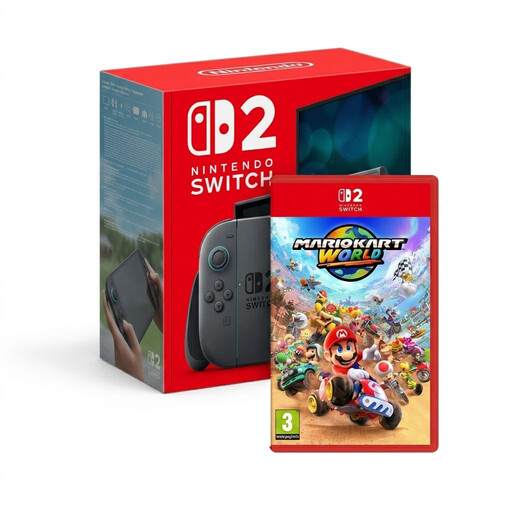 No image available
Suited to playing together locally on a TV; the product name lists Nintendo Switch 2 and Mario Kart World. Check the player count and controls required for your chosen mini-game.
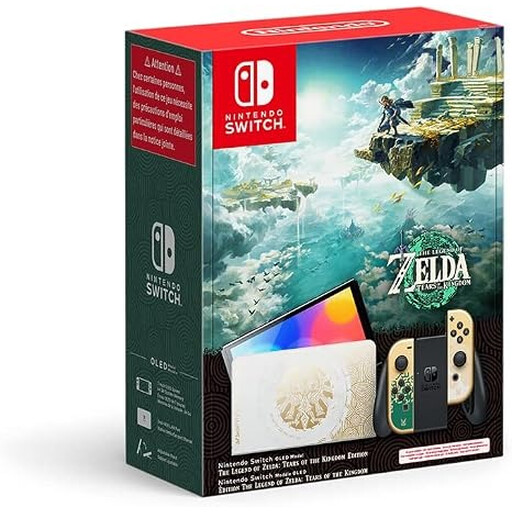 No image available
Suited to anyone looking for a Switch OLED Model to play Switch games on a TV; the product name lists the The Legend of Zelda: Tears of the Kingdom Edition variant. Check which controllers and game you’ll need for your chosen mini-games.
 No image available
Suited to anyone who wants to use Switch 2 with a TV and is considering the Jamboree TV modes exclusive to Switch 2. Check the controls for each mode and whether the necessary accessories are included.
No. Nintendo says Switch Lite does not support TV mode. A standard Switch, Switch – OLED Model or Switch 2 is another option if everyone needs to watch on one TV.
Check the player count for the specific game mode, not just the game as a whole. Nintendo says that the number of supported players varies by game mode in Super Mario Party Jamboree.
Not according to the PlayStation game page: players use their phone or tablet. The game requires online play, so also check that the available game language suits your group.
It depends on the game mode you choose and the layout of your room. Nintendo lists motion-based Jamboree TV modes for Switch 2. Check the controls and available floor space beforehand, and clear some room if needed.
No. PlayStation describes the PS5 Digital Edition as a console without a disc drive, and Microsoft describes the Xbox Series S as all-digital. Check this if you own or plan to use physical games.