
Switch group sharing controllers
You want to play on one Switch with a group and check that separate Joy-Con controllers suit the mini-games you’ve chosen. Nintendo notes that support can vary between game modes.


Choose based on the system and the controls required for the mini-game you want to play. Shareable Joy-Con controllers suit supported Switch game modes, while a standard gamepad may be all you need for button-based games on Xbox, PlayStation or PC. Also check how many separate controllers the game mode requires, and whether motion controls are safe to use in the space available.
You want to play on one Switch with a group and check that separate Joy-Con controllers suit the mini-games you’ve chosen. Nintendo notes that support can vary between game modes.
You’re sitting close together and want to know in advance whether you can play a mini-game using buttons or whether it requires motion controls and extra space.
You play local party games on Xbox, PlayStation or PC and want controllers that suit how those games are played, rather than assuming they’ll work with Switch-specific mini-games.
First check the system and the controls required for the game mode you’ve chosen. Then compare the number of controllers, the space needed to move and the features of the exact model.
| What to consider | What should you check? | Who is this important for? |
|---|---|---|
| Compatibility | Check the console or PC, as well as the controller requirements for the specific game and game mode. | If I’m choosing a controller for my existing system, I want to be sure it works with the game mode I’ve picked; around 36% of consumers say compatibility is their main purchasing concern. |
| Controls and space | Check whether the game mode requires buttons, motion controls or mouse controls, and how much clear space you’ll need. | If I’m sitting close to other people, I want to choose a game mode that suits the space around me; around 29% of consumers prioritise seated play with little movement. |
| Number of controllers | Check the local player limit for each game mode and whether controllers can be used separately. | If I want friends to join in locally, I want enough usable controls for everyone; around 21% of consumers say having enough controllers for the group is their main concern. |
| Grip and essentials | Compare controller sizes and check what power supply and accessories are needed for the exact model. | If I’m choosing a controller for longer gaming sessions, I consider how it feels to hold and which accessories I’ll need; around 14% of consumers say grip and extra essentials are their main purchasing concern. |
Being compatible with a system doesn’t mean a controller supports the controls required for every party game mode.
Check the controls required by the game and game mode before choosing a different gamepad.
You may still need separate Joy-Con for a game mode that requires them.
Original Joy-Con controllers work with Switch 2 wirelessly only and can’t be attached to the system. Joy-Con 2 doesn’t work with the original Switch.
Check which Switch system you have and how your controllers can be charged.
You may need a separate charging option to use original Joy-Con with Switch 2.
The number of local players can vary between game modes. A game’s overall maximum doesn’t tell you how many controllers a particular mode requires.
Count the players and check the offline player limit and controller requirements for the specific mode you want to play.
Relevant Joy-Con ranges for supported local games on Switch and Switch 2.
Xbox Wireless Controllers for gamepad-based games on supported Xbox consoles and Windows PCs.
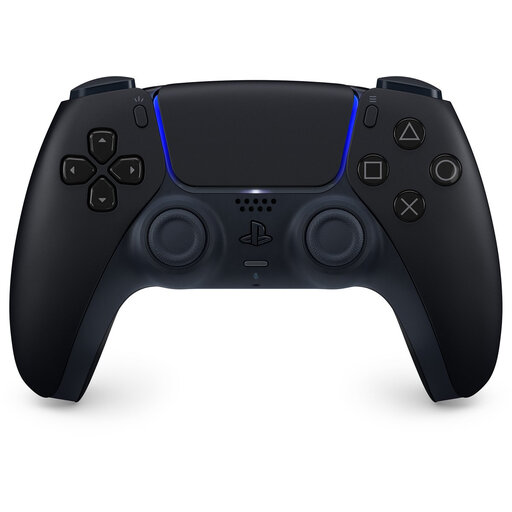
DualSense for PS5 and compatible games on supported computers and other devices.
Alternative Switch gamepads in a traditional design; check the features of the exact model.
Ultimate 2C Bluetooth as an alternative gamepad for supported Switch systems.
These Joybuy products include shareable Joy-Con for Switch and gamepads for Switch, Xbox, PS5 and PC. Check that each product supports the controls you need for your chosen game mode.
 No image available
The product listing names Switch and PC as compatible platforms; check that your chosen game supports this controller.
The title mentions dual vibration and a gyroscope; the product description specifies a six-axis gyroscope sensor.
 No image available
An option for PS5 games with standard gamepad controls; check which features are available for each PC game.
The product description lists connections to PS5, PC, Mac, Android and iOS via Bluetooth or USB-C. Haptic feedback, adaptive triggers and motion controls depend on support from the game.
 No image available
For party games with standard gamepad controls on the Xbox systems listed or a supported Windows PC.
The product description lists Xbox Series X|S, Xbox One and Windows PCs, as well as a hybrid D-pad and customisable buttons. AA batteries are required for wireless use and are not included.
 No image available
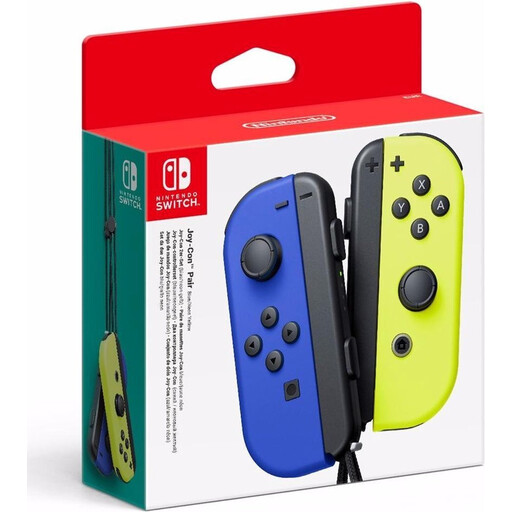
For Switch mini-games that support separate Joy-Con controllers; check that they’re supported in the game mode you’ve chosen.
The product description lists two controllers that can be used separately, motion sensors and two wrist straps.
 No image available
A wired gamepad for Switch and Switch 2 games with standard gamepad controls.
The product description specifies a USB connection. This model doesn’t support motion controls, and the USB cable is not included.
Check the offline player limit and controller requirements for the specific game mode. Nintendo lists modes for one to four players on a single system in Super Mario Party Jamboree, although the number varies by mode. Team17 lists up to four players for Overcooked! All You Can Eat, including offline play.
Yes, you can pair original Joy-Con controllers with Switch 2 wirelessly, but you can’t attach them to the system. Nintendo says you can charge them on an original Switch or with a suitable licensed charging accessory.
Choose a game mode that leaves you enough room to move; having a controller alone doesn’t make a motion-controlled mode suitable for a cramped space. For Switch 2, Nintendo advises you to be aware of your surroundings, clear some space and wear the Joy-Con 2 wrist straps. Nintendo also requires wrist straps for wireless use of original Joy-Con controllers.
For online purchases, you generally have a statutory 14-day cooling-off period from delivery, with some exceptions; ACM ConsuWijzer explains how this period works. If a controller doesn’t meet reasonable expectations when used normally, you also have statutory guarantee rights, and the retailer is responsible. A manufacturer’s guarantee does not automatically replace these statutory rights.