
Players without a monitor
You want to put the screen on your desk and play together straight away. Compare tabletop mode, the viewing angle and the controllers included with the console.


If you want to play without a separate monitor, compare the Nintendo Switch 2 and Switch OLED first. Both have a built-in screen, a stand and detachable controllers, though a shared screen may feel small for a group. If you have a suitable monitor, you could also consider a PS5, Xbox Series S or Steam Deck OLED with a dock. In every case, the game you choose, the number of local players and the controllers you need will determine whether everyone can join in.
You want to put the screen on your desk and play together straight away. Compare tabletop mode, the viewing angle and the controllers included with the console.
You already have a screen and will choose mainly based on the games you want to play together and the controllers you need.
Sometimes you play with two people, and sometimes with more. Check the maximum number of local players and the controls required for each game.
First decide whether you want to use a monitor or would rather play on a built-in screen. Then check which games you want, how many local players there will be and which controllers your set-up requires.
| What to consider | What should you check? | Who is this important for? |
|---|---|---|
| Playing together without a monitor | Check whether tabletop mode is supported, where the stand is positioned and whether you find the viewing angle comfortable. Also check whether you can charge the console while playing. | If I want to play at a small desk without a monitor, I need the console to stand on its own and the screen to remain easy for the group to see. Around 36% of consumers mainly want to play without a separate monitor. |
| Controls for the whole group | For each game, check the number of local players, the controller configurations supported and whether motion controls are required. Compare this with the controllers included in the box. | If everyone wants to join in at once, I need to know whether the game works with the controllers available. Around 29% of consumers say suitable controls for the whole group are their main concern. |
| Party games you want to play | Start by choosing a few specific games, then check the platform, number of local players and any differences between editions for each title. | If I already know which games I want to play, I need to make sure the console supports the local game modes I want. Around 21% of consumers are mainly concerned with the games available and the game modes. |
| Overall set-up | Work out which games, controllers and any monitor, dock or other accessories you’ll need. Also check whether your existing physical games work with the version you choose. | If I want to reuse things I already own, I need to know in advance what else I’ll need besides the console. Around 14% of consumers mainly consider additional costs and whether they can use the things they already have at home. |
A game may have a different player limit or controller configuration than you’d expect from what’s included in the box.
Check how many people can play locally in the specific game and which controls are required.
Nintendo describes the Switch Lite as a handheld console with integrated controls; it cannot be connected to a TV.
If you want to share one screen, first compare models designed for tabletop mode, such as the Switch OLED and Switch 2.
The PS5 Digital Edition and Xbox Series S models reviewed have no disc drive, so you can’t use physical game discs with these versions.
Before buying, check whether your chosen games are available digitally and whether the console version you’ve picked is compatible with the games you already own.
Nintendo describes features exclusive to Switch 2 in Super Mario Party Jamboree – Nintendo Switch 2 Edition + Jamboree TV. A compatible USB-C camera is required for certain camera features.
Check the exact game edition and any accessories needed for the game mode you want to use.
Worth considering if you want to play in tabletop mode without a monitor, using a built-in screen.
An option if you already have a suitable monitor and want to play local multiplayer games on PlayStation.
A monitor-based option for anyone who wants to play digital Xbox games.
Worth considering if you want to play Steam games on the go and also use an external screen.
This selection includes Nintendo Switch models for tabletop play, as well as portable handheld consoles. For each model and game, check that the local game mode you want, the number of players and the controls required suit your desk set-up.
 No image available
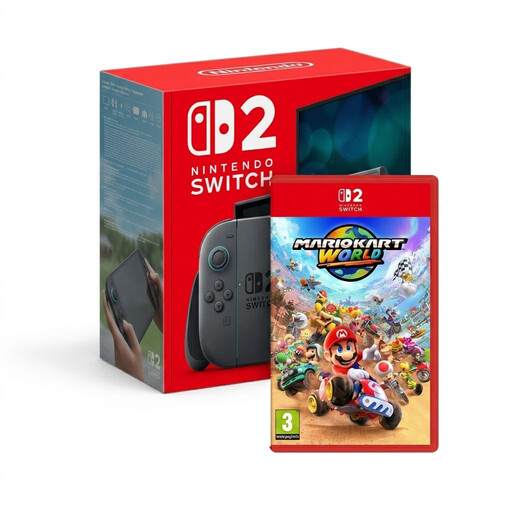
The Switch 2 supports tabletop mode, so you can use its built-in screen on a desk. Check that the local game mode in your chosen game suits your group.
The bundle name lists Mario Kart World alongside the console. Check that this is the game you’re looking for and find out how many players and which controllers it requires.
 No image available
This model is described as a handheld gaming console and is best suited to you if you also want to game on the go. Before buying, check that it supports the games and any shared set-up you plan to use.
 No image available
This model is described as a handheld and could be a good fit if portable gaming is part of how you plan to use it. For shared gaming sessions, check that your chosen game and controls suit your set-up.
 No image available
This portable gaming console could suit you if you want to play away from a fixed monitor too. Check that it supports the games you want and the local gaming set-up you have in mind.
This version has 16GB RAM and a 512GB SSD. The charger must be purchased separately.
 No image available
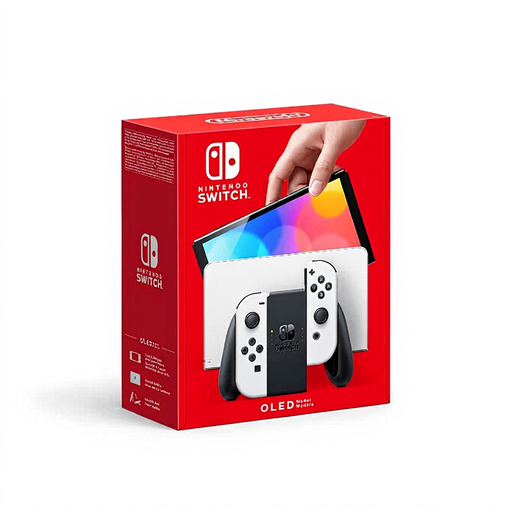
The Switch OLED is designed for tabletop play without a separate monitor. Nintendo lists a 7-inch screen and a wide, adjustable stand. Consider whether the shared screen will be comfortable for your group to view from your preferred distance.
Check that the games you want to play work on this version; Switch 2-exclusive features aren’t automatically included.
Yes. With a supported game, you can use the Switch 2 and Switch OLED in tabletop mode on their built-in screens. Check the game’s controls and consider whether the screen size and viewing distance will work well for your group.
Nintendo says the Switch 2 can be charged in tabletop mode using the included power supply via the top USB-C port. For a standard Switch, Nintendo describes a separate adjustable charging stand; check that any accessory is compatible with your model.
According to the Dutch government, you should contact the seller to resolve a problem with a product. A manufacturer’s warranty or an extended warranty is in addition to your statutory guarantee, not a replacement for it.
The Dutch government refers to age recommendations for computer games. PEGI describes its ratings as advice about suitable content, not difficulty. Use this information when choosing games for children, but don’t confuse it with a legal age limit for playing at home.
No, check games and accessories individually. Nintendo lists exceptions for Switch accessories and says that Joy-Con 2 controllers don’t work with a standard Switch. On a standard Switch, a Switch 2 Edition game will only launch as the Switch version, without the Switch 2 Edition features.