
Hosting a Switch party game
You want to have enough controllers ready for a particular Switch or Switch 2 game. Nintendo says that the controls required and the number of players vary by game and game mode.


Start with the console and the controls the game requires. If a game needs a separate Joy-Con for each player, you can’t assume that any wireless gamepad will do. Then decide whether to charge controllers in advance via the console or choose one that uses replaceable AA batteries. Nintendo explains how Joy-Con charge when connected to a powered Switch, while Microsoft says rechargeable AA batteries don’t charge inside the Xbox controller.
You want to have enough controllers ready for a particular Switch or Switch 2 game. Nintendo says that the controls required and the number of players vary by game and game mode.
You have few spare plug sockets during your games night and need to choose between charging controllers in advance via the system or using replaceable AA batteries. Charging methods vary by model.
You want more players to join in without choosing a controller for the wrong system or version of a game. So check that it’s supported by both your device and the game.
First check the console and the controls required for each player. Then count how many controllers you need and choose a charging or battery option that suits the plug sockets you have available.
| What to consider | What should you check? | Who is this important for? |
|---|---|---|
| Compatibility | Check the console, game mode and controls required; for similar models, make sure you check the full variant name. | I want to avoid buying an extra controller that doesn’t work with my console or game. This is the main concern for around 36% of consumers who prioritise compatibility. |
| Playing without extra plugs | Check how the controller charges and whether you can charge it via the console or swap the batteries. | If there are few spare plug sockets, I want to know whether I can charge in advance or replace the batteries during the evening. Charging and plug-socket planning is the main concern for around 29% of consumers. |
| Number of players | Count the players for your chosen game mode and check which controller each player needs. | I want to have the right controls ready for every guest, rather than relying only on the number of controllers that can be connected. This is the main concern for around 21% of consumers looking for enough controllers for their group. |
| Batteries and accessories | Check what power source and charging equipment you need, and what’s included in the box. | I want to know in advance whether I need batteries or a separate charger, so extra items don’t unexpectedly affect my choice. Around 14% of consumers mainly prioritise ongoing costs and charging accessories. |
Nintendo says that a Switch can synchronise up to eight wireless controllers at once. However, the number of players depends on the game and the game mode you choose.
First decide on the game, game mode and controls needed for each player. Then count how many controllers you’re short.
For local multiplayer in Super Mario Party on one Switch, Nintendo says each player uses one Joy-Con. The PowerA Wireless Controller for Switch we reviewed doesn’t support motion controls.
Check the control requirements for the exact game instead of relying only on the phrase ‘compatible with Switch’.
Charging methods vary by model. Microsoft says rechargeable AA batteries don’t charge inside the Xbox controller.
Before buying, check the power source and whether you already have the equipment you need to charge it.
Nintendo says that the Joy-Con 2 set we reviewed is for Switch 2 only. Standard Joy-Con can be paired wirelessly with Switch 2, but can’t be attached to or charged by the console.
Check which console generation you have and how you want to charge the controllers afterwards.
Joy-Con and Joy-Con 2 are designed for different generations of Switch systems and may be useful when a game requires separate Joy-Con controls.
The Switch wireless controllers we reviewed differ in their power sources and features, so you shouldn’t assume that features of one model apply to another.
According to Xbox, the Xbox Wireless Controller is designed for supported Xbox consoles, Windows PCs and specified mobile devices.
DualSense is designed for PS5 and works with compatible games on other supported devices.
The Ultimate 2C models have different platform and connection specifications, despite their similar names.
These Joybuy products suit different Switch, PlayStation and PC setups. Before buying, check that the controller is compatible with your console and chosen game.
 No image available
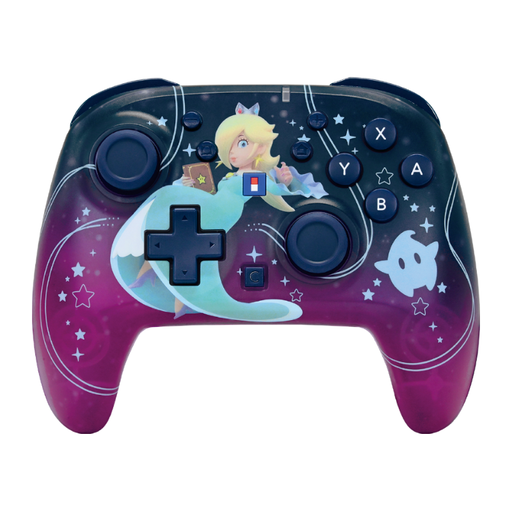
An option to consider for a compatible Switch party game if you want to charge the controller in advance and use it wirelessly while playing.
The product name lists Bluetooth, vibration feedback, a 7-colour LED and a range of 10 m.
 No image available
An option for a compatible game on Switch or Switch 2 if you can charge the controller in advance.
The product information lists wireless use, a built-in rechargeable battery and a stated battery life of up to 10 hours.
 No image available
An option to consider for a compatible PS4 or PC game if you want to play wirelessly.
The product information lists PS4, PS4 Slim, PS4 Pro and PC as compatible systems. According to the description, you’ll need a USB cable for the first pairing.
 No image available
An option for a compatible PS5 game if you want to charge the controller in advance and connect wirelessly while playing.
The product information lists PS5 compatibility, Bluetooth and a rechargeable battery; according to the description, it charges via USB.
 No image available
An option to consider for a compatible Switch or PC game if you don’t want a controller cable running to a plug socket while you play.
The product name lists Switch, PC and wireless use.
No. Check the game mode and controls required first. For example, Nintendo specifies one Joy-Con per player for local Super Mario Party on one Switch. In Super Mario Party Jamboree, the number of supported players varies by game mode.
Plan ahead and charge them in advance. According to Nintendo, Joy-Con charge when attached to the original Switch, provided it’s connected to its power supply and switched on or in sleep mode. A compatible Joy-Con charging grip is another option.
No. Microsoft says rechargeable AA batteries don’t charge inside the controller; follow the battery manufacturer’s charging instructions.
For online purchases in the Netherlands, you have a statutory 14-day cooling-off period from delivery, subject to legal exceptions. You’re also covered by the legal guarantee if the product doesn’t meet what you could reasonably expect under normal use. ACM ConsuWijzer explains that this is separate from any manufacturer’s warranty.