
PC gamer with guests
You play party games on a PC and want to know in advance how many controllers the game and your connections support. Xbox lists USB, Bluetooth and Xbox Wireless as connection options for a Windows PC.


Choose your party game and device first, then check how many controllers the game requires per player. On a Windows PC, you can choose between wired and wireless options; on a Nintendo Switch, the type of controller you need depends on the specific Mario Party title.
You play party games on a PC and want to know in advance how many controllers the game and your connections support. Xbox lists USB, Bluetooth and Xbox Wireless as connection options for a Windows PC.
You want enough controllers for the specific Mario Party title and take each game's control requirements into account. Nintendo, for example, distinguishes between Super Mario Party and Mario Party Superstars.
You want to connect quickly after work and choose deliberately between USB, Bluetooth and a wireless receiver. Logitech G describes USB for the F310; Xbox lists several connection options for its Wireless Controller.
| What to consider | What should you check? | Who is this important for? |
|---|---|---|
| Compatibility with the game and device | Check the exact title, device and supported controller or input mode. | If I want to be sure a controller works with my game and device, I check that combination before buying. Around 36% of consumers say compatibility is their top priority. |
| Enough controllers for all players | Count the controllers available and check which type the game requires for each player. | If you play with guests, you’ll want enough suitable controllers for the whole group. Around 29% of consumers who prioritise player numbers put this first. |
| Connection at your desk | Check for available USB ports, cable length and the wireless mode supported by your device. | If I play at a desk, I want to know whether the cable is long enough or whether my PC supports the right wireless connection. Around 21% of consumers prioritise connectivity. |
| Required accessories and power | Check what’s included and how the controller is powered or charged. | If you want to weigh up the controllers and accessories you’ll need, also consider batteries, receivers and charging options. Around 14% of consumers put additional costs first. |
Controls vary from one title to another. Nintendo says that Super Mario Party requires one Joy-Con per player when playing offline on a single Switch, while Mario Party Superstars also supports control with a Switch Pro Controller.
Check the controls for the exact title, then count how many controllers of the required type you’ll need.
According to 8BitDo, the Ultimate 2C Wireless connects to Windows via a 2.4GHz receiver or cable; the Bluetooth connection listed is for Android.
Check which connection modes are supported for the exact model and device, and make sure you have the required port or receiver.
Nintendo says original Joy-Cons can connect wirelessly to Switch 2, but cannot be charged through the console.
Check in advance how you plan to charge the controllers; Nintendo lists an original Switch or a compatible charging accessory as options.
A relevant choice when considering Joy-Con and Switch Pro Controller options for Nintendo party games.
An option for Windows PC and Xbox if you’re looking for wired or wireless connectivity.
The F310 is a wired PC gamepad for desk use.
The Nova Lite is a possible option if you’re looking for a controller for Windows PC and Switch.
The Ultimate 2C Wireless is a Windows option that connects via a 2.4GHz receiver or cable.
This selection includes controllers for party games on Windows PC and Nintendo Switch, including wired, wireless and Joy-Con options.
 No image available
An option if you want to play wirelessly on a Windows PC and also want USB-C as a connection option.
The product information lists compatibility with Windows 10/11 PCs, Bluetooth, USB-C and two included AA batteries. The USB-C cable is sold separately.
 No image available
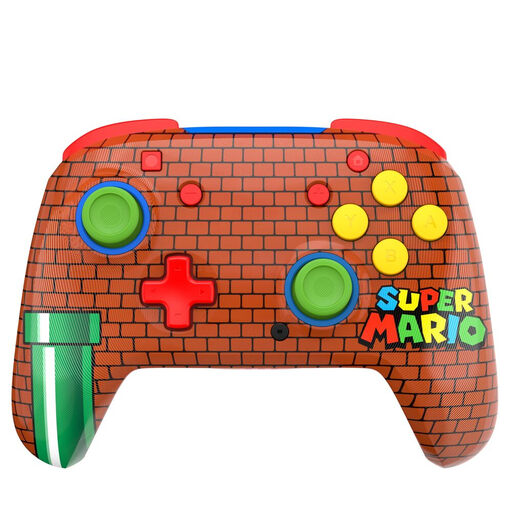
A Switch controller to consider if you’re looking for a wireless connection and motion controls; the product description gives Mario Party as an example.
The product information lists Bluetooth, two programmable rear buttons and no vibration function. The title lists support for Nintendo Switch, Switch Lite, Switch OLED and Switch 2.
 No image available
A wired option if you play at a PC desk and a cable connection suits your set-up.
The product information lists Windows 10/11, Xbox Series X|S and Xbox One, a detachable 3-metre USB-C cable and 18 buttons.
 No image available
A contender if you want to switch between PC and Switch use, based on the product information.
The product information lists PC, Nintendo Switch and Switch 2, as well as wired, wireless and Bluetooth connections. The title also mentions Steam and Android.
 No image available
A pair of Joy-Cons to consider if you need two separate controllers for supported Switch games.
The product information says each Joy-Con can be used as a separate controller.
No. For offline play on a single Nintendo Switch, Nintendo lists up to four players, with one Joy-Con per player. Check the exact title: Nintendo also lists the Switch Pro Controller for Mario Party Superstars.
Xbox lists USB, Bluetooth and Xbox Wireless. Your PC must support Bluetooth to use it; Xbox Wireless may require a separate adapter. Check the connection options supported by both the controller and your PC.
Nintendo says original Joy-Cons work wirelessly with Switch 2, but cannot be charged through the console. Nintendo lists an original Switch or a compatible Joy-Con charging accessory as options.
According to ACM ConsuWijzer, consumers in the Netherlands have statutory consumer rights in addition to any manufacturer’s or retailer’s guarantee. If a product breaks sooner than you could reasonably expect, the retailer must put things right under the applicable terms; there is no single fixed statutory guarantee period for every product.
For old electrical appliances, the Dutch government describes a take-back scheme when you buy a similar appliance. You can return used household batteries to shops and supermarkets that sell batteries.