
Group around one screen
You want to play a party game on your monitor with visitors at the same time; the maximum number of local players and the input devices required are key.


First, choose a party game and check how many people can play it locally on one console. Then decide whether you want to play on a monitor or on a built-in screen. Nintendo Switch 2 and Nintendo Switch OLED offer TV and tabletop modes, while PS5 and Xbox consoles suit groups whose chosen local games and input devices are compatible. Remember to factor in extra controllers and digital games, too.
You want to play a party game on your monitor with visitors at the same time; the maximum number of local players and the input devices required are key.
You want to quickly switch your home office after work to play on a monitor or a small shared screen.
You want new hardware to work with games or discs you already own, so you check the game version, compatibility and whether it has a disc drive.
Start with the exact game and the number of local players. Then choose your screen setup and check that your existing games work on the console.
| What to consider | What should you look for? | Who is this important for? |
|---|---|---|
| Group gaming on one console | Check the number of local players and which controllers or phones the exact game requires. | If I’m playing with visitors around one screen, I want to know whether everyone can join in with the available input devices. Around 36% of consumers prioritise local group gaming on one console. |
| Switching screens | Check whether the console comes with a dock that has an HDMI connection and whether the screens will fit your workspace. | I want to be able to switch between a monitor and the built-in screen after work without permanently rearranging my desk. Around 29% of consumers prioritise this flexible setup. |
| Games and compatibility | Check the platform, the exact game edition and whether you want to use physical game cards or discs. | If I want to keep playing a particular game or using my existing collection, I check in advance that the right version is available. Around 21% of consumers prioritise game and version compatibility. |
| Complete gaming setup | Check which controllers, games and any accessories you need, and what’s included in the bundle you choose. | I want to know in advance what I’ll need to play with my group, rather than looking at the console alone. Around 14% of consumers make the complete setup their first consideration. |
A game may offer online and local multiplayer separately. The number of players and the input devices required vary by title.
Check the exact game for local multiplayer, the player count and the controllers or phones required.
Depending on the game, you may need extra controllers or separate systems.
The PS5 Digital Edition and Xbox Series S don’t have a disc drive, so you can’t play physical games you already own on these consoles.
Check your collection before choosing between a digital console and a model with a disc drive.
You may need to buy some games digitally if you can’t use the physical disc on the console you choose.
Jamboree TV is part of the Nintendo Switch 2 Edition. For camera features, Nintendo specifies a compatible USB-C camera, sold separately.
Check the exact game edition and only buy accessories needed for the game modes you want to use.
Some game modes may require a different game pack, an upgrade pack or a separate accessory.
Switch 2 and Switch OLED are options if you want to switch between an external screen and the built-in screen for compatible games.
PS5 suits groups who want to play specific local PlayStation games, using controllers or another input method depending on the title.
Xbox Series S and Series X are options for compatible local Xbox games; your choice between the two will partly depend on whether you use physical discs.
These consoles are suited to party games in the home office, with options for local play and use on a built-in or external screen.
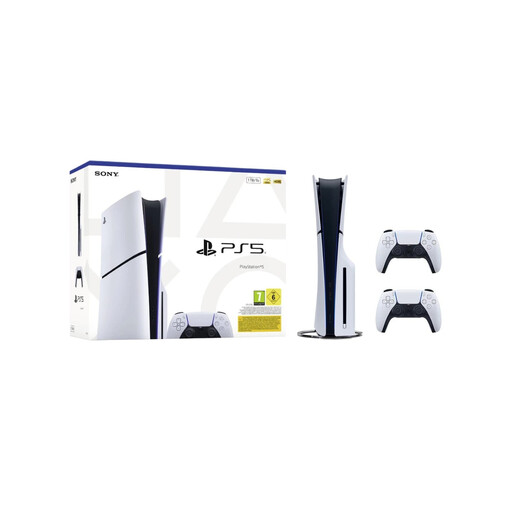 Image unavailable
The two included controllers provide two input devices; the number of local players depends on the game you choose.
Disc Edition; the product name lists 1TB and two white DualSense controllers.
 Image unavailable
An option if you want to pair a Switch 2 with the listed game download and subscription period; check the requirements of your chosen game for group play.
The product name lists 256GB. Nintendo describes TV and tabletop modes for Switch 2.
 Image unavailable
An option if you want to play compatible Switch party games on both the built-in screen and an external screen.
Nintendo lists an adjustable stand and an HDMI dock. System memory: 64 GB.
Switch 2-exclusive game modes, such as Jamboree TV, require the Switch 2 Edition.
 Image unavailable
An option if you want to switch between playing on an external screen and tabletop mode for compatible party games.
Nintendo describes detachable Joy-Con 2 controllers and a dock for TV mode.
Jamboree TV requires the Switch 2 Edition; camera features may require a compatible camera, sold separately.
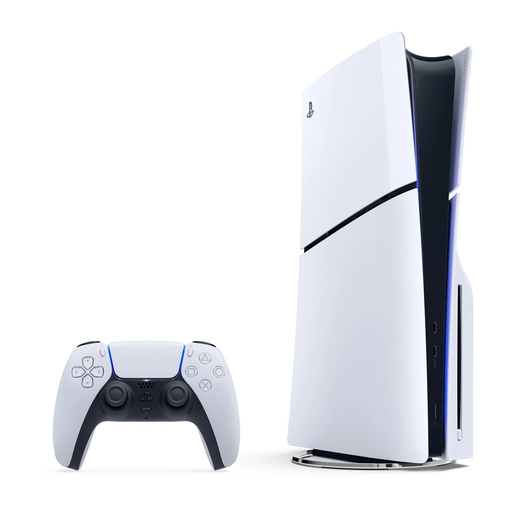 Image unavailable
An option if you want to play local PS5 games and need a disc drive for physical games.
The product name lists 1TB and Disc Edition. The number of players and controllers required vary by game.
No, it depends on the game. The Xbox store lists local multiplayer for two to four players for Party Panic; The Jackbox Party Pack 7 uses phones, tablets or computers and, according to PlayStation, doesn’t require extra controllers.
Not in TV mode: Nintendo says that Switch Lite can’t be connected to a TV. If you want to use one console with an external screen, look for a Switch model with a dock and HDMI connection.
No, Jamboree TV requires the Nintendo Switch 2 Edition. For camera features, Nintendo specifies a compatible USB-C camera, sold separately; check the requirements for the game mode you want to use.
In the Netherlands, you’re entitled to a product that works properly; the Dutch government says there is no fixed statutory warranty period. If a product is faulty, the retailer is your point of contact, and the solution depends on the circumstances. For distance purchases, you’re also entitled to a 14-day cooling-off period in many cases, with some exceptions.
Check the PEGI age rating and content descriptors for the specific game. PEGI assesses the age suitability of the content, not how easy the game is to play.