
Creator with a high-contrast folding table
You film light-coloured paper on a dark surface and want to retain its detail without the background becoming unintentionally bright.


Start with a camera setup that keeps the whole work surface steady in the frame and lets you check the exposure and focus on the paper. A mirrorless camera gives you a choice of lenses and framing; a webcam may suit recording through a computer, while a gimbal camera is most relevant if you also film demonstrations involving movement. Test with your own paper and background to check that light areas retain their detail and your hands do not cover the folds.
You film light-coloured paper on a dark surface and want to retain its detail without the background becoming unintentionally bright.
You want a steady overhead view in which your hands, the paper and small fold lines are all sharp and clearly visible.
You want to record or stream easily through a computer and need to check whether the webcam captures the paper properly from your desk.
A good fit if: you want to tailor the angle of view and focus to your paper size for a fixed tabletop setup.
Bear in mind: check which lens comes with the kit you choose, the mounting height and the recording time you need for your lesson.
A good fit if: you already record or stream your lesson through a computer and the webcam has a clear view of the table.
Bear in mind: tilting a webcam downwards does not automatically give you a straight overhead view; test the angle and focus at the actual working distance.
A good fit if: you want to film moving demonstrations as well as work at a fixed folding table.
Bear in mind: you will still need a suitable mount for filming above the table.
| What to consider | What to look for when buying | Who is this important for? |
|---|---|---|
| Detail in light-coloured paper | Make a test recording with your paper and dark background. Check for available histogram or overexposure warnings and adjust the exposure if needed. | If I film white paper on a dark table, I want to retain the fold details without bright areas becoming washed out. Around 36% of consumers prioritise controllable exposure. |
| Focus and overhead view | Measure the table and paper, and check the available mounting height. Test whether the whole work surface and a raised fold stay in focus. | If I want to show every fold clearly, the paper needs to stay fully in frame while my hands move. Around 29% of consumers give framing and focus top priority. |
| Complete, easy-to-use setup | Check the lens and mount included in the exact version. Also allow for storage and any other equipment needed for your chosen setup. | If I want to record through my computer without any missing parts, I want to know in advance what the set includes. Around 21% of consumers focus mainly on an easy setup and a complete kit. |
| Audio and recording time | Test the microphone, power supply and storage during a full trial lesson. Check the conditions that apply to any stated maximum recording time. | If I want to record a spoken lesson in one go, my explanation and recording setup need to remain usable throughout. Around 14% of consumers prioritise clear audio and uninterrupted recording. |
In a high-contrast scene, automatic exposure may render light-coloured paper differently from how you want it to, causing detail in bright areas to disappear.
First, make a test recording with your actual background and lighting. Check the paper and folds before treating sensor specifications as the deciding factor.
Careful exposure setup may take extra time or require additional lighting.
The lens and mount both help determine whether the paper fits fully in the frame and stays in focus from your workspace.
Check the exact kit contents and test the angle of view and focus from the available mounting height.
A suitable lens or mount may need to be bought separately.
A camera pointed downwards or a gimbal does not, by itself, ensure that your paper appears fully in frame and square to the camera.
Try the actual camera position with the paper size and hand movements you will use during the lesson.
Finding a suitable mount may take extra setup time.
The EOS R50 is a mirrorless camera for anyone looking to choose a suitable RF or RF-S lens for a fixed tabletop setup.
The ZV-E10 II is an E-mount mirrorless camera for anyone looking to tailor lens choice and recording settings to their tabletop setup.
The Z 30 may be worth considering if audio and the length of a spoken lesson are also important to you.
The MX Brio is a webcam option for anyone who records or presents lessons through a computer.
The Osmo Pocket 3 is a compact gimbal camera for creators who also want to film moving demonstrations.
This selection includes compact gimbal and action cameras, as well as webcams for recording through a computer. For a fixed folding table, check the mount, camera angle and focus with your own setup.
 No image available
A compact gimbal camera for anyone who wants to record moving demonstrations as well as work at the folding table; check which mount you need for a fixed tabletop recording.
1″ CMOS, 4K/240fps, 3-axis stabilisation, 2× lossless zoom and 107 GB of built-in storage. 2-inch rotatable screen.
 No image available
A webcam for recording through a computer; check whether its position at your desk captures the whole sheet of paper from the angle you want.
4K UHD, 8 MP, autofocus, dual built-in microphones and privacy cover. EU version, black.
 No image available
A webcam for recording through a computer; test whether the supplied clip or a tripod setup frames your work surface properly.
2K QHD, noise-cancelling microphone, clip for desktop or laptop, EU version, silver.
 No image available
A webcam for recording through a computer; check the mounting angle and make sure the whole work surface is visible before recording a lesson.
4K webcam for PC and Mac, 1/2″ sensor, HDR, AI tracking, microphone with AI noise cancellation and gesture control.
 No image available
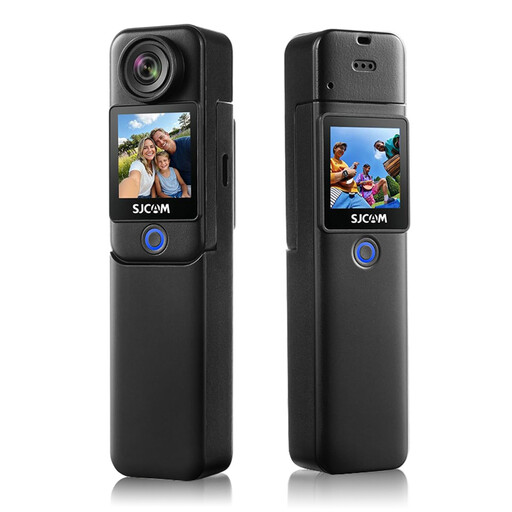
An action camera for video recording; test whether the mount and angle of view are suitable for filming your folding table from a fixed position.
4K at 30 fps, 6-axis stabilisation, 1.3-inch touchscreen and supplied waterproof housing. The product title states a maximum operating time of 460 minutes.
Make a test recording with your actual surface and lighting. Check the brightest areas of the paper for lost detail and adjust the exposure if needed, or use any available overexposure warnings. A fixed setting will not necessarily suit every camera and lighting setup.
Not always. If the camera focuses on your hands or the background instead of the fold, try a different focus area or manual focus. Check the result in a test recording from the actual mounting distance.
Check that the mount, lens and camera angle show the whole sheet of paper. Clean the lens according to the instructions for your chosen model, then test the power supply, available storage and a short recording before the lesson.
For online consumer purchases, you generally have a statutory cooling-off period of up to 14 days after delivery, subject to legal exceptions. The Netherlands Authority for Consumers and Markets also states that the seller is responsible for providing an appropriate solution if a product does not meet reasonable expectations; the manufacturer’s warranty is separate.
Not necessarily. According to the Dutch Data Protection Authority, images of identifiable people are personal data. The GDPR may apply if you publish them outside a limited private setting or on behalf of an organisation, and you will need a valid legal basis. Consent may be one such basis, but it is not automatically the only one. If you film only paper and unidentifiable hands, that does not by itself say anything about other potentially identifiable images or audio.