What should you look for when choosing?
First, choose a model that works with your system and game. Then count the available player positions and consider the controls, connection and charging.
For Overcooked! 2, Team17 confirms support for up to four players, while Nintendo recommends one Joy-Con per chef on Switch. The exact controller set-up and support can vary by system and game version.
| What to consider |
What to check before buying |
Who should pay particular attention? |
| Compatibility |
Check the exact controller model and supported connection against your system and game. |
I want to make sure the controller works with our console or computer and the game we’ve chosen. Around 29% of consumers say compatibility is their main concern. |
| Individual player positions |
Count the players and usable controllers, then test the set-up together in local multiplayer mode. |
If several club members want to play at once, I want to know in advance how many individual player positions our existing set-up can provide. Around 24% of consumers prioritise the number of player positions. |
| Ease of use |
Try out the buttons and stick with the people who will be using the controller. |
I want club members to find the controls comfortable to use, whether they’re holding a single Joy-Con or a full-size gamepad. Around 18% of consumers say ease of use is their main concern. |
| Set-up and overall cost |
Check which cables, receivers and connections are needed, and how far away the screen is. |
I want to know what’s needed for each usable player position and whether cables can be routed safely past the seats. Around 17% of consumers focus mainly on the overall set-up and cost per player position. |
| Keeping controllers ready to play |
Check the charge, batteries, charging equipment and pairing in advance. |
I want the controllers to be ready for the next club night after storage, with no surprises when connecting or charging them. Around 12% of consumers give top priority to keeping their controllers ready to use. |
Joybuy controllers for different gaming systems
This selection from Joybuy includes controllers for Nintendo Switch and Switch 2, Xbox, PS5 and supported PC games. Before buying, check that the model is right for your club’s system and game.
 No image available
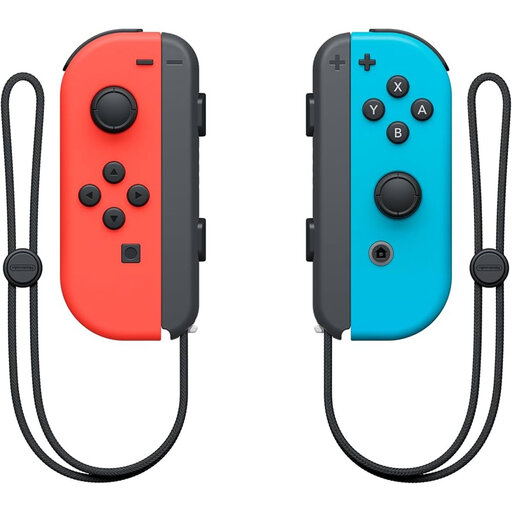
Nintendo Switch Joy-Con pair, neon red/neon blue
Suitable for a club playing Overcooked! 2 on Nintendo Switch and looking to use individual Joy-Cons as player positions.
This product is a pair; Nintendo recommends one Joy-Con per chef for this game on Switch.
View at Joybuy
 No image available
Nintendo Switch Pro Controller, black
Suitable for a player who prefers to use one full-size controller with Nintendo Switch.
A Pro Controller provides one player position.
View at Joybuy
 No image available
Nintendo Switch 2 Pro Controller, black
Suitable for a player looking for a full-size controller for Nintendo Switch 2.
Check whether your club needs the Switch 2 version of the controller; this is a different model from the original Switch Pro Controller.
View at Joybuy
 No image available
Xbox Wireless Controller, Robot White
Suitable for a club playing on Xbox or a supported Windows PC, once you’ve checked that the game supports the controller.
Microsoft lists Xbox and Windows compatibility, as well as Bluetooth, for this controller range.
View at Joybuy
 No image available
PS5 DualSense wireless controller V3, Cosmic Red
Suitable for a club with a PS5 or a PC game that supports DualSense input.
PlayStation lists USB and Bluetooth for compatible PC games; available features may vary by device and game.
View at Joybuy
Frequently asked questions
How many controllers do four players need for Overcooked! 2?
Team17 states that the game supports up to four players, locally or online. For Overcooked! 2 on Switch, Nintendo recommends one Joy-Con per chef, so four separate Joy-Cons can provide four player positions. Check the local multiplayer mode and controller set-up if you’re using a different version of the game or another system.
Why can’t I connect a third wireless controller to the Switch?
According to Nintendo, when a Bluetooth audio device is connected, a maximum of two wireless controllers can be connected to the original Switch. Disconnect the audio device if your set-up needs a third wireless controller; this restriction applies to that specific situation.
How can you get controllers ready for the next club night?
Set up the player positions in advance and check that all controllers have enough charge. Original Joy-Cons can be used wirelessly with Switch 2, but you’ll need an original Switch or a compatible charging accessory to charge them. The wired PowerA controller reviewed doesn’t need charging, but according to PowerA, it works with the Switch in its dock.
What warranty and cooling-off rules apply when buying on behalf of the club?
This depends in part on who is legally making the purchase. The ACM states that the legal guarantee applies to consumer purchases and that consumers generally have a 14-day cooling-off period for distance purchases. If you’re buying on behalf of an association or another organisation, you can’t automatically assume that consumer rights apply; establish who the buyer is and check the terms and conditions for that purchase.


