
Drivers who want to keep an eye on traffic alongside them
You practise among other cars and mainly want more horizontal screen space from a single monitor. Remember to consider your field-of-view settings and spotter information too.


A 49-inch 32:9 monitor gives you more horizontal screen space; a 34-inch 21:9 model needs a less wide setup, while a smaller screen may be a better fit if space or your PC’s output is limited. Measure your viewing distance and available space, check that your PC and connection can handle your chosen resolution and refresh rate, then adjust the field of view in your simulator. A wider screen won’t automatically show all the traffic alongside you, and it doesn’t replace spotter information.
You practise among other cars and mainly want more horizontal screen space from a single monitor. Remember to consider your field-of-view settings and spotter information too.
You want extra width, but still need to position the screen comfortably and view it from your usual driving distance.
You compare the stated refresh rate and connections with what your PC can output at your chosen resolution, rather than focusing only on the highest Hz figure.
Choose this if: you want as much horizontal screen space as possible from a single monitor and have room for it in your setup.
The trade-off: you’ll need a wide setup and to match your PC’s output to the selected display mode. Samsung Netherlands lists the Odyssey G9 G91F at 5120 × 1440 and 144 Hz.
Choose this if: you want more horizontal space than a standard 16:9 screen offers, without having to fit a 49-inch monitor.
The trade-off: this screen is physically less wide than the 49-inch 32:9 option mentioned above. AOC Netherlands lists the CU34G4, and Philips Netherlands the Evnia 34M2C3500L/00, at a resolution of 3440 × 1440 and 180 Hz.
Choose this if: you specifically want to compare a QD-OLED panel and a high stated refresh rate.
The trade-off: the aspect ratio is still 21:9. Dell lists the Alienware AW3426DW at 3440 × 1440 and 280 Hz; check that your PC and connection can handle your chosen display mode.
Choose this if: a wider screen won’t suit your available space or your PC’s output.
The trade-off: settings can’t add physical screen width. iRacing Support recommends setting the viewing distance and screen width from your normal driving position; if you use iRacing, a spotter can also provide information during overtaking manoeuvres.
Start by thinking about how much screen space you want from your normal driving position. Then compare the screen dimensions, resolution and connection with your setup and PC.
| What to consider | What to look for | Who is this important for? |
|---|---|---|
| Traffic alongside you and horizontal visibility | Compare the aspect ratio and dimensions, then set the field of view from your normal driving position. | If I want to keep a better eye on cars alongside me, I look for extra horizontal space as well as the right FOV setting. Around 36% of consumers put side visibility first when buying. |
| Smooth visuals and connection | Check the Hz support for each input and what your PC can output at your chosen resolution. | If a high refresh rate matters to me, I want to know whether my PC and connection can handle that setting. Around 29% of consumers give smooth visuals their top priority. |
| Positioning and PC compatibility | Measure the available width and viewing distance, then compare the resolution with your PC’s output. | If space or my PC is the deciding factor, I want a screen I can position and run comfortably. Around 21% of consumers prioritise compatibility with their setup and PC. |
| Power consumption and aftercare | Compare the EU energy label for the exact model and read any additional warranty terms alongside your statutory rights. | If I also consider running costs and aftercare, I compare the energy information and check who to contact if something goes wrong. Around 14% of consumers put power consumption and aftercare first. |
Viewing distance and screen width both matter when setting up a single monitor; a wide aspect ratio doesn’t guarantee that you’ll see all the traffic alongside you.
Once the screen is in place, measure and configure the field of view from your normal driving position.
A stated refresh rate doesn’t tell you how many frames your PC will deliver while you practise at your chosen resolution.
Check the supported display mode for each connection and compare it with your PC’s output.
The Dutch government distinguishes between additional warranties and statutory rights when a product is faulty; in that case, the retailer is your point of contact for a solution.
Read any additional warranty terms and consider them alongside your statutory rights with the retailer.
The Odyssey G9 G91F is a documented 49-inch 32:9 option for anyone looking for plenty of horizontal space on a single screen.
The CU34G4 offers a 34-inch 21:9 option with a Fast VA panel.
The Evnia 34M2C3500L/00 is a curved 34-inch ultrawide to compare with other 21:9 models.
The AW3426DW is a 34-inch 21:9 option for anyone specifically looking to compare QD-OLED.
This selection focuses on ultrawide monitors for a single-screen racing setup, with 34-inch and 49-inch models.
 Image unavailable
For anyone looking for plenty of horizontal space on a single screen and able to accommodate a wide monitor.
The product name lists 5120 × 1440, 240 Hz, QD-OLED and FreeSync Premium Pro. The product information recommends two people for lifting or installation, and a stable surface or suitable monitor arm. It also advises against leaving a static image on screen for very long periods to help reduce image retention.
 Image unavailable
This 49-inch ultrawide is an option if you’re looking for plenty of horizontal screen space and have room for a wide setup.
The product name lists 32:9, a 1500R VA panel and 165 Hz. The product information states that your desk or VESA mount must support at least 15 kg, and recommends that two people install it.
 Image unavailable
This 49-inch monitor offers a wide view; check that the model and your PC are suited to the settings you want to use for racing.
The product name lists 5120 × 1440 and LCD.
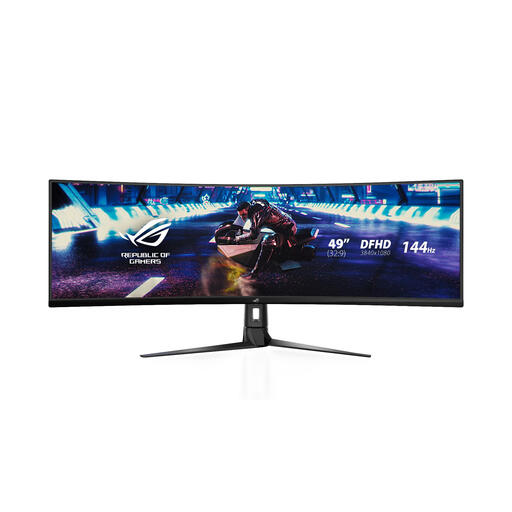 Image unavailable
A 49-inch option if you’re looking for a wide view; measure your available space and viewing distance before choosing a screen of this size.
The product name lists 3840 × 1080. The product information recommends placing it on a stable surface and using the original power adapter.
 Image unavailable
A 34-inch ultrawide is a less wide alternative to the 49-inch models, if it’s a better fit for your setup.
The product name lists a 1500R Fast VA panel and states that it has no built-in speakers.
From your normal driving position, measure the shortest distance between your eyes and the screen, along with the screen width. Enter these values under Display > Monitor, choose one flat or one curved screen, then select Compute. Next, adjust the horizon and driver height as recommended by iRacing Support.
No, a spotter can’t replace what you see on screen. In iRacing, a spotter can provide additional information, such as whether you’re clear when overtaking; what you can see on the track also depends on your setup and settings.
According to the Dutch government, the retailer is your point of contact for a solution if a product is faulty. ACM ConsuWijzer states that for an online purchase, you can generally cancel without giving a reason up to 14 days after delivery, subject to statutory exceptions.
According to the European Commission, computer monitors have an EU energy label on a scale from A to G. The label also includes the screen diagonal and resolution; compare the label for the exact model you’re considering.