Choose an external HDD if storage space for a growing collection matters more to you than portability. A portable SSD is a better fit if you regularly transfer files between locations and computers. Work out the capacity you need based on your recordings, descriptions and expected additions, and keep irreplaceable interviews somewhere else too. Oral History recommends keeping the original source file as your archival master; the Digital Trust Center advises against relying on a single storage location for your backups.
Who is this choice relevant to?
Manager of a growing interview archive
You keep original recordings alongside descriptions and possibly transcripts. Work out the space you need based on your current files and expected additions. Oral History points out that metadata makes a collection easier to search and use.
Interviewer working on location
You regularly take the drive with you and transfer files between devices. Check that the ports and cables are compatible with your equipment; protection specific to a model is no substitute for a backup.
Manager of confidential conversations
You may keep recordings in which living people can be identified. Consider who will have access and what agreements apply to their use. The Dutch Data Protection Authority notes that identifiable audio recordings may contain personal data; whether the GDPR applies depends in part on the purpose and context.
What should you consider when choosing?
External HDD for archive storage
Best for: a growing collection that is usually kept in one place.
Bear in mind: a mechanical drive is more susceptible to knocks than an SSD. Also check the connection and whether reformatting may be needed.
Portable SSD for use on the go
Best for: interviews you regularly move between the recording location and your work computer.
Bear in mind: stated speeds aren’t guaranteed on your computer and cable, and a protective casing won’t prevent data loss.
| Consideration |
What should you check? |
Who should give this more weight? |
| Space for your collection and future growth |
Add up your current files and allow for new interviews and derivative files; compare the total with the capacity of the exact model. |
If I want to avoid running out of space for my growing archive, I include descriptions and transcripts in my calculations too. Around 36% of consumers prioritise having enough archive storage. |
| A separate copy you can restore |
Decide where the second copy will be kept, how often you’ll update it and whether a test restore works. |
If losing one device mustn’t also mean losing my interviews, I plan a separate copy and check that I can restore it. Around 29% of consumers rank recoverability as their top priority. |
| Transferring files between devices |
Check the ports and cables at both ends, and make sure the capacity and any protection rating apply to the exact model. |
If I often move recordings between a recording location and my work computer, I want to know whether the drive connects to both devices. Around 21% of consumers prioritise transferring files on the go. |
| Access to sensitive interviews |
Decide who can open the recordings and what security is appropriate for your use and context. |
For conversations that shouldn’t be accessible to everyone, I consider access management and agreements about use. Around 14% of consumers put confidentiality first. |
Common mistakes
-
Mistaking extra storage for a backup
If the external drive holds the only copy of your recordings, losing the drive also means losing the files.
Keep another copy in a separate storage location and test that you can restore your files.
Keeping a separate copy requires extra storage and regular management.
-
Relying on the WD Elements name alone
Products in the same range can differ in model code, capacity and connection; a similar product name doesn’t make them identical.
Before buying, compare the full model code, capacity and connection of the exact version.
-
Assuming water or impact protection prevents all data loss
A protection rating or sturdy casing won’t stop files being accidentally deleted or the only copy being lost.
Consider protection when choosing a drive to carry around, but keep a separate backup too.
Brands to compare
Seagate
The Expansion Portable range includes portable HDDs, including a 5 TB model.
- Seagate lists a USB-A cable and USB 3.0 for that model.
- Reformatting may be required for Time Machine. Check the connection and compatibility with your own computer.
Samsung
The T7 Shield 2TB MU-PE2T0S/EU is a portable SSD to consider if you regularly take your drive with you.
- For this model, Samsung specifies USB 3.2 Gen 2, IP65 and sequential maximum speeds of 1.050 MB/s read and 1.000 MB/s write.
- These are stated maximums, not speeds measured on your computer; a protective casing is no substitute for a backup.
Kingston
The XS1000 range includes portable SSDs up to 2 TB, worth comparing if you want a compact drive with USB-A and USB-C connection options.
- Kingston lists a maximum speed of 1.050 MB/s for the range, along with an included cable and adapter.
- Check the exact model and ports; the stated speed is the manufacturer’s maximum, not the result of an independent performance test.
Western Digital
The WD Elements Portable range includes a 4 TB HDD model for anyone comparing capacity for a growing archive.
- A portable model may suit you if you want to take your storage with you.
- Compare the full model code, capacity and connection; models with the same product range name aren’t necessarily identical.
LaCie
Rugged Mini is a portable HDD range to consider if you often take your drive with you.
- The manufacturer describes protection against knocks, drops and rain, and lists models up to 5 TB.
- Check the specifications of the model you choose; protection isn’t a guarantee against data loss.
Joybuy products for growing archives
These product picks focus on external HDDs for a growing archive and a portable SSD for interviews you regularly move between locations.
 No image available
WD Elements Portable 5TB USB-C
A portable HDD option for anyone who wants to keep a growing archive on a drive they can take with them.
5 TB of storage, a USB-C connection and USB-powered.
The description mentions plug-and-play use and compatibility with Windows and Mac devices.
View at Joybuy
 No image available
WD My Passport 6TB White
A portable HDD for anyone looking for plenty of storage and wanting to protect files on the drive too.
6 TB of storage, password protection and 256-bit AES hardware encryption, according to the product description.
The description mentions automatic backup software; check that it suits your needs and devices.
View at Joybuy
 No image available
WD My Passport USB-C 5TB Black
A portable HDD option for anyone looking for plenty of space and needing a USB-C connection.
5 TB of storage, exFAT and hardware encryption with password protection, according to the product description.
The description mentions use with Windows, Mac and compatible mobile devices; check the connections on your own equipment.
View at Joybuy
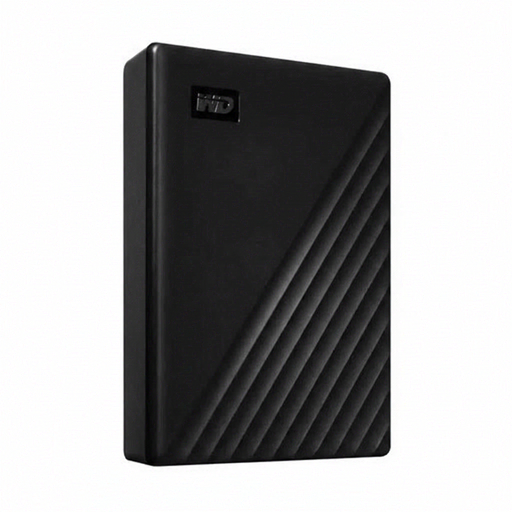 No image available
WD Elements Desktop 24TB
A desktop HDD for a large archive that is mainly kept in one place.
24 TB of storage, a 3.5-inch drive and USB 3.2 Gen 1.
This model uses an external power adapter. The description mentions backwards compatibility with USB 2.0.
View at Joybuy
 No image available
Samsung MU-PE2T0R 2TB USB Type-C 3.2 Gen 2 Blue
A portable SSD option for anyone who regularly moves interviews between locations or devices.
2 TB of storage and USB-C; the description specifies USB 3.2 Gen 2.
For this model, the description lists IP65 and drop protection up to 3 metres. IP65 means protection against dust and water jets, not immersion; check that the connections are compatible with your devices.
View at Joybuy
Frequently asked questions
Should you keep the original recording as well as an edited version?
Yes. Keep the original source file as your archival master. Oral History also recommends recording descriptive, technical and administrative metadata, so recordings are easy to find and agreements about their use remain clear.
Is one external drive enough for a backup?
Not if that drive contains the only copy. Keep a separate copy too, avoid relying on a single storage location and periodically test restoring your files. This follows the Digital Trust Center’s practical backup guidance.
Can you use a new drive with your computer straight away?
First check the port, included cable and file system of the model you’ve chosen. Seagate notes that the Expansion Portable described may need reformatting for Time Machine. Don’t reformat a drive containing existing recordings until you’ve checked that you have another copy.
What are your rights if a drive bought in the Netherlands is faulty?
When you buy as a consumer, you’re entitled to a product that works as it should, and you can contact the seller if it doesn’t meet expectations. According to the Dutch government, there is no fixed statutory warranty period in the Netherlands; a manufacturer’s warranty is separate from your legal rights. Exercising those rights is no substitute for a restorable backup of your recordings.
Does the GDPR apply to your oral history recordings?
An audio recording in which someone can be identified may count as personal data. An exception may apply if the recording is for purely personal or household use. For an organisation processing personal data, an appropriate legal basis and suitable security are relevant. Whether your project falls under the exception depends on how the recordings are used.
How long can you keep interviews containing personal data?
According to the Dutch Data Protection Authority, the GDPR does not set a general, specific retention period. If the GDPR applies, consider how long you need to keep the recordings and whether other legal time limits apply; having a larger drive is not, in itself, a reason to keep recordings indefinitely.


