
Watching a particular opera
You want to watch a specific recording on the big screen. Whether you need an extra player depends on whether your current TV has the relevant app or access to YouTube.


Choose the opera recording first, then check whether you can play it through an app on your TV or by casting. A 4K label alone tells you nothing about whether the recording is available. For a long evening of watching, it’s practical to test your connection in advance and have an easy-to-use remote. Picture and sound formats only matter if the recording and your equipment support them.
You want to watch a specific recording on the big screen. Whether you need an extra player depends on whether your current TV has the relevant app or access to YouTube.
You want to start and pause the recording easily, and test your connection beforehand. Some streaming boxes also have an Ethernet port for a wired connection.
Beforehand, check whether the performance you’ve chosen has subtitles in a language your guests can follow, and whether you can control them on your TV.
Start with the recording you want to watch and the TV app you can use to view it. OperaVision lists YouTube as a way to watch on TV, while medici.tv lists apps for Apple TV and Android TV. Then check your connection, subtitles and the connections your set-up requires.
| What to consider | What should you check? | Who is this important for? |
|---|---|---|
| Access to the recording | Check whether the specific recording is available through a TV app or YouTube on your existing device. OperaVision lists YouTube as a way to watch on TV, while medici.tv lists apps for Apple TV and Android TV. | I want to open the performance I’ve chosen directly on the TV, without having to find another way to play it during the evening. Around 33% of consumers prioritise access to the recording. |
| Uninterrupted playback | Test the connection where your TV is. A box with Ethernet gives you a wired option; Xiaomi states that the TV Stick 4K (2nd Gen) requires a wireless connection. | For a long opera, I want to know whether the stream will keep working where the TV is. Around 27% of consumers say a stable connection is their main purchasing concern. |
| Subtitles and controls | Check which subtitle languages are available for each performance, and test pausing and resuming with the remote for the exact model. | I want guests to be able to follow the subtitles and pause without using a phone. Around 20% of consumers prioritise subtitles and controls. |
| Picture and sound | Compare the recording’s formats with your TV and audio equipment. A 4K or Dolby label on a device doesn’t guarantee that the recording uses that format. | I want to know whether my TV and sound system can play the recording well before paying extra for particular formats. Around 20% of consumers say picture and sound are their main purchasing concern. |
Google says the final resolution also depends on the TV and the content being streamed. So, a player that supports 4K won’t automatically make a recording available in 4K.
Check the recording and your TV first, then decide what output you need.
OperaVision says performances are usually available for a limited time, often around six months. This means a recording might no longer be available by the time your viewing evening comes around.
Check the specific performance, how long it will be available and whether it has subtitles in advance.
The Google TV Streamer (4K) is a streaming box with a remote and Ethernet, for anyone looking for TV apps and the option of a wired network connection.
The Apple TV 4K works with the Apple TV app, which medici.tv lists for its service. The Dutch specifications consulted are for the fourth generation.
The TV Stick 4K (2nd Gen) is a compact Google TV option if a wireless connection works for your TV set-up.
The LEAP-S3PRO is a Google TV box with Ethernet and a remote, for anyone who wants a wired network connection as well as casting.
This selection includes a Google TV television and a separate Android TV streaming device for anyone who wants to watch opera through TV apps or by casting.
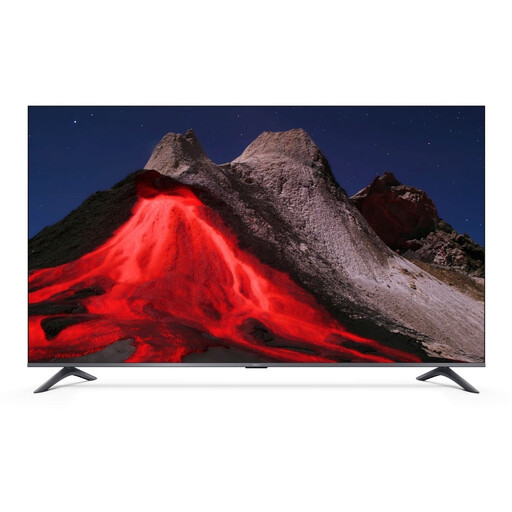 Image unavailable
The Google TV and YouTube features listed make this television an option if you want to watch your recording on YouTube on your TV. Check that the performance you want is available there.
Google TV; 4K UHD QLED; Chromecast and AirPlay are listed. The TV has a screen size of 55 inches (140 cm).
 Image unavailable
A separate Android TV streaming device with a remote, for anyone who prefers not to use a phone to control TV apps. Check in advance that your chosen provider works on the device.
Google-certified Android TV device; remote included, according to the product name.
Not necessarily: OperaVision lists the YouTube app as a way to watch on TV. First, test whether your current TV or player can play the performance you want to watch there, and check how long it will be available.
Open the recording you’ve chosen in advance and test playback, pausing, sound and subtitles. An Ethernet port gives you a wired option if there’s a network cable by the TV. OperaVision recommends a minimum of 5 MB per second for smooth streaming. This is the provider’s advice, not a general requirement for every service.
OperaVision describes itself as a free platform; medici.tv offers a subscription. Check the current costs with your chosen provider. Google and Apple state that the streaming boxes mentioned require a separate HDMI cable.
This depends in part on the nature of the gathering and the rights to the specific recording. The Dutch government says that copyright-protected material may not be made available to the public without permission, but this doesn’t determine whether your gathering counts as making it available to the public. For a public or commercial screening, check the rights and terms for the recording.