
Home mixer with a quiet workspace
You mainly assess the balance and placement of vocals and acoustic instruments, without recording through a microphone while listening. Compare an open-back model if the room is quiet enough.


If you’re mixing in a quiet room and mainly want to assess vocals, guitar and stereo placement, compare open-back models. If you’re also recording, or background noise by the window is a distraction, start with a well-fitting pair of closed-back headphones. The light from the window itself doesn’t affect your acoustic choice; also check compatibility with your audio interface, the fit and whether suitable replacement ear pads are available.
You mainly assess the balance and placement of vocals and acoustic instruments, without recording through a microphone while listening. Compare an open-back model if the room is quiet enough.
You want to listen back to recordings and limit how much sound from the headphones reaches the microphone while recording, all with the same setup. Compare closed-back models first and check the fit.
Outside noise can make quiet passages difficult to hear. In that case, noise isolation and comfortable listening matter more than the potential spatial qualities manufacturers attribute to open-back models.
Choose this if: you mainly mix in a quiet room and aren’t recording with a microphone while headphone sound is audible.
Bear in mind: background noise can get in, and sound from the headphones can leak out; claims about spaciousness don’t guarantee a better mix.
Choose this if: you also record vocals or acoustic instruments, don’t want to disturb others, or want to reduce background noise during quiet passages.
Bear in mind: isolation depends partly on the fit and condition of the ear pads; a closed-back design doesn’t prove that the sound is neutral.
Choose this if: you want to compare an in-between option and don’t need full isolation or minimal sound leakage.
Bear in mind: without information about the specific model, the term ‘semi-open’ doesn’t tell you how much sound it blocks.
| What to consider | What to look for when buying | Who is this important for? |
|---|---|---|
| Isolation from noise and during recording | Check whether the ear pads fit snugly all the way around and whether sound is audible through the microphone during recording. | If I’m missing quiet passages by the window or want to limit sound leakage when recording vocals, I’ll check the fit and isolation first. Around 36% of consumers prioritise isolation from background noise or sound leakage during recording. |
| Mix balance and stereo placement | Compare familiar reference passages at an even, comfortable volume, and listen to the finished mix on another playback system too. | If I mainly want to assess the balance between vocals and guitar in a quiet room, I’ll focus on balance and placement without treating a product claim as proof. Around 29% of consumers prioritise mix balance and stereo placement. |
| Wearing comfort and fit | Try the headphones for a realistic session and check which ear pads are replaceable for the exact model variant. | For longer mixing sessions, I want to know whether the headphones feel comfortable and whether the fit can be maintained. Around 21% of consumers say wearing comfort is their main consideration. |
| Connections and maintenance | Check the exact model variant, plug, cable and any adapter against the output on your audio interface; also look for suitable replacement parts. | If I want to connect the headphones to my existing interface and maintain them over time, I’ll check these details in advance. Around 14% of consumers prioritise connections and maintenance. |
Open-back headphones let sound escape. This may be picked up by the microphone when recording vocals or guitar.
Before buying, decide whether you’ll monitor through the same headphones while recording.
Audible sound leakage may mean extra work to reduce it in the recording.
The fit and condition of the ear pads affect isolation; according to beyerdynamic, worn pads can also change the perceived bass.
Check the fit and ear pads, and compare familiar passages on another playback system too.
The DT 770 PRO 80 Ohm and DT 900 PRO X have separately specified features and connections.
Before buying, check the full model name, variant, cable and interface output.
A manufacturer’s warranty or paid extension is separate from your statutory rights against the seller.
Check what an additional warranty actually covers before paying for it.
The open-back DT 900 PRO X and closed-back DT 770 PRO 80 Ohm are different options for mixing, monitoring and recording.
Sennheiser positions the open-back HD 490 PRO for mixing and mastering when isolation isn’t a priority.
The closed-back ATH-M50x is a wired option to compare if you also listen back to recordings.
The open-back K702 is an option to compare for mixing in a quiet place.
The MDR-7506 is a closed-back option to compare with other models for recording and studio work.
Joybuy product picks for over-ear listening, with background noise in mind. Before using them for mixing, check that they connect to your interface and assess your mix on other playback equipment too.
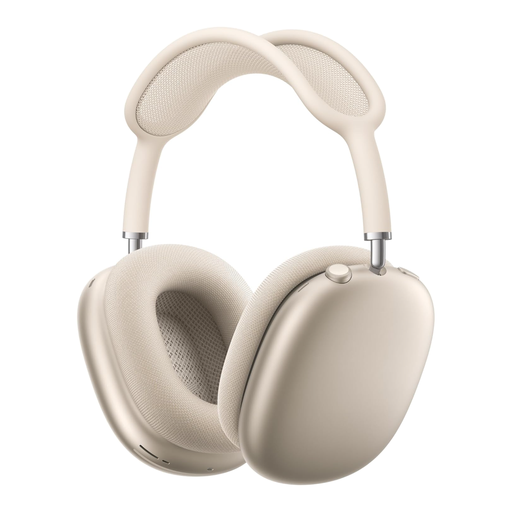 No image available
The product description lists active noise cancellation and Transparency mode, so you can see which listening mode suits your surroundings.
It also mentions spatial audio with dynamic head tracking, a mesh headband and memory foam ear cushions. Check that the connection and controls suit your mixing setup.
 No image available
The product description lists adaptive noise cancellation for listening in noisy surroundings.
It mentions an included 3.5 mm audio cable. Check that the connection matches your interface; the product description also lists adjustable EQ.
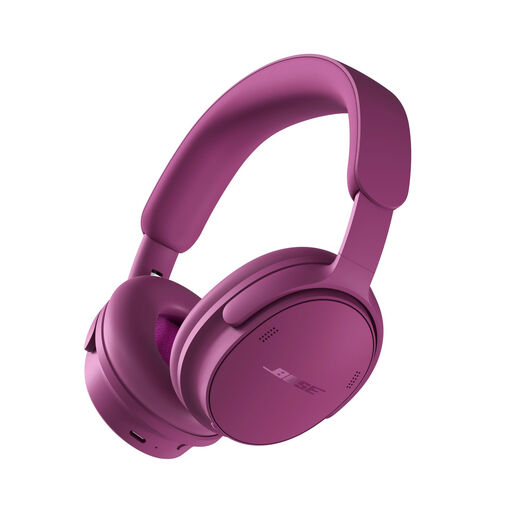 No image available
The product description lists noise cancellation and several listening modes. Check which mode suits your listening environment.
It mentions lossless audio via USB and battery life of up to 24 hours. Check that the USB connection is compatible with your equipment.
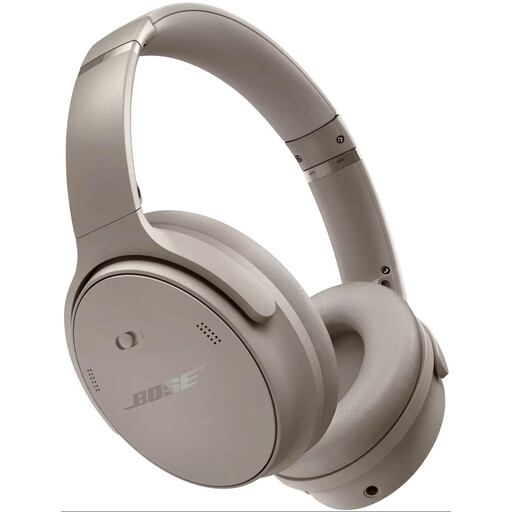 No image available
The product description lists active noise cancellation and Bluetooth. Check which connection you need for your interface or other equipment.
It mentions EQ settings via the Bose app and a design intended for comfortable extended wear.
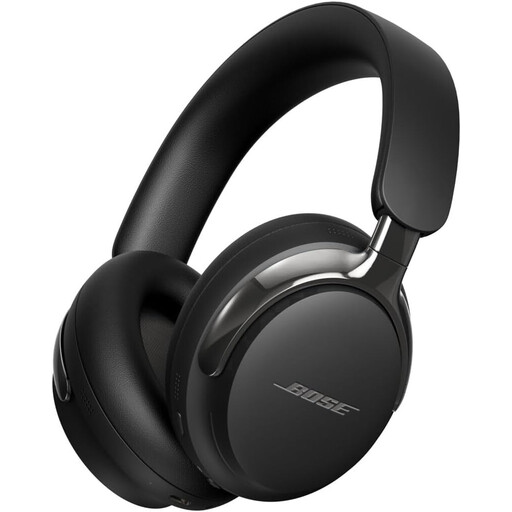 No image available
The product description lists active noise cancellation for listening in noisy surroundings.
It mentions a detachable cable with USB-C and 3.5 mm connections. Compare these connections with your equipment.
Not because of the light alone: choose based on background noise and whether you’ll also be recording. beyerdynamic warns that UV light can damage the foam in ear pads after prolonged exposure to direct sunlight; this doesn’t indicate how long the pads on any particular model will last.
Check the output on your interface against the plug and any adapter supplied with the exact headphone variant. According to beyerdynamic, the DT 900 PRO X has a 3.5 mm plug with a 6.35 mm adapter; impedance alone doesn’t predict whether your interface will deliver enough volume.
Check whether the pads are worn or misshapen, and look for replacement pads for the exact model. According to beyerdynamic, a deteriorating seal can also affect the perceived sound, including the bass.
For online purchases, ACM ConsuWijzer says you’ll generally have a cooling-off period of up to 14 days after delivery; check whether a legal exception applies to your purchase. Your statutory guarantee is separate from the manufacturer’s warranty: if a product doesn’t do what you could reasonably expect under normal use, the seller is responsible for providing an appropriate solution.
Don’t assume that the same general CE requirement applies to every pair of headphones. The European Commission explains that CE marking applies only to products covered by specific applicable EU rules; you’ll need to check which rules apply to the model in question.