For critical listening in a quiet room, open-back studio headphones may be a good fit. Choose a closed-back model if background noise or sound leakage during recording gets in the way, as SoundGuys and RTINGS.com explain in their comparisons of open- and closed-back models. For a repeatable level comparison, use the same playback settings and a suitable loudness meter: the European Broadcasting Union recommends measuring a programme’s integrated loudness. Deal with screen reflections separately; Arboportaal recommends, among other things, positioning your line of sight parallel to the window.
Who is this choice relevant to?
Mixers in a quiet room
If you’re critically comparing recordings in a quiet room, you may be comfortable with sound leakage from open-back headphones. SoundGuys and Sennheiser describe these models as suitable for critical listening in such conditions.
Creators in a shared space
If you’re recording or comparing audio while dealing with background noise or sound leaking to others or into a microphone, you’ll also need to consider the room and headphone design. SoundGuys and RTINGS.com explain this trade-off when comparing open- and closed-back models.
Editors working by a bright window
If you need to read software meters while listening, a workspace where the screen is easy to see can make all the difference. The European Broadcasting Union outlines methods for measuring programme loudness, while Arboportaal advises on the best viewing direction in relation to a window.
Which buying questions should you prioritise?
Open-back studio headphones
Choose these when: you mainly want to listen critically for differences between recordings in a quiet room.
Trade-off: sound can leak out more easily, while background noise may disrupt your listening experience.
Closed-back studio headphones
Choose these when: you also record, or want to limit background noise and sound leakage to others or a microphone.
Trade-off: real-world isolation depends partly on the fit, so check this for the exact model.
| Consideration |
What should you check? |
Who should pay particular attention? |
| Critical comparison |
Check the design, connection and fit. Also use the same playback settings and a suitable loudness meter. |
If I want to assess differences between recordings as consistently as possible, I need a listening setup that suits my quiet room. Around 36% of consumers put critical comparison first. |
| Isolation and leakage |
Consider background noise and any recording you’ll be doing; assess the fit at your usual listening volume. |
When I record in a shared space, I want less disturbance from outside noise and less sound leaking into a microphone. For around 29% of consumers, isolation is the top priority. |
| Reading the loudness meter |
Test how visible the software meter is in your own workspace, and consider screen position and blinds separately from your choice of headphones. |
If daylight or reflections make my software meter hard to read, I need to address my workspace first. Around 21% of consumers prioritise meter readability. |
| Comfort and maintenance |
Assess the fit and check which cables, ear pads and model-specific service options are available. |
For long listening sessions, I want headphones that feel comfortable and a clear idea of what I can replace as it wears out. Around 14% of consumers prioritise long-term use and maintenance. |
Studio headphone buying pitfalls
-
Confusing headphones with a loudness meter
Comparing by ear or using a peak meter won’t necessarily give you the same information as integrated programme loudness or true peak.
Use a suitable measurement method for your intended delivery format and keep playback settings the same. The European Broadcasting Union outlines a method for measuring programme loudness; the applicable target depends on where the audio will be used.
-
Choosing open-back headphones without considering the room
Background noise can affect your listening judgement, and sound may leak out or into a microphone.
Choose an open-back model if the room is quiet enough; compare closed-back models if isolation or reduced leakage matters more.
-
Buying different headphones to fix screen reflections
Headphones won’t change the light falling on your software meter.
Check your screen position and blinds first. Arboportaal recommends, among other things, positioning your line of sight parallel to the window.
-
Assuming a detachable cable means the headphones are fully repairable
A replaceable cable doesn’t automatically mean that other parts or repairs are available for every model. Sennheiser states that repair service for the HD 560S is not available outside the warranty period.
Check the service terms for the exact model, as well as your statutory rights as a customer.
Relevant brands to consider
Sennheiser
The open-back HD 560S is a model to consider for listening in a quiet room. This description applies to this model, not the brand’s entire range.
- Sennheiser lists a detachable cable and 120-ohm impedance for the HD 560S.
- Check that your source’s output is suitable for the impedance. Sennheiser states that repair service for this model is not available outside the warranty period.
beyerdynamic
The open-back DT 900 PRO X and closed-back DT 770 PRO X suit different workspaces: quiet listening versus a greater focus on recording and isolation.
- beyerdynamic lists a detachable cable and a nominal impedance of 48 ohms for both models.
- An open-back design may leak more sound. For a closed-back model, check that the fit works well for your needs.
Audio-Technica
The closed-back ATH-M40x is a wired option for anyone combining monitoring and recording.
- Audio-Technica lists a detachable cable, two cables included, a 3.5mm plug and 35-ohm impedance.
- The description of a flat response comes from the manufacturer; decide for yourself whether the fit and sound suit your work.
AKG
The closed-back, foldable K371 is an option if isolation and portability are also important.
- AKG lists detachable cables and 32-ohm impedance.
- Claims about neutral sound and wearing comfort come from the manufacturer; assess the fit for yourself.
Sony
The closed-back, wired MDR-7506 features in Sony’s professional product information.
- Sony specifies 63-ohm impedance and includes a 3.5mm/6.3mm adapter.
- Check that the cable and fit suit your regular workspace; these specifications don’t prove that it will deliver a better loudness comparison.
Joybuy headphones and related products
This selection of Joybuy products includes headphones and a headset. Check that each model’s connections and listening features suit your studio setup.
 No image available
Sennheiser MOMENTUM 4 Wireless, Black
Could be a good fit if you want to listen both wirelessly and with a cable; check that the wired connection is compatible with your audio interface.
The product information lists Bluetooth, active noise cancellation and an included 3.5mm cable. These features alone don’t determine whether the headphones are suitable for studio work.
View at Joybuy
 No image available
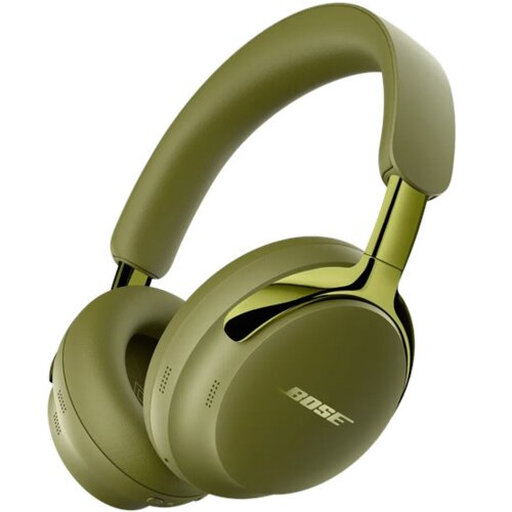
Bose QuietComfort Ultra Headphones (2nd Gen), Olive Green
The listed wired connection may be useful if you want to connect the headphones to an interface; check compatibility with your own setup.
The product information lists Bluetooth, active noise cancellation, Cinema Mode and a detachable cable with a 3.5mm connection.
View at Joybuy
 No image available
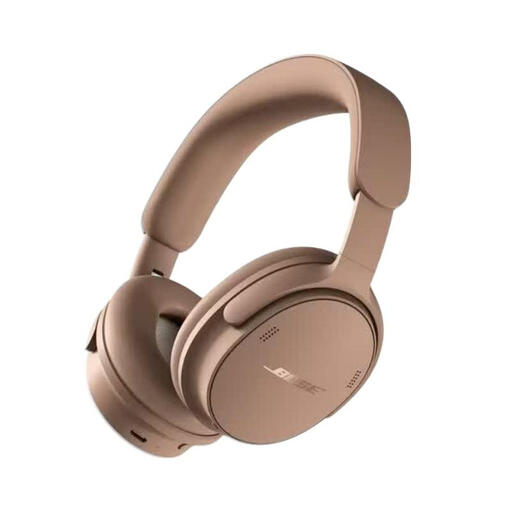
Bose QuietComfort Headphones (2nd Gen), Hazelnut Taupe
Could be a good fit if you want both Bluetooth and a wired listening option; check that the wired connection works with your equipment.
The product information lists noise cancellation, several listening modes and a wired listening option. The comfort claim is no substitute for assessing the fit yourself.
View at Joybuy
 No image available
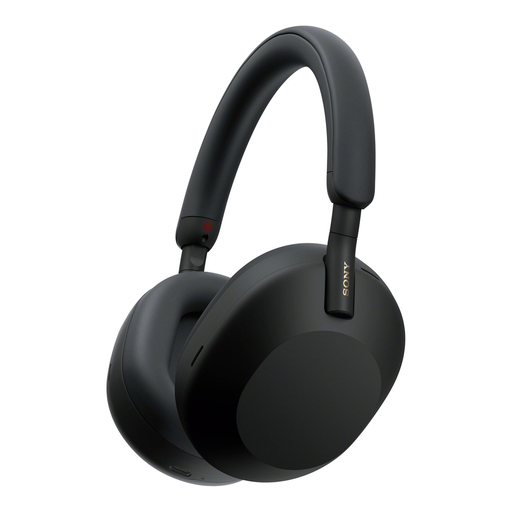
Sony WH-1000XM5, Black
The closed-back design and wired option may be useful if you’re looking for less leakage and a cable connection; check that it connects to your interface.
The product information lists an over-ear design, active noise cancellation, a detachable cable and a 3.5mm connection.
View at Joybuy
 No image available
Jabra Evolve2 75, USB-A MS Teams, Black
The product information presents this headset as suitable for professional use; check that its connection and features suit your listening and recording work.
The description lists Bluetooth, connection to two devices at once, adjustable active noise cancellation and eight microphones.
View at Joybuy
Frequently asked questions
Can I match the levels of recordings using only studio headphones?
No, not if you mean a repeatable measurement of programme loudness. Compare using the same playback settings and a suitable loudness meter; check true peak separately if your delivery format requires it. In EBU R 128, the European Broadcasting Union sets out a broadcast recommendation, not a universal LUFS target for every recording.
What can I do if the window reflects on my loudness meter?
Adjust your screen setup: Arboportaal recommends, among other things, positioning your line of sight parallel to the window and using blinds if needed. Closed-back headphones won’t prevent screen reflections.
When should I choose open-back or closed-back studio headphones?
Open-back headphones may suit critical listening in a quiet room; closed-back models are a better choice when background noise or leakage during recording is a concern. Consider the fit and listening environment, as isolation varies by model and connection.
What should I check for connections and maintenance?
Compare your interface’s output with the plug and any adapter supplied with the exact model. Also check whether suitable replacement cables or ear pads are available; a detachable cable doesn’t mean every repair is possible.
How can I reduce the risk to my hearing during long comparison sessions?
Keep the volume low and take breaks. The World Health Organization gives a general reference of up to 40 hours per week at an average of 80 dB; the recommended listening time decreases at higher levels. A recording’s LUFS value is not the same as the sound level at your ear.


