
Presenting in a noisy room
You want participants to hear your voice clearly above all. Logitech and Jabra describe microphone features that help reduce background noise; also check that you can mute the microphone easily.


If you’re delivering the tutorial from a computer, choose a headset with a boom microphone, an easy-to-reach mute control and a connection that works with your device. With a wired headset, there’s no need to recharge; a wireless model is handy if you really want to move around as you explain, but it needs a working connection and a sufficient charge. Microphone noise cancellation helps reduce the background noise participants hear from your surroundings; the ear cushions’ sound isolation affects what you hear yourself.
You want participants to hear your voice clearly above all. Logitech and Jabra describe microphone features that help reduce background noise; also check that you can mute the microphone easily.
You want to get started without worrying about battery life and be sure the connection works. Microsoft recommends selecting your microphone and speaker in Teams, then checking them with a test call.
You’re looking for a comfortable fit and an easy-to-reach mute control. If you’ll be moving around, check the wireless connection and battery charge too. Trust describes the Ayda USB-ENC as a wired model and the Ayda Wireless ENC as a separate model.
First, decide what matters most during your tutorial: clear speech, the right connection, comfort or freedom of movement.
| What to look for | What should you check? | Who it matters to |
|---|---|---|
| Clear speech | Check the boom microphone, microphone noise cancellation and mute control. Logitech and Jabra describe these microphone features; also test the sound with the background noise in your teaching space. | When I’m teaching in a room with background noise, I want participants to be able to follow what I’m saying. Around 36% of consumers put speech clarity first. |
| Connection and controls | Check whether your device needs USB-A, USB-C or 3.5 mm, and whether you can easily mute the headset during the session. Microsoft Teams lets you select and test your microphone and speaker in its settings. | I want to know my headset works with my computer before the lesson, and to be able to mute quickly when questions come up. Around 29% of consumers prioritise connection and session controls. |
| Comfort | Compare the fit, ear cushion material and stated weight of the exact model. Comfort is a personal matter. | For a long tutorial, I want a style I find comfortable, without assuming that the same specification will feel the same to everyone. Around 21% of consumers put comfort first. |
| Freedom of movement | For a wireless headset, check the connection type, stated battery life and range. Test the connection where you’ll be presenting. | If I need to move away from my computer during a demonstration, I don’t want a cable to restrict me. Around 14% of consumers choose freedom of movement as their top priority. |
Microphone noise cancellation affects how much background noise participants hear. Passive isolation from the ear cushions affects the sound you hear yourself.
Check which feature the specifications refer to, and test the microphone in the room where you teach.
Mono or stereo sound, connections and Teams features can vary between models. The product range name alone won’t tell you whether the connections and features will work with your device.
Compare the full model name with your computer’s ports and the features you need in your meeting app.
A wireless headset needs a working connection and enough battery charge. A manufacturer’s stated battery life and range aren’t guaranteed in every situation.
Charge the headset and test the connection where you’ll be delivering the tutorial.
Logitech positions its Zone Wired range of wired USB headsets for voice calls in busy workspaces.
The Evolve2 40 SE is available in mono and stereo versions, and in different UC or Teams variants.
Trust offers the wired Ayda USB-ENC and the separate wireless Ayda Wireless ENC.
The Poly Blackwire 3225 model 8X229AA is designed for use with devices that need more than one connection option.
This selection includes wired headsets and wireless models for delivering online tutorials from a computer. Check the connection for each model and consider whether you need freedom of movement during your tutorial.
 No image available
A good choice for presenting from a desktop computer if you’re looking for a wired headset with USB-A and a mute control.
The product description lists two integrated microphones, noise cancellation and optimisation for Teams. USB-A requires a suitable port or adapter.
 No image available
A good choice for a tutorial where you want to move around wirelessly and can check the connection beforehand.
The product description lists Bluetooth, eight microphones with beamforming and a stated range of 30 metres. Wireless use requires charging and a working Bluetooth connection.
 No image available
A good choice for presenting from a computer if you’re looking for a wired USB headset with a mute control.
The product description lists an adjustable noise-cancelling boom microphone, an in-line mute control and a mute indicator. The cable limits how far you can move from your computer.
 No image available
A good choice for presenting when you want to move around wirelessly and prefer a stereo model.
The product description lists Bluetooth, a USB-C Bluetooth adapter, two noise-cancelling microphones and an adjustable boom microphone. Wireless use requires charging and a working Bluetooth connection.
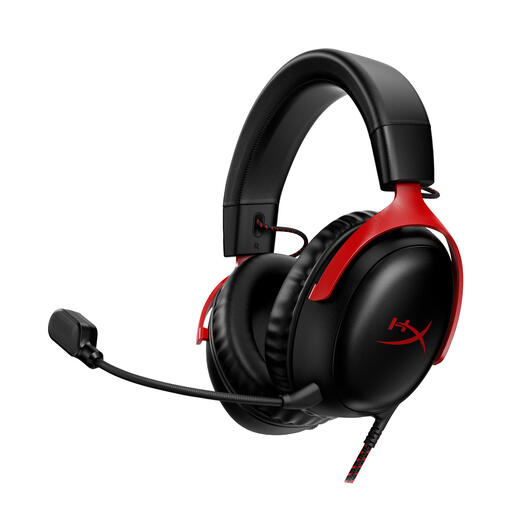 No image available
A good choice for online tutorials if you’re looking for a wired headset with a detachable microphone and mute function.
The product description lists a noise-cancelling microphone and USB-C and 3.5 mm connections. The cable limits how far you can move from your computer while presenting.
No, this advice is about the headset worn by the person delivering the tutorial. If several people are speaking together in one room, assess separately how their voices are captured; the specifications of a headset designed for one wearer don’t prove how well it will do this.
In Teams, select the microphone and speaker you intend to use in the device settings, then make a test call. Also check that the physical mute button or boom microphone isn’t set to mute.
No. According to Jabra, Teams certification for the Evolve2 40 SE depends on the model, so compare the full model name and variant.
According to the Dutch government, when you buy online from a business, you’re entitled to a 14-day cooling-off period in many cases. There are exceptions, so check the seller’s information before you order.
Don’t assume that choosing a particular headset gives you permission to record. The Dutch Data Protection Authority outlines privacy considerations for schools and universities, including privacy assessments, policies, informing participants and arrangements for making and storing recordings. Whether a particular recording is lawful depends on the circumstances.