
Quiz host in a busy room
You want participants to hear the questions clearly, so you pay attention to the microphone and test your audio setup in advance.


If you’re hosting the quiz from one computer and don’t want to manage a battery, a wired headset suits your setup. Choose a wireless model if you want to move around while presenting and can check the connection and battery charge beforehand. Whichever you choose, check the connection, microphone and mute controls in your meeting app, and test the audio before participants join. Using one headset won’t automatically prevent echo from other devices with active audio in the same room.
You want participants to hear the questions clearly, so you pay attention to the microphone and test your audio setup in advance.
You want a headset that fits the available computer port and has controls that work with your meeting app.
You want to be able to move away from your computer while presenting, so you check the connection and battery charge.
Choose this if: you host the quiz from one computer and don’t want to manage a battery. Check that the connection and mute controls work with your computer and meeting app.
Bear in mind: the cable limits how far you can move away from your computer.
Choose this if: you want to move around during the quiz and your computer supports the connection. Test the microphone, speaker and mute function in the app you’ll be using.
Bear in mind: you’ll need to charge the battery and test the connection beforehand.
| What to consider | What should you look for? | Who is this most relevant to? |
|---|---|---|
| Clear questions | Check the microphone and its position; test your voice in the room and in the app you use. | If I’m asking quiz questions in a room with background noise, I want participants to be able to hear me clearly. Around 33% of consumers say clear speech is their top priority. |
| Connection and controls | Check which USB port is available or whether Bluetooth is supported, and test muting in your meeting app. | If I’m presenting from my computer, I want my headset to connect properly and the mute function to work in my app. Around 27% of consumers prioritise connection and controls. |
| Comfort | Check whether it’s a mono or stereo model and whether it still feels comfortable during a practice quiz. | If I’m wearing a headset throughout the quiz, I want a style and fit that feel comfortable to me. Around 20% of consumers say comfort is their top priority. |
| Freedom to move | Check wireless compatibility, battery charge and the connection in the room where you’ll host the quiz. | If I want to move around while presenting, I don’t want to be tied to a cable. Around 20% of consumers prioritise freedom to move. |
Passive isolation can reduce the background noise you hear, but that alone doesn’t tell you what sounds the microphone will transmit to participants.
Check the microphone specifications separately and make a test recording in the room where you’ll host the quiz.
Microsoft describes mute-status synchronisation for Teams-certified peripherals in the Teams desktop app. That doesn’t mean the same feature will work in every meeting app.
Test muting and unmuting in the app you’ll use for the quiz, and check the exact headset model.
According to Zoom, multiple computers with active audio in the same room can cause echo.
Run a practice quiz with the planned participant setup and check which devices have their microphones and speakers turned on.
The Blackwire 3300 series includes wired mono and stereo headsets for computer setups.
The IMPACT 100 series includes wired mono and stereo models.
Zone Wired is designed for a wired setup, while Zone 300 is a wireless Bluetooth headset.
The Evolve2 40 SE is a wired office headset, with connection and wearing style varying by model.
Yealink describes the UH37 as a wired USB headset available in mono and stereo versions.
This selection includes wired and wireless headsets for quiz hosts who want to use their microphone, control their audio or move around while presenting.
 No image available
A good fit for quiz hosts looking for a mono headset who want to move around while presenting.
Bluetooth, a USB-A Bluetooth adapter and a Teams button are listed for this model. Wireless use requires a charged battery and a working Bluetooth connection.
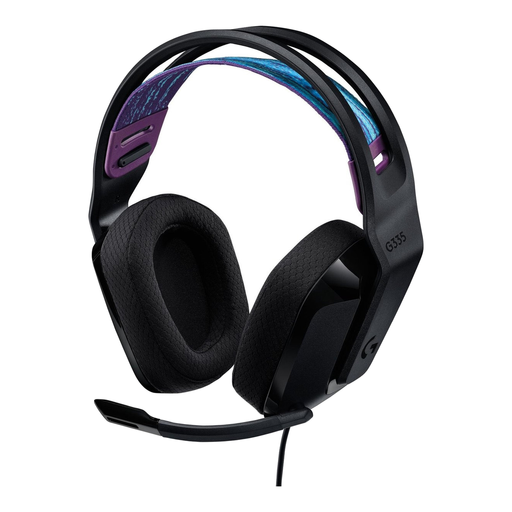 No image available
A good fit for a wired quiz setup where you want to control the volume and microphone on the headset.
The product description lists a 3.5 mm connection, an adjustable headband and a flip-to-mute microphone. The cable limits how far you can move away from your computer.
 No image available
A good fit for quiz hosts who want to control the microphone and volume during a video call.
The product description lists a USB-A connection with a USB-C adapter, a noise-reducing microphone and a flip-to-mute function. The cable is 180 cm long.
 No image available
A good fit for a wired quiz setup where you want to be able to mute the microphone between questions.
The product description lists a cardioid microphone, a mute button and a 3.5 mm connection. This headset is wired.
 No image available
A good fit for a wired quiz setup where you want to mute the microphone while participants are answering.
The product description lists USB-C, USB-A and 3.5 mm connections, on-headset controls and a mute button with an indicator. This headset is wired.
Select the microphone and speaker you want to use in your meeting app, then make a test call. Zoom offers an audio test or test meeting; also check that muting and unmuting work.
Not necessarily. According to Zoom, multiple computers with active audio in the same room can cause echo. So check the microphones and speakers on the other devices too.
Not as a general requirement when choosing a headset. Microsoft describes mute synchronisation between a headset and the Teams desktop app for Teams-certified peripherals. Check the exact model if you want to use this feature.
First, consider which privacy rules apply to your recording. According to the Dutch Data Protection Authority, you need a lawful basis under the GDPR if you collect and use personal data. Consent is one possible lawful basis, but it isn’t automatically the only one. What’s appropriate for your quiz depends on its purpose and circumstances.