If your online lesson mainly cuts out in one room, a well-placed Wi-Fi repeater may help, as long as the connection itself is good at the router and the repeater works with your existing router. Compare the connection where you take your lesson with a wired test at the router. If that test is slow too, a repeater is unlikely to solve the underlying problem. With permission and an ethernet cable, an access point may be a suitable option. Mesh is worth considering if several rooms have poor coverage, as the Consumentenbond explains in its guide to choosing.
Who is this Wi-Fi solution for?
Online learner in a room with a weak signal
Your connection mainly cuts out in the room where you usually take lessons, and you want a solution for that room without replacing the whole home network. The Consumentenbond stresses that where you place a Wi-Fi booster matters.
Housemate on a busy Wi-Fi network
You share the connection with several devices and want to check first whether the problem is down to Wi-Fi coverage or the internet connection itself. The Consumentenbond recommends assessing these causes separately.
Housemate who can extend the network
You can discuss using a cable, an access point or extra Wi-Fi points with your housemates or the network administrator. The Consumentenbond suggests that one Wi-Fi point may improve coverage in a room; the right set-up depends on which rooms need coverage.
What to look for in a Wi-Fi booster for an online lesson
Standalone wireless repeater
A good fit if: the connection is weak mainly in one room and the router itself has a good connection.
Bear in mind: the repeater still needs to receive a good signal itself, so placement is important, as the Consumentenbond points out.
Wired access point
A good fit if: you can and are allowed to run an ethernet cable from the router to the room where you take lessons.
Bear in mind: you need permission and a suitable cable route. Also check which access point mode the model you choose supports.
Multiple mesh Wi-Fi points
A good fit if: several rooms need coverage and your housemates can make changes to the network set-up together.
Bear in mind: multiple points require extra equipment and power. Check which devices actually support mesh with each other.
Check the internet connection first
A good fit if: the connection is slow even close to the router or when using an ethernet cable.
Bear in mind: a repeater won't fix a problem with your internet connection. If the problem persists, speak to the network administrator or your provider.
| What to consider |
What to look for when buying |
Who is this important for? |
| Coverage where you take lessons |
The Consumentenbond recommends finding a spot where the repeater itself still receives a good Wi-Fi signal. Check where the signal starts to weaken, rather than choosing a spot based only on where there is a socket. |
I want a connection where I usually take lessons, not just a strong signal next to the repeater. Around 36% of consumers prioritise coverage where they take lessons. |
| Several people using the network at once |
Compare the connection during your lesson with a wired test at the router. The Consumentenbond recommends this to assess the internet connection separately from Wi-Fi. |
If housemates are online at the same time, I want to know whether the connection is cutting out because of Wi-Fi or our shared internet connection. Around 29% of consumers prioritise network use by several people at once. |
| Permission and compatibility |
Ask who manages the network and note down the router model. Check repeater functionality, mesh compatibility and any access point mode separately. |
I want to know in advance whether I can change the router settings or use a cable. Around 21% of consumers prioritise permission and compatibility with their existing network. |
| Overall costs and support |
Compare how many points you need, the stated power consumption, update support and warranty terms. The Consumentenbond includes power consumption in its tests. |
I don't want extra points and ongoing power use if they're not necessary; support and warranty terms matter too. Around 14% of consumers prioritise overall costs and support. |
Buying mistakes that won't solve your connection problems
-
Buying a repeater when the internet connection itself is slow
A wired test at the router can help you tell the difference between a problem with your internet connection and weak Wi-Fi. The Consumentenbond recommends using an ethernet cable for this test.
First, test the connection by cable at the router, then compare it with the connection where you take lessons.
-
Assuming mesh support means compatibility with every router
Repeater functionality and mesh functionality are not the same thing. TP-Link states that the RE705X requires a OneMesh router for OneMesh.
Check mesh compatibility for the specific models, and assess standard repeater functionality separately.
This mesh feature may require a compatible router or a different network set-up.
-
Choosing based only on the advertised maximum speed
A speed rating alone doesn't tell you how a device will perform where you take lessons. Coverage, obstacles and the set-up all play a part.
Look for measurements of the exact model under comparable conditions, and check the placement in your own home.
Relevant brands to compare
TP-Link
The RE705X is an example of a standalone Wi-Fi 6 repeater that, according to TP-Link, can also work as a wired access point.
- TP-Link lists dual-band Wi-Fi 6 and a gigabit ethernet port for this model.
- OneMesh requires a OneMesh router. The advertised speeds are not measured performance where you take lessons.
FRITZ!
The FRITZ!Repeater 1200 AX is worth considering if you're looking for a compact extender or a Wi-Fi point for an existing FRITZ! network.
- FRITZ! lists Wi-Fi 6, gigabit LAN, use with other routers, regular updates and a five-year manufacturer's warranty for this model.
- The FRITZ! mesh described is designed for FRITZ! devices that work together. This is manufacturer information, not an independent comparison with other brands.
devolo
The devolo WiFi 6 Repeater 3000 is a model to look at if you're considering a repeater with access point functionality.
- devolo lists a gigabit LAN port, access point functionality and mesh with other devolo Wi-Fi products for this model.
- The installation and performance benefits described by the manufacturer don't prove that it will improve the connection in a particular room where you take lessons.
Joybuy products for repeaters, access points and mesh
This selection includes standalone repeaters, an access point and mesh kits for multiple rooms. Radio equipment placed on the Dutch market must meet the applicable European requirements. According to the Dutch Inspectorate for Digital Infrastructure, the manufacturer applies the CE marking after the conformity assessment. Check the marking on the specific version before buying.
 No image available
Wi-Fi Repeater Pro Black
This repeater is designed for anyone looking to extend their existing Wi-Fi coverage to a room where they take lessons. Where you place it will partly determine whether it receives a usable signal there.
Colour: black.
View at Joybuy
 No image available
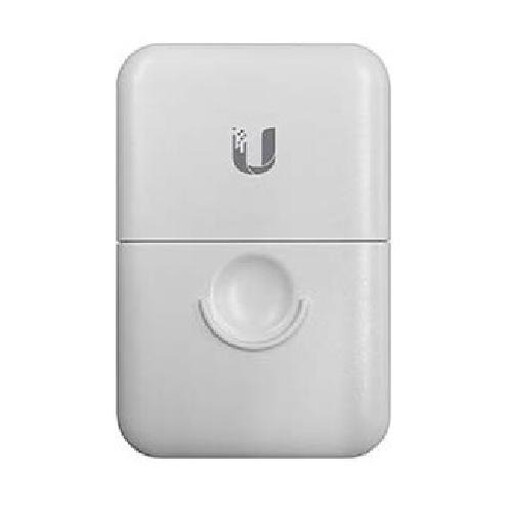
Ubiquiti ETH-SP-G2 Accessory WLAN Access Point
This access point listing may suit a set-up where you can run a wired connection to the room where you take lessons. Agree the installation with the network administrator.
Product type as stated in the product name: WLAN access point.
View at Joybuy
 No image available
TP-Link Deco M4 (3-Pack) Dual-Band Wi-Fi 5 (802.11ac) White 2 Internal
This three-pack mesh kit is worth considering if several areas of your home need coverage. Check that it will work with your existing network set-up.
Product name lists: dual-band (2.4 GHz/5 GHz), Wi-Fi 5 (802.11ac) and White 2 Internal.
View at Joybuy
 No image available
TP-Link Deco X50 (3-Pack) Dual-Band Wi-Fi 6 (802.11ax) White Internal
This three-pack mesh kit is designed to provide coverage in several areas of your home. Check that the mesh set-up is compatible with the equipment your housemates and network administrator use.
Product name lists: dual-band (2.4 GHz/5 GHz) and Wi-Fi 6 (802.11ax).
View at Joybuy
 No image available
TP-Link TL-WA801N Access Point/WiFi Network Extender
This listing describes the product as both an access point and a Wi-Fi extender. Check which mode suits the connection and installation in your shared home.
The product name lists N up to 300 Mbps, 2 antennas, WPS and Passive PoE. The stated speed is a product specification, not a measured performance where you take lessons.
View at Joybuy
Frequently asked questions
How can you tell if a repeater will improve your online lesson?
Compare the connection where you take lessons with a wired speed test at the router. If the wired connection is repeatedly slow too, first investigate your connection or provider. If the problem mainly affects one room, Wi-Fi coverage may be the issue. The Consumentenbond recommends carrying out the test at the router using an ethernet cable.
Where should you place a wireless Wi-Fi booster?
Don't automatically put it next to your device in the room with the weakest signal. Look for a spot with as few obstacles as possible where the repeater itself still receives a good Wi-Fi signal. An indicator light or app can help you find the right place. The Consumentenbond stresses that placement matters.
What should you do after installation?
Secure the network with a strong password and keep your router and Wi-Fi devices up to date. In a shared home, agree any changes to passwords or network access with the network administrator.
Is a longer manufacturer's warranty the same as your statutory guarantee?
No. In the Netherlands, you are entitled to a product that is fit for purpose, and the Dutch government says there is no fixed statutory guarantee period. A manufacturer's or seller's warranty is in addition to this. If a product is faulty, the seller is your point of contact.
Which Dutch rules are relevant when buying a Wi-Fi booster?
Radio equipment placed on the Dutch market must meet the applicable European requirements for radio equipment. After the conformity assessment, the manufacturer applies the CE marking. Check this marking on the specific version. The Dutch Inspectorate for Digital Infrastructure explains this product requirement; a CE marking does not tell you whether a repeater will work well in your home.


