
Teacher who is mostly on camera
You teach sitting down via webcam and want your face to remain clearly visible as daylight changes. Zoom recommends paying attention to indirect lighting and even illumination across faces in video spaces.


If you mainly teach while sitting in front of a webcam, an adjustable desk panel is the more targeted choice. If you want to light the whole spare room, a ceiling panel is a better fit. Check that the clamp and power supply suit your workspace, then test the setup with a sample recording: lighting for your face and general room lighting do not automatically serve the same purpose.
You teach sitting down via webcam and want your face to remain clearly visible as daylight changes. Zoom recommends paying attention to indirect lighting and even illumination across faces in video spaces.
You switch between speaking to the camera and showing materials. An adjustable panel can be aimed at the demonstration area; check with your own camera that the light reaches the position you want to film.
You want to use the room for more than online lessons. A ceiling panel can provide general lighting, but it is less flexible for directing light onto your face or teaching materials than a desk panel.
First decide whether your priority is your face, teaching materials or the whole room. Then choose a panel that fits the space you have in mind and check the result using your own webcam.
A good choice if: you usually teach sitting down and can position a light beside or above the camera.
Bear in mind: this will not automatically light the whole room. With the Elgato Key Light Air MK.2, maximum brightness depends on the power supply, which the specifications say is not included.
A good choice if: you regularly show objects or work on a table and want to be able to aim the panel at them. NEEWER specifies an adjustable desk mount for the GL1 PRO.
Bear in mind: measure your desk to check that the mount will fit, and check on camera that the light reaches the entire demonstration area. The specified illuminance is measured at 0.5 m.
A good choice if: you want the spare room to be well lit outside lesson times too, and ceiling installation suits the space.
Bear in mind: a fixed ceiling position is less targeted towards your face. IKEA lists adjustable shades of white for the 60 × 60 cm JETSTRÖM; the remote control and hub are sold separately.
| What to consider | What to look for | Who is this important for? |
|---|---|---|
| How your face looks on camera | Check whether the panel can sit beside or above the camera and whether it is dimmable. Zoom generally recommends indirect or diffused light; take a test recording in the daylight you expect during lessons. | If I’m mostly on camera, I want my face to remain clearly visible as the daylight changes. Around 36% of consumers make lighting for their face their top priority. |
| Desk space | Measure the edge of your desk and the available mounting space. Elgato says the Key Light Air MK.2 clamp fits most desks up to 6 cm thick. | If you have limited workspace, you’ll want to know whether the clamp will fit without making your desk awkward to use. Around 29% of consumers make desk compatibility their top priority. |
| Lighting teaching materials | Check how adjustable the panel is and test whether it reaches the whole demonstration area. NEEWER specifies 3700 lux at 0.5 m for the GL1 PRO; this measurement distance does not tell you how the whole table will be lit. | If I show my hands or materials on the table, I want to be able to aim the light at that position. Around 21% of consumers prioritise lighting for demonstrations. |
| Lighting the whole room | Check whether ceiling installation is suitable and what controls are included. IKEA lists a maximum of 4600 lumens for the 60 × 60 cm JETSTRÖM; the remote control and hub are sold separately. | If you use the spare room for everyday activities too, you’ll probably want general lighting in a fixed position on the ceiling. Around 14% of consumers make room lighting their top priority. |
A high lumen figure on its own does not tell you whether the light will fall where you need it. The panel’s position and the available power supply can also affect the result.
Compare the webcam image with the panel in the position you plan to use, and check the power requirements for the exact version.
A ceiling light illuminates the room from a fixed position, so it is less flexible for directing light onto your face. Zoom emphasises the importance of keeping faces well lit in video spaces.
Choose ceiling lighting for general use in the room, and test separately whether your face is clearly visible on webcam.
If your face is not sufficiently lit in your setup, you may also need an adjustable panel.
The power supply or controls you need can vary by product and version. Elgato says the Key Light Air MK.2 does not include a power adapter; IKEA sells the remote control and hub for the JETSTRÖM mentioned separately.
Before buying, check which parts are included with the exact version and what power supply it requires.
A separate power supply or control accessory may take up extra space and need to be bought separately; what you need depends on the version you choose.
Elgato describes the Key Light Air MK.2 as a desk panel for a compact video setup, with a desk clamp and adjustable colour temperature.
NEEWER presents the GL1 PRO as an adjustable streaming panel that can also be set up as an overhead light for work on a table.
According to IKEA, the 60 × 60 cm JETSTRÖM ceiling panel is designed to provide general lighting in a multi-purpose room.
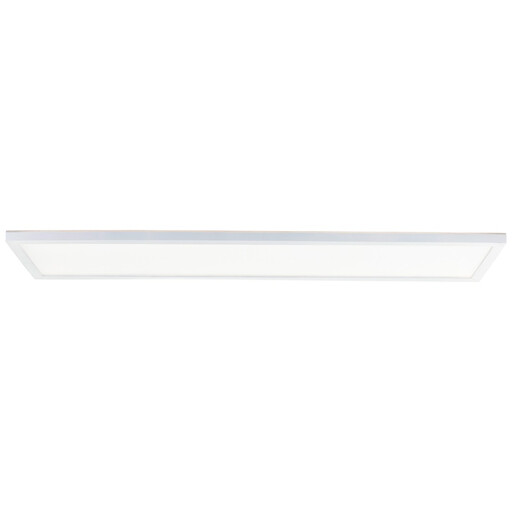
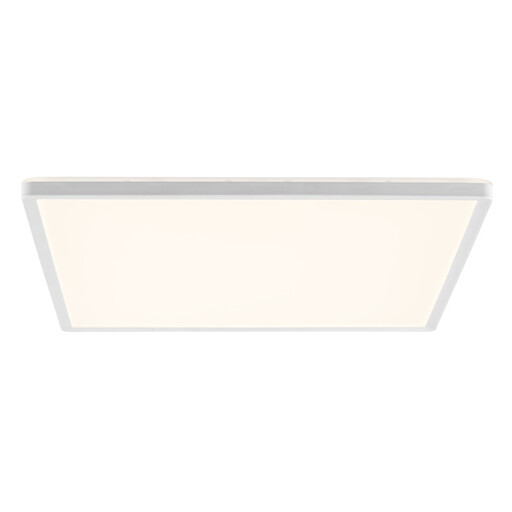
These Joybuy products are ceiling panels for general lighting in the spare room, rather than dedicated webcam lights.
 No image available
A good fit if you want general lighting in the spare room outside lesson times too; its fixed ceiling position makes it less flexible for directing light onto your face.
3000 lm; 3000–6500 K; dimmable; CCT.
 No image available
An option for general room lighting; its fixed ceiling position makes it less direct for lighting your face than a webcam panel.
2100 lm; 2700 K. The product information recommends installation by a qualified electrician.
 No image available
For anyone looking for general lighting in their living or work space as well as for online lessons; check the webcam image separately to see whether your face is lit as needed.
2400 lm; 4000 K; ultra-slim. The product information recommends professional electrical installation.
 No image available
A good fit if you want a ceiling panel for general room lighting; its fixed mounting makes it less suitable for aiming the light freely at teaching materials.
3000 lm; 4000 K; flat and square. The product information says it must be installed by a qualified electrician.
Start with light falling on your face from the camera side, then compare a test recording made at your usual lesson times. Zoom generally recommends indirect or diffused light for video; changing daylight can affect the image.
No. According to Elgato, full brightness requires a USB-C PD adapter or power bank rated at least 30 W. The specifications say the power adapter is not included, so check what you already have and what comes with the version you choose.
It depends on the panel’s position and what your webcam captures. A ceiling panel is designed for general room lighting; take a test recording to see whether it also lights your face clearly.
Choose a setup that lets you aim the panel at the demonstration area, then test the whole area with your camera. NEEWER’s stated 3700 lux for the GL1 PRO applies at 0.5 m and does not tell you how evenly your whole table will be lit.
No. According to Dutch government information, CE is not a quality mark; it is the manufacturer’s declaration that the product complies with the relevant EU product rules. The mark does not tell you how well the panel will light your webcam image.