Choose a headset whose microphone and speakers both work with your device and lesson app, and test it before your first lesson. A wired headset is a good fit for a fixed workspace and means you don’t have to worry about battery life. If you’d like more freedom to move around, compare wireless models, but remember you’ll need to charge them and check how your voice sounds in the lesson app.
Who is this relevant to?
Students who speak a lot
If you practise your pronunciation and answer questions often, look for an adjustable microphone and an easy-to-reach mute button. Test your voice in the lesson app; Zoom and Microsoft Teams offer ways to check your audio or microphone.
Students in a noisy home
Want to follow your tutor clearly while there’s other noise at home? Compare how well the headset blocks out noise for you separately from how its microphone processes sound for the people you’re speaking to.
Students with long or active lessons
For longer lessons, fit and comfort matter. If you want to move around during a lesson, compare a wired connection with a wireless one. With a wireless headset, remember to factor in charging and pairing.
What should you look for when buying?
First, check that the headset connects to your device and works as both a microphone and speaker in your lesson app. Then compare how you speak, listen and wear the headset.
| What to consider |
What should you check? |
Who is this important for? |
| Microphone and mute |
Check whether the microphone is adjustable and whether you can mute it quickly. Select the microphone in your lesson app and test your voice. |
If you often answer questions or practise pronunciation, you’ll want to position the microphone properly and mute it quickly. Around 33% of consumers would put being clearly understood at the top of their list when buying. |
| Listening in noisy surroundings |
Check whether the headset specifically mentions passive noise isolation or a listening feature. Microphone noise reduction doesn’t necessarily affect what you hear through the headset. |
If noise at home makes it hard to follow your tutor, pay close attention to how well the headset blocks out the surrounding sound for you. Around 27% of consumers would prioritise being able to hear clearly in a noisy room. |
| Connection and lesson app |
Check the port and exact model: USB-A, USB-C, 3.5 mm and Bluetooth aren’t interchangeable. Test audio input and output in your lesson app. |
If you want to avoid buying a headset that won’t fit or having the app select the wrong device, check the connection and audio settings beforehand. Around 20% of consumers would put compatibility at the top of their list when buying. |
| Fit and freedom to move |
Compare the style and fit. For a wired headset, check the cable length; for a wireless one, check the connection and charging requirements. |
For longer lessons, you’ll want a comfortable style. If you move around, you won’t want to be restricted by a short cable. Around 20% of consumers would prioritise comfort or freedom to move. |
Avoid common buying mistakes
-
Confusing microphone noise reduction with silence for your own ears
A microphone feature may be designed to process sound for the people you’re speaking to, while you can still hear noise in the room yourself.
Compare microphone features and listening-side noise isolation separately.
-
Choosing based on the product range name alone
A range may include models with different connections and specifications. The wrong plug or variant may not fit your device or suit the way you want to listen.
Check the exact model and your device’s ports. Then test whether the lesson app is using the right microphone and speakers.
-
Mixing up battery life or model generations
A stated playback time isn’t necessarily the same as talk time during an online lesson, and specifications can vary between model generations.
Check the exact generation and what the battery-life figure refers to. If you’re using a wireless headset, also test how your voice sounds in the lesson app.
Brands to compare
Logitech
For a simple computer setup, options include wired USB and 3.5 mm headsets.
- Logitech says the H390 and H151 have microphone and mute controls.
- Check that you’re choosing the right USB version of the H390. The H151 needs a compatible 3.5 mm connection; product specifications don’t prove that a model will work in every lesson app.
Jabra
The Evolve ranges include wired and wireless models, with different connection and wearing styles.
- Jabra says the Evolve2 30 SE has two microphones and noise-isolating ear cushions.
- The Evolve2 65 is available with different adapters and in Teams or UC versions. Check the exact model; manufacturer descriptions aren’t an independent test of its suitability for language lessons.
HP Poly
The Blackwire 3220 USB-A is a wired stereo model for a device with USB-A.
- HP specifies that this model has a noise-cancelling microphone and controls.
- HP lists the weight as 87 g including the cable. That doesn’t necessarily mean the headset will feel comfortable. Don’t confuse the USB-A model with other Blackwire versions.
EPOS
The wired IMPACT 100 range includes mono and stereo models for calls.
- EPOS lists a USB-C-to-USB-A adapter and a noise-cancelling directional microphone for the range.
- According to EPOS, the stated weight of 76 g applies to stereo models in the specified class, not necessarily every version.
JLab
According to JLab, the original GO Work is a wireless on-ear headset that can also be used as a wired model with the cable supplied.
- JLab lists Bluetooth multipoint and more than 45 hours of playback time for the original GO Work.
- Don’t confuse this model with the GO Work Gen 2. The stated playback time isn’t the same as talk time in your lesson app.
Joybuy products
This selection includes wired USB-C earbuds and wireless headphones for calls during online lessons. Check the connection, wearing style and compatibility with your lesson app for each model.
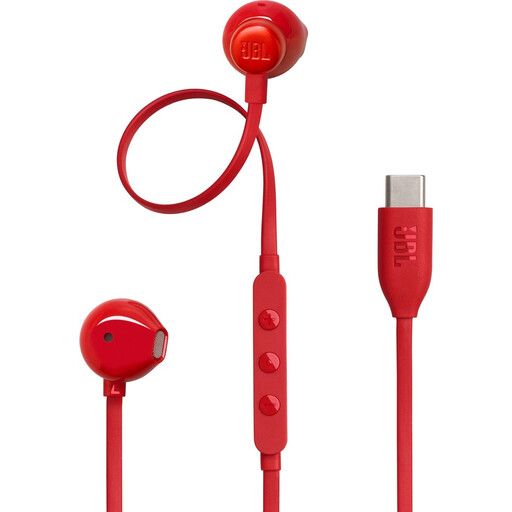 Image unavailable
JBL Tune 305C wired USB-C earbuds, red
A wired option for calls from a compatible USB-C device, with a built-in microphone.
Check that your device has a suitable USB-C connection.
View at Joybuy
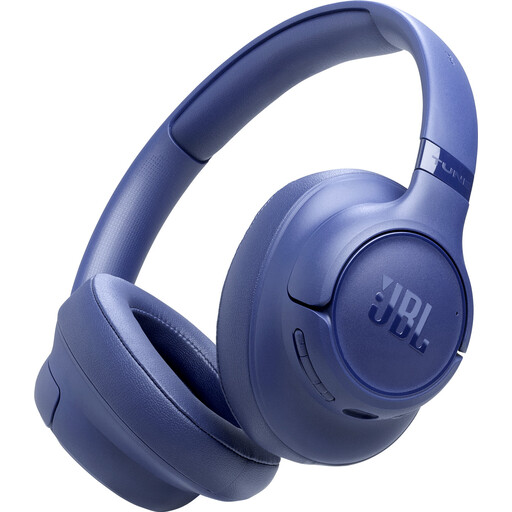 Image unavailable
JBL Tune 730BT wireless noise-cancelling headphones, blue
A wireless option if you’d like more freedom to move around during lessons. Test the microphone in your lesson app to hear how your voice comes across.
Wireless use means charging the headphones; when checking battery-life figures, remember that music playback and calls are different.
View at Joybuy
 Image unavailable
Sennheiser MOMENTUM 4 Wireless over-ear headphones, black
A wireless over-ear model if you want to join lessons without being connected to your device by a cable. Check beforehand that the microphone works well in your lesson app.
The product name mentions noise cancellation and four microphones. Wireless use means charging the headphones; the stated battery life refers to playback time.
View at Joybuy
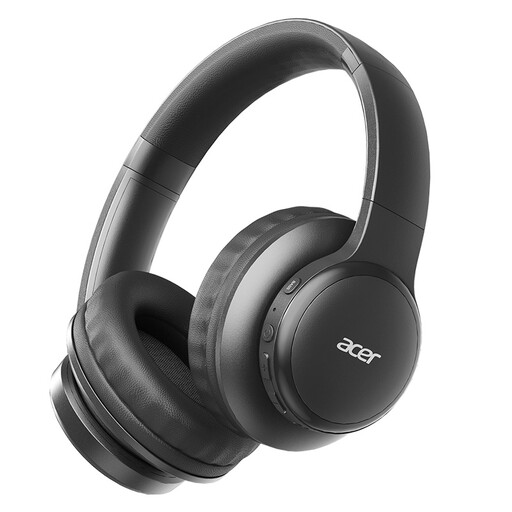 Image unavailable
Acer OHR559 OWS wireless headphones, foldable
The product name mentions HD voice calls, so check the microphone in the lesson app you use.
Bluetooth 5.3, a USB-C charging port and a foldable design are listed in the product name. Wireless use requires a Bluetooth connection and charging.
View at Joybuy
 Image unavailable
Samsung Galaxy Buds4 Pro True Wireless in-ear earbuds, black
A compact in-ear style as an alternative to a headset with a headband. Check that this fit feels comfortable for the length of your lessons.
The product name mentions active noise cancellation. In-ear earbuds may feel different from a headset with a headband.
View at Joybuy
Frequently asked questions
How can you tell if your headset works before your first lesson?
Select both the headset microphone and headset speakers in your lesson app, then run a test. Zoom offers a speaker and microphone test; in Microsoft Teams, you can check the selected device and start a test call. If you have problems, also check the physical mute button and microphone permissions.
Will a noise-cancelling microphone help you hear your tutor better?
Not necessarily: microphone noise reduction concerns the sound heard by the people you’re speaking to, not necessarily the sound you hear. Logitech describes the H390’s microphone as reducing unwanted background noise during calls. For your own listening comfort, compare noise isolation or listening features separately.
Do you need to be able to charge a wireless headset during a lesson?
Check the battery level before your lesson and find out how your exact model is charged. Jabra says the Evolve2 65 can be charged using the USB cable supplied or an optional charging stand; maximum battery life doesn’t guarantee the same usage time in every situation.
What are your rights as a consumer when buying online in the Netherlands?
For eligible distance purchases, you generally have a 14-day cooling-off period; check the terms and exceptions that apply to your order. According to the Dutch Government, the seller is also your point of contact if a product is faulty. The Netherlands does not have a fixed statutory two-year guarantee period for all products.
Are there product safety rules for headsets in the Netherlands?
European product rules apply to relevant electrical and electronic devices. Ondernemersplein lists the Radio Equipment Directive for devices with Bluetooth, and explains that CE marking and an EU Declaration of Conformity are requirements for applicable devices. A product listing alone doesn’t prove that a specific model meets all the requirements.


