Choose a headset with a connection that works with your computer, an adjustable microphone and a mute function you can test beforehand. With a wired model, you won’t need to check the battery during your interview. If you’ll be wearing it for longer, fit and how much surrounding noise you can hear also matter. A headset won’t correct backlighting: check your camera image in advance and, if necessary, change position or soften the light from the window.
Who is this relevant to?
Applicants who want to be heard clearly
You’re calling from a room where there may be background noise, and you want to be able to position and test the microphone before your interview. Logitech and Trust describe adjustable microphones on the headset versions mentioned here.
Applicants unsure about their connection
You’re not sure whether your computer has USB-A or USB-C, or which microphone your calling app is using. Check the connection and select the headset in the app; Microsoft Support also describes how to make a test call in Teams.
Applicants who also have long video calls later on
You want to keep using the headset after your interview, so you’re weighing up the fit and how well you can follow conversations. EPOS and Jabra describe versions with different wearing and connection features.
Which buying priorities matter?
First check that the connection is compatible, then test the microphone and mute function, and assess your camera image separately.
| What to consider |
What to look for |
Who is this important for? |
| Clear speech |
Check whether the microphone is adjustable, then make a test recording or test call in your own space. |
If I want the interviewer to follow my answers clearly, I want to be able to adjust the microphone and test the sound beforehand. Around 36% of consumers in this choice scenario prioritise clear speech. |
| Connection and audio selection |
Check your computer’s ports and see which microphone and speaker are selected in your calling app. |
If I’m not sure which connection or microphone the computer is using, I want to be able to check before the interview. Around 29% of consumers in this choice scenario prioritise a compatible connection and recognition by the app. |
| Comfort and following the conversation |
Check the adjustability and ear cushions, and see whether the version is mono or stereo. |
If I want to use the headset for longer calls too, I consider the fit and how much surrounding noise I want to keep hearing. Around 21% of the group in this choice scenario put long-wearing comfort first. |
| Quick muting |
Test the physical mute function and check that its status matches what you see in the calling app. |
If I want to mute my microphone quickly, I want to try out the controls before the interview. Around 14% of consumers in this choice scenario prioritise having direct control over muting. |
Which buying mistakes can you avoid?
-
Buying a headset to fix backlighting
A headset won’t change the lighting in your camera image. Zoom Support points out that daylight affects how the camera captures you.
Test the sound and picture separately. If your face looks too dark, first change position or soften the light, then check the preview again.
-
Assuming ‘noise cancelling’ means silence at both ends
A microphone feature and the extent to which a headset blocks out sound for the wearer are two different things. A manufacturer’s description won’t necessarily predict how your voice will sound in your room.
Check what the stated feature applies to, and make a test recording with the background noise you expect during the call.
-
Assuming all USB or Teams versions are identical
Manufacturers list different connections and certifications that vary by version, so different versions of the same model may not be identical.
Compare the full model name and connection with your computer and calling app. Also check whether the version you’ve chosen includes any adapter you need.
If the connection doesn’t match, you may need to buy an additional adapter.
Brands and models to compare
The features below apply to the product ranges or versions mentioned. Check the exact version and connection before you buy.
Logitech
The H390 is a wired computer headset for anyone looking for a USB connection and controls on the cable.
- For the USB-A version described, Logitech lists an adjustable microphone boom, an in-line mute control and a 1,9 m cable.
- Check that the H390 version you choose has USB-A. The description of clear sound isn’t an independent test in an interview setting.
Trust
The Ayda USB-ENC, product code 25089, is designed for PC video calls and is described as offering USB and USB-C connection options.
- Trust lists an adjustable headband, on-ear volume controls and a flip-up microphone mute function.
- The claim that the microphone eliminates distracting noise comes from the manufacturer and isn’t a guarantee for every environment. Check the exact version.
HP Poly
The Blackwire 3320 Teams version 8X220AA is a wired stereo headset with USB-C, a USB-A adapter and call controls.
- For this version, HP lists a flexible microphone boom, mute and volume buttons, and Teams certification.
- Check that model code 8X220AA and the connection options included match your needs.
EPOS
The IMPACT 100 series includes wired mono and stereo versions for calls.
- For the series described, EPOS lists a USB-C-to-USB-A adapter, in-line controls and a noise-cancelling microphone. The specification sheet gives a weight of 76 g for stereo and 51 g for mono.
- Check the exact version and fit; the stated weight doesn’t determine how comfortable the headset will be for you.
Jabra
The Evolve2 30 SE comes in separate mono, stereo, USB and Teams versions for business calls.
- Jabra specifies two microphones and lists certifications that vary by version.
- Jabra says that older separate USB-A and USB-C product codes were due to be replaced by USB-C/A codes in 2025. So don’t assume that the versions are interchangeable.
Joybuy products for computer calls
This selection features wired gaming headsets with microphones. For each model, check that the connection works with your computer and that its controls suit the way you want to mute yourself during a call.
 No image available
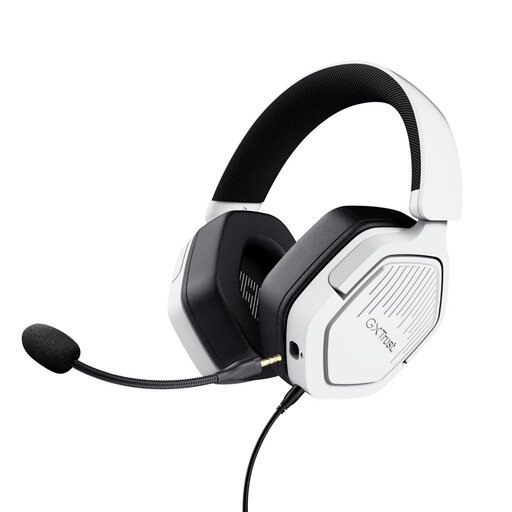
Trust GXT 498W Forta, wired gaming headset, white
An option if you want to call from a fixed position and be able to mute the microphone.
The product name lists 50 mm drivers, an over-ear design and a white finish. Check that the 3,5 mm connection works with your computer; the cable is listed as 1,2 m.
Joybuy
 No image available
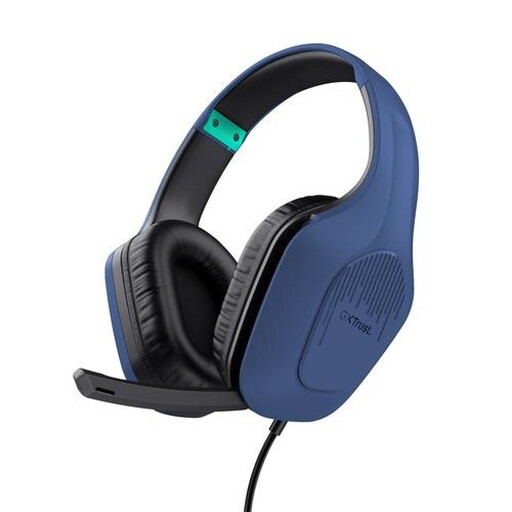
Trust GXT 492W Carus, wired gaming headset, white
An option for calls from a fixed position if you want to be able to position and mute the microphone.
The product name lists 50 mm drivers, an over-ear design and a white finish. Check that the 3,5 mm connection is compatible; an extension cable is listed for computers with separate audio and microphone ports.
Joybuy
 No image available
Trust GXT 415B Zirox, wired gaming headset
An option if you want to be able to adjust and mute the microphone during a call.
The product name lists 50 mm drivers and an over-ear design. Check that the 3,5 mm connection is compatible; the wired cable is 2 m.
Joybuy
 No image available
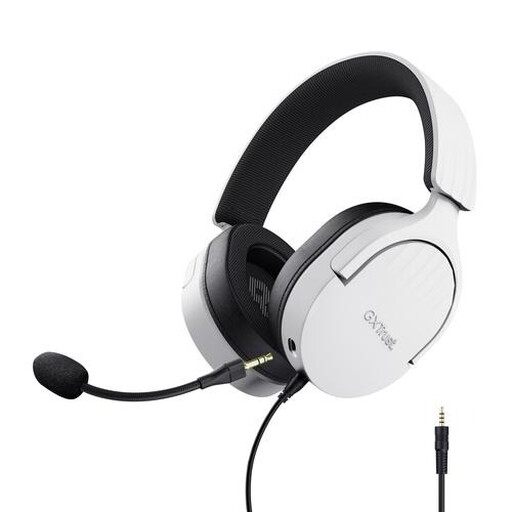
Trust GXT 489W Fayzo, wired gaming headset, white
An option if you want to position the microphone for a call and use the mute control.
The product name lists 50 mm drivers and an over-ear design. Check that the 3,5 mm connection is compatible; the description lists a 1,2 m cable.
Joybuy
 No image available
HyperX Cloud III, gaming headset for PC, black and red
An option for calls from a fixed position if you want a microphone boom and mute function.
The product name lists PC, PS5 and Xbox Series X|S as platforms and describes a black and red finish. The headset is wired; check which connection works with your computer.
Joybuy
Frequently asked questions
Will a headset fix a dark camera image when you’re sitting by a bright window?
No, you’ll need to adjust the lighting separately. Check how you look before joining, change position or soften the daylight if needed, then check the preview again. Zoom Support notes that changing daylight affects how the camera captures you.
How can I check that the interviewer can hear me through the right microphone?
Select the connected headset as the microphone and speaker in your calling app, then test it beforehand. Microsoft Support describes how to select a device and make a test call in Teams; for other apps, check their own settings.
What are my rights when I buy a headset online?
Online purchases in the Netherlands generally come with a statutory 14-day cooling-off period from delivery, subject to exceptions. Separately, you’re entitled to a product that meets what you can reasonably expect. ACM ConsuWijzer explains that if a fault is covered by the statutory guarantee, the seller is responsible for providing an appropriate solution.
What privacy rules apply if an organisation wants to record the interview?
An organisation needs a valid legal basis under the GDPR to process personal data. Consent is one possible basis, but it isn’t automatically required or sufficient. Ask in advance why and how the recording will be used. The Dutch Data Protection Authority describes general rules for personal data and job applications, rather than one specific recording rule for every interview.


