
Detail-focused creator
You want to check while shaping that small clay edges and tools stay in focus in the frame. Compare the magnification and focus-assist tools on the exact model.


First, choose a monitor with an HDMI input that supports your camera’s signal, and make sure you can position it outside your workspace with its cable and power supply. For small clay details, it’s worth comparing magnification and focus-assist tools; extra brightness matters most when light falls on the screen. Manufacturer specifications describe specific models and don’t measure how they’ll perform on your desk.
You want to check while shaping that small clay edges and tools stay in focus in the frame. Compare the magnification and focus-assist tools on the exact model.
You need to fit the screen, mount, cable and power supply without them getting in the way of your clay work.
You want to assess the image and exposure when ambient light or lamps affect your viewing position.
| What to consider | What to look for | Who is this important for? |
|---|---|---|
| Clarity of clay details | Compare the magnification and focus-assist tools on the exact model; assess the image from your usual viewing distance. | If I want to check small shapes and tools while filming, I put the clarity of fine details first. Around 33% of consumers say checking detail is their top buying priority. |
| Video signal and connection | Compare your camera’s output mode with the monitor’s supported input signals, and check which cable you’ll need. | If I want to make sure my camera sends an image to the monitor in my chosen filming mode, I check signal compatibility first. Around 27% of consumers prioritise this connection. |
| Positioning and power | Check the available space, mounting point and cable route; find out how the exact model is powered. | If I want to keep my hands and small work surface clear, I consider where the screen and power supply can go. Around 20% of consumers put positioning and power first. |
| Screen visibility and exposure | Compare the brightness specifications of the exact models and consider which exposure-assist tools you actually need. | If I want to assess the screen clearly under my own lighting, I take visibility and exposure-assist tools into account. Around 20% of consumers say controlling light is their top buying priority. |
The presence of a port alone doesn’t tell you whether the camera and monitor support the same output mode, resolution and frame rate. Camera settings can also affect what appears on the external screen.
Compare your camera’s output specifications with the monitor’s accepted input signals, and check the manual for your chosen filming mode.
A product name may refer to a kit or a different generation. Power options and included accessories can vary between versions.
Check the full model and kit name, and see which accessories are included with the version you’ve chosen.
A stated brightness figure alone doesn’t tell you how reflections, viewing position and the space around your work surface will affect the image.
First decide where the monitor will go, then compare the brightness, image-assist tools and power options of the exact models.
The Shinobi II is a compact HDMI monitor for comparing magnification, focus and exposure-assist tools on one screen.
The PT5 II is a compact HDMI option for comparing basic image-monitoring tools.
The P6XL is worth considering if a built-in monitor battery matters for your compact workspace.
The DC-550 Pro II is an option for comparing image overlay and additional exposure-assist tools.
The Indie 5 is an additional professional option if you need HDMI, SDI and advanced monitoring software.
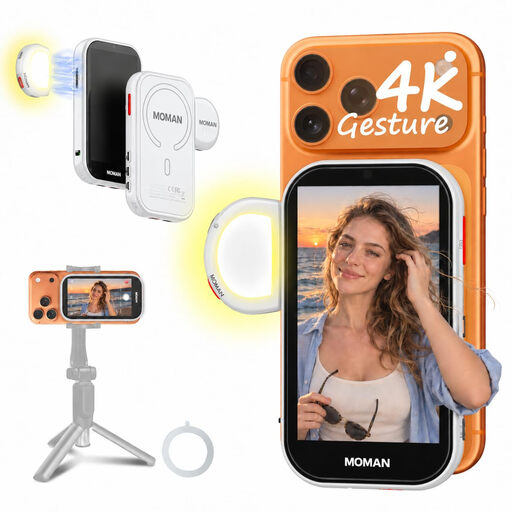
This Joybuy selection is for filming with a compatible phone and viewing the rear camera’s live image.
 No image available
This monitor is suited to filming with a compatible phone when you want to view the rear camera’s live image.
The preview feature described is designed for compatible iPhones and supported Android phones.
No. The presence of HDMI alone doesn’t guarantee compatibility. Compare your camera’s output mode, resolution and frame rate with the monitor’s input signals; settings can also determine where the image and on-screen information appear.
Before buying, check the dimensions, the position of the mounting point, the direction of the HDMI cable and the power supply. Atomos lists a bottom 1/4-inch mount and no built-in battery for the Shinobi II; FEELWORLD does list a built-in battery for the P6XL.
It depends on the exact model and how you use it. FEELWORLD states that the P6XL lasts approximately 120 minutes with a fully charged battery, 100% brightness and the fan set to 5; this stated battery life isn’t a measure of use at your desk.
According to the Dutch government, a 14-day cooling-off period generally applies to eligible distance purchases, with some exceptions. The Dutch government also states that statutory guarantees apply, but there is no single fixed guarantee period for all products. Check who the seller is and which terms apply to your purchase.
A CE marking is required when the product falls under harmonised EU rules that call for one. The European Union’s Your Europe website lists electrical and electronic equipment as a relevant category. A CE marking doesn’t prove that the monitor works with your camera; check the information for the exact model to confirm compatibility.