
Players who want to make out details in dark scenes
If you often play in a darkened room, look at black uniformity, contrast and detail next to bright objects. RTINGS.com describes black uniformity as a separate aspect of picture quality.


OLED is a natural choice if deep blacks and fast pixel transitions matter to you, but for long sessions with a static HUD, maintenance and the terms for the specific model also matter. VA offers an LCD alternative for dark scenes, while with IPS, motion handling and resolution may matter more than deep blacks. For any panel, match the resolution and refresh rate to what your PC or console can manage in your game, and assess the specific model rather than relying on the panel label alone.
If you often play in a darkened room, look at black uniformity, contrast and detail next to bright objects. RTINGS.com describes black uniformity as a separate aspect of picture quality.
If you want to track moving opponents clearly, compare motion handling and match the refresh rate to your PC or console’s performance and the connection you’re using.
If fixed interface elements stay on screen during long sessions, check the care features, manual and terms for the specific model before buying an OLED. For example, GIGABYTE describes a feature that reduces brightness when an image is static.
Best for: if dark scenes and fast motion both matter to you, and you’re prepared to check the OLED care features of the model you choose.
Trade-off: static HUD elements on screen for long periods make maintenance and the model’s terms relevant; the finish and performance in ambient light can vary between versions.
Best for: if you’re looking for an LCD panel for dark scenes without the burn-in risk associated with OLED.
Trade-off: the panel type alone doesn’t tell you how clearly dark transitions appear during fast motion; check test results for the specific model.
Best for: if motion handling and the balance between resolution and refresh rate matter more to you than the deepest blacks.
Trade-off: in a dark room, uneven blacks or backlight bleed may be more noticeable; compare the black uniformity of the specific model.
| What to consider | What should you check? | Who should prioritise this? |
|---|---|---|
| Black levels in dark scenes | Check the black uniformity and contrast of the specific model; assess local dimming separately if the feature is available. | If I play in a dark room, I want to see bright objects without distracting patches or halos in the blacks. That’s why around 36% of consumers make black levels their top priority. |
| Motion clarity | Compare motion test results and check which refresh rate is supported by the connection you plan to use. | During fast encounters, I want to track opponents without relying on the Hz figure alone. That’s why around 29% of consumers put motion clarity first. |
| Resolution and refresh rate | Check the achievable fps in your game, your preferred screen size, and the capabilities of your PC or console and the monitor’s connections. | I don’t want to choose a resolution or refresh rate that my setup can’t make use of in my game. That’s why around 21% of consumers give matching the monitor to their system top priority. |
| OLED care and a static HUD | Read the care instructions and warranty terms for the specific model; don’t assume that pixel cleaning will prevent every lasting effect. | For long sessions with a static HUD, I want to know what care features and terms apply before choosing OLED. That’s why around 14% of consumers put maintenance and clear terms first. |
Black uniformity varies between monitors, even when they use the same panel type. In a dark room, uneven blacks, backlight bleed or halos around bright objects can stand out.
Compare black uniformity and motion handling tests for the specific model.
Figures such as MBR or MPRT and GtG don’t necessarily refer to the same type of measurement.
Check which measurement method was used and, where possible, look for independent motion test results for the specific model.
Static images displayed for long periods make OLED care important, but care features don’t guarantee that burn-in will be prevented. The manufacturer’s terms and your statutory rights are also separate matters.
Before buying, read the coverage for the specific model and follow the OLED care instructions in the manual.
The MO27Q28GR is a 27-inch QHD WOLED model worth considering if you’re looking at an OLED screen in this size.
The AW2726DM is a 27-inch QD-OLED model with a stated refresh rate of 240 Hz.
The ROG Strix OLED XG32UCWMG is a 32-inch model for anyone weighing up 4K resolution against a faster Full HD mode.
The 27GX704A-B is a 27-inch QHD OLED model worth comparing if you’re looking for this size and panel type.
The 27M2N5500/00 is a 27-inch Fast IPS model with QHD resolution and a stated refresh rate of 180 Hz.
This selection includes VA and OLED gaming monitors for dark scenes and fast matches; specifications and relevant trade-offs vary by model.
 Image unavailable
The Rapid VA version is worth considering if you’re looking for an LCD monitor for dark scenes.
27 inches, WQHD (2560 × 1440), 240 Hz, Rapid VA and FreeSync Premium.
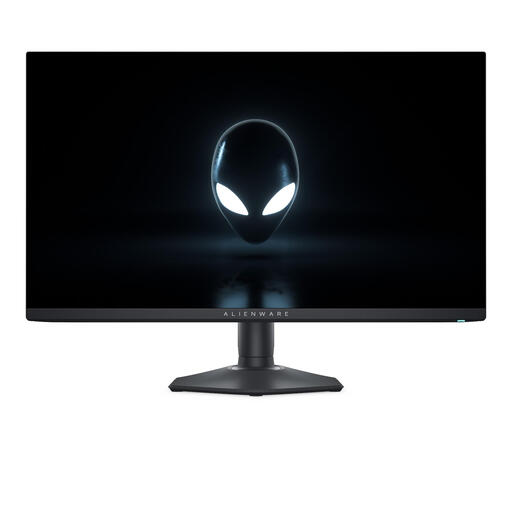 Image unavailable
This QD-OLED model is worth considering if deep blacks and fast motion matter to you; if you use a static HUD, bear the OLED care instructions in mind.
27 inches, QHD (2560 × 1440) and QD-OLED.
 Image unavailable
The QD-OLED version is worth considering if you’re weighing up black levels and a high refresh rate against OLED care when HUD elements stay on screen for long periods.
WQHD, 240 Hz, QD-OLED and USB Type-C.
The OLED Care features listed don’t guarantee that burn-in will be prevented.
 Image unavailable
This QD-OLED model is worth considering if you want to combine 4K resolution with OLED picture quality; check that your system can achieve your preferred settings in your game.
26.7 inches, 4K (3840 × 2160) and QD-OLED.
If static HUD elements stay on screen for long periods, OLED care remains an important consideration.
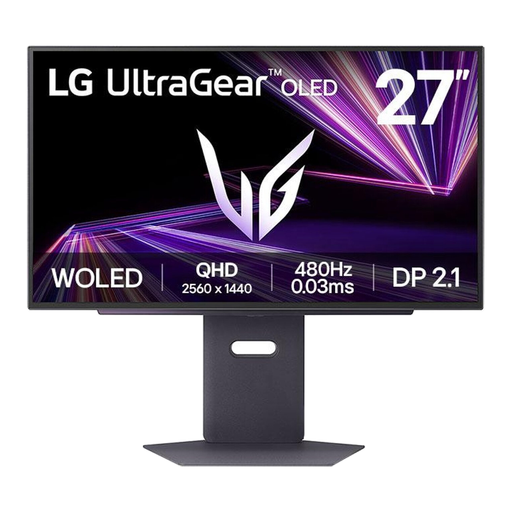 Image unavailable
This OLED model is worth considering if black levels and motion matter to you; bear OLED care in mind if a HUD stays on screen for long periods.
27 inches, QHD (2560 × 1440) and OLED.
No, not necessarily. Check the frame rate your system can achieve in the game you play and the refresh rate supported by the input on the specific screen; also assess its motion clarity.
Follow the OLED care instructions for the specific model. LG describes pixel cleaning for its monitors and notes that menus can vary by model. If traces persist, contact product support or the retailer. These instructions don’t guarantee that all traces will disappear.
According to ACM ConsuWijzer, online purchases generally come with a statutory 14-day cooling-off period from delivery. You also have a statutory guarantee; ACM doesn’t set a fixed two-year period, as what you can reasonably expect from the product determines the applicable term. Discuss any fault with the retailer.
Yes. The European Commission states that the rules for electronic displays also cover computer monitors, with exceptions depending on the product category. Use the energy label or EPREL to compare the specific model; you aren’t required to choose a particular energy class.