
Gamers in a bright kitchen-diner
You play during the day and want to follow the action even when there’s plenty of ambient light. Compare brightness and reflections where the TV will go, not just the panel label.


First choose a spot for the TV where it won’t be exposed to moisture or splashes. Then compare the ambient light and seating positions. If there’s plenty of daylight, LCD, including mini-LED, is worth considering: Consumentenbond notes that LCD TVs can often be bright, but brightness alone doesn’t tell you how reflections will look in your room. OLED is also worth considering if contrast and viewing from different angles matter to you. For each model, check that the gaming features you want work through the HDMI input and with your console or PC.
You play during the day and want to follow the action even when there’s plenty of ambient light. Compare brightness and reflections where the TV will go, not just the panel label.
You want to know whether the TV, HDMI input and console or PC support the refresh rate, VRR and game mode you want to use.
You play together from different spots and also need room to position the TV safely, away from splashes and moisture.
Choose this option if: there’s plenty of daylight where you play and you want to compare brightness and reflections carefully in that spot.
Bear in mind: brightness alone doesn’t tell you how distracting reflections will be or how the picture will look from your seats.
Choose this option if: contrast and picture quality from different viewing angles are important factors in your decision.
Bear in mind: compare the picture in your room’s lighting too, and check that the connections suit your equipment.
| What to consider | What should you check? | Who is this important for? |
|---|---|---|
| Daylight visibility and reflections | Compare LCD/mini-LED and OLED from your actual viewing position; look out for windows and lights reflected in the screen. | If I play during the day, I want to follow the action clearly without light sources getting in the way. Around 31% of consumers give daylight visibility top priority. |
| Smooth action and responsive controls | Check the native refresh rate, VRR, ALLM and which HDMI input supports the features you want. | If I play fast-paced sports games, I want to know whether my console or PC can make use of the features supported by the TV and input I choose. Around 31% of consumers prioritise compatibility with gaming features. |
| Watching together from different positions | View the screen from all the seats you plan to use, and check that the screen and stand fit in the room. | If we play with several people, I want everyone to be able to follow the picture from their own seat. Around 23% of consumers give visibility for all players top priority. |
| Positioning and keeping it clean near the kitchen | Choose a spot away from direct splashes and follow the care instructions for the exact model. | If the TV is going near the kitchen, I want a suitable spot and a safe way to keep the screen clean. Around 15% of consumers prioritise positioning and care. |
The available features also depend on your gaming source and the HDMI input you use.
Check the native refresh rate, VRR, ALLM and port allocation for the exact model and your equipment.
A different model code doesn’t prove that you’re looking at the same TV or specifications.
Check the full model code and product features before comparing two versions.
Samsung warns that liquid entering the TV can cause faults, fire or electric shock. Cleaning instructions don’t mean a TV is splashproof.
Choose a spot away from direct splashes and consult the positioning and care instructions for the model you choose.
According to ACM ConsuWijzer, your statutory rights exist alongside any retailer or manufacturer’s warranty.
Compare any additional cover with the rights you already have against the retailer.
The 55C7K is a mini-LED option to compare if lighting conditions and fast-paced action matter to you.
The K-55XR5 is a mini-LED option to consider if you want to plan the connections for your gaming setup carefully.
The OLED55C68LA is an OLED model to compare if contrast and gaming features matter to you.
The 55OLED811/12 is an OLED option to compare if you have several viewing positions and like the idea of Ambilight.
The Gaming TV range is worth considering if you want to connect several gaming devices.
This selection includes OLED, QNED and QLED TVs to compare for fast-paced sports games. The models vary in features such as screen technology and stated refresh rate. If placing a TV near a kitchen, keep it away from direct splashes.
 No image available
An OLED model to compare if you play fast-paced games and want to check which features work with your equipment.
55 inches; OLED evo; 4K; native 120 Hz; VRR up to 165 Hz.
Position the TV away from direct splashes.
 No image available
An LCD TV with mini-LED to compare with OLED if you play fast-paced games.
55 inches; QNED Evo AI Mini LED; 4K; 120 Hz; VRR 144 Hz.
Position the TV away from direct splashes.
 No image available
This QLED model is worth comparing if you’re looking for a TV for fast-paced sports games.
55 inches; QD-Mini LED; 4K; 144 Hz VRR.
Keep the TV away from moisture and liquids.
 No image available
This model is worth comparing for group gaming; check beforehand that the screen size will fit in your room.
75 inches; QD-Mini LED; 4K; 144 Hz VRR.
Position the TV away from direct splashes.
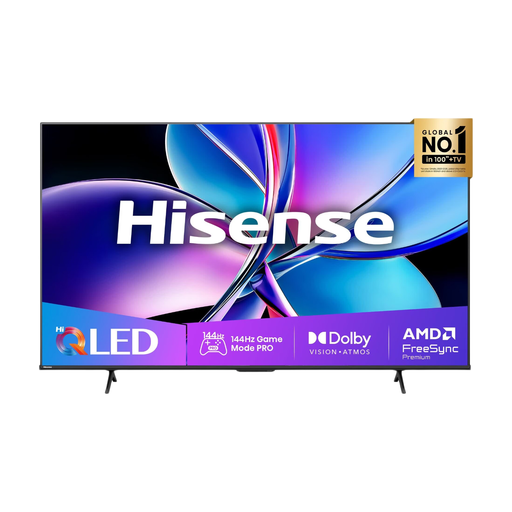 No image available
A QLED TV to compare if you play fast-paced games and want to check which connections your equipment needs.
55 inches; 4K; 144 Hz; Dolby Vision IQ.
Position the TV away from direct splashes.
Not necessarily. Check the refresh rate your gaming device and game can output, and what the HDMI input you choose supports. A higher stated screen refresh rate doesn’t, by itself, tell you how good the picture or controls will be.
Don’t spray water or cleaner directly onto the TV. Samsung warns that liquid entering the TV can cause faults, fire or electric shock; LG recommends gently cleaning the switched-off screen with a microfibre cloth. Also follow the instructions for your exact model.
Compare the energy label and product information sheet for the exact model variant in the European product database, EPREL. Your electricity costs also depend on consumption in the relevant operating mode, how long you use the TV and your electricity tariff.
Yes. ACM ConsuWijzer explains that statutory guarantees in the Netherlands don’t have a fixed two-year term. If a TV breaks down sooner than you could reasonably expect under normal use, you should be able to seek an appropriate solution from the retailer; what’s reasonable depends on the circumstances. A manufacturer’s warranty doesn’t replace this right.