
Evening documentary viewer
Mostly watches a varied selection of art films in a darkened room and wants to make out shadows and dark scenes clearly.


For a varied selection of art documentaries in a dark room, OLED is a natural first technology to compare: its pixels produce their own light, so there’s no LCD backlight. If you often display the same artwork or a fixed interface for long periods, compare mini-LED too, given the risk of OLED burn-in. Assess the colours using a calm picture mode, and check the energy label for the exact model.
Mostly watches a varied selection of art films in a darkened room and wants to make out shadows and dark scenes clearly.
Wants to view paintings and other source material without exaggerated shop-floor settings, so looks for a calm, suitable picture mode.
Often leaves the same artwork or a fixed interface on screen, so takes the risk of OLED burn-in into account.
Choose this option if: you mainly watch a varied selection of art documentaries in a dark room and deep blacks matter to you. The Consumers’ Association explains that OLED pixels produce their own light, without an LCD backlight.
Bear in mind: displaying the same static elements for long periods, repeatedly; RTINGS.com says image retention remains a consideration in this situation.
Choose this option if: the TV will often display the same artwork, menu or other fixed elements for long periods. RTINGS.com explains that mini-LED TVs don’t carry the risk of OLED burn-in from static elements.
Bear in mind: RTINGS.com generally rates OLED more favourably for dark rooms, so compare the contrast and dimming performance of the specific models.
| What to consider | What to look for when buying | Who should pay particular attention? |
|---|---|---|
| Contrast and dark scenes | Compare OLED with a specific mini-LED model, and watch dark scenes using a Home or Cinema picture mode. Deep blacks alone don’t tell you whether all the shadow detail will be easy to see. | If I mainly watch a varied selection of documentaries in a dark room, I want to be able to follow the shadows clearly. Around 36% of consumers put contrast and dark scenes first. |
| Colour and picture processing | Compare a calm Home or Cinema mode with the Standard mode. The Consumers’ Association notes that shop-floor settings are often brighter than you need at home. According to Filmmaker Mode, it disables motion smoothing, among other things, if your TV supports this mode. | If I want to assess the colours in artworks and source material, I look for a calm picture rather than extra-vivid shop-floor colours. Around 29% of consumers give colour reproduction top priority. |
| Static images displayed for long periods | Consider how often the TV will actually display the same image for a long time. If you regularly use it as an art display, compare mini-LED too; don’t assume the results of an intensive endurance test apply to occasional pausing. | If I often leave the same artwork or a fixed interface on screen, I want to take the risk of OLED burn-in into account. Around 21% of consumers say static images displayed for long periods are their main concern. |
| Screen size and energy consumption | Measure the available space and compare the energy labels for the models you’re considering. Check consumption in kWh per 1,000 hours for standard viewing and HDR. Energielabel.nl lists both figures. | If the available space and ongoing electricity use will determine my choice, I want to compare models of the same intended size. Around 14% of consumers put screen size and energy use first. |
A shop-floor mode may use extra brightness and vivid colours, whereas you’ll want a calmer picture when assessing art.
Compare Home and Cinema modes before judging the colours.
Displaying the same image for long periods, repeatedly, is different from watching a varied selection of documentaries. In this case, the risk of OLED burn-in matters more; an intensive endurance test doesn’t predict what will happen during normal documentary viewing.
If displaying art for long periods is the main use, compare mini-LED too.
According to Energielabel.nl, the TV label also shows consumption per 1,000 hours for standard viewing and HDR.
Compare these figures for screens of the same intended size. Calculate any costs using your own viewing hours and electricity tariff.
Electricity use is an ongoing cost and depends, among other things, on the TV, HDR use and the number of hours you watch.
The LG OLED55C68LA from the C6 series, listed by LG Netherlands, is an OLED model to consider for viewing in a dark room.
The Philips 55OLED811/12, listed by Philips Netherlands, combines OLED with Ambilight for anyone who also wants to consider lighting around the screen.
The BRAVIA 8 II is a QD-OLED range listed by Sony Netherlands, which you can compare for its screen technology and picture settings.
The QE55QN82HAUXXN, listed by Samsung Netherlands, is a Neo QLED mini-LED model to compare if extended use with static images is a consideration.
The TCL 55C7K, listed by TCL Netherlands, is a QD mini-LED model to compare for its screen technology and picture settings.
This selection of Joybuy models includes OLED TVs for watching a varied selection of documentaries in a dark room, and mini-LED TVs to compare if you’ll be displaying static images for long periods.
 Image unavailable
An OLED model to compare for watching a varied selection of documentaries in a dark room.
55 inches, OLED and 4K. Filmmaker Mode is listed for this model.
If you display static images for long periods, repeatedly, the general risk of OLED burn-in remains a factor to consider.
 Image unavailable
A smaller OLED screen size to compare for watching documentaries in a dark room.
48 inches, OLED and 4K. Filmmaker Mode is listed for this model.
If you display static images for long periods, repeatedly, the general risk of OLED burn-in remains a factor to consider.
 Image unavailable
A QD-OLED model to compare with other OLED options for viewing in a dark room.
55 inches and QD-OLED.
If you display static images for long periods, repeatedly, the general risk of OLED burn-in remains a factor to consider.
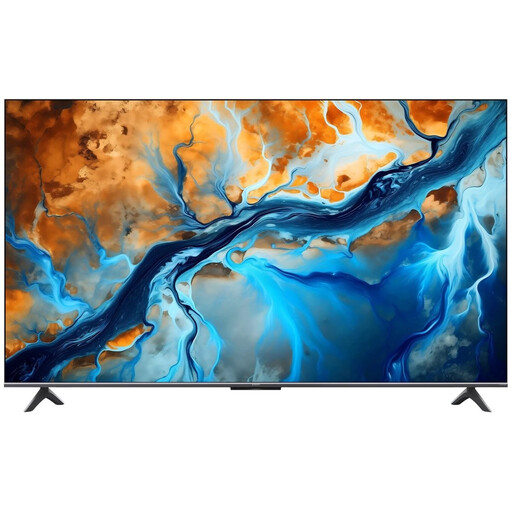 Image unavailable
A mini-LED option to compare if you display the same image for long periods.
55 inches, Mini LED, 4K and 144 Hz. The product name also lists Google TV and Dolby Atmos.
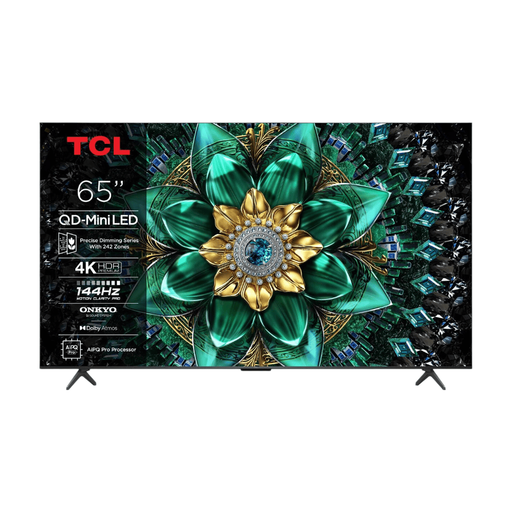 Image unavailable
A mini-LED model to compare with OLED if displaying static images for long periods is a consideration.
65 inches, QD-Mini LED and 4K. Local dimming and HDR support are listed.
At home, don’t start with the shop-floor mode: according to the Consumers’ Association, it’s often brighter and more vivid than you need at home. Try a calm Cinema mode or, if your TV supports it, Filmmaker Mode, then compare the picture with the source material.
No. Pausing occasionally isn’t the same as displaying fixed elements for long periods, repeatedly. If you often leave the same image on screen for a long time, factor in the risk of OLED burn-in and compare mini-LED too.
Compare the energy labels for the exact models, checking consumption in kWh per 1,000 hours for standard viewing and HDR. Any cost will also depend on your own viewing hours and electricity tariff.
For a standard online purchase, ACM ConsuWijzer says you’ll generally have a statutory cancellation period that ends 14 days after delivery. Your statutory guarantee is separate from any manufacturer’s guarantee: if a product is faulty despite being used normally, the retailer is your point of contact for a statutory remedy. The circumstances determine which remedy applies.