
Vandaag of morgen in huis

Kwaliteit gegarandeerd

Welkomstaanbiedingen ontgrendelen: GRATIS bezorging | Tot 80% korting | Gratis 30 dagen JoyPlus-proefperiode
Download de app
As a gamer, you're searching for the ultimate experience. You don't just want to win; you want to be fully immersed in the worlds you explore. A standard monitor can feel like a limitation. Images aren't smooth, dark scenes lack detail, and colours feel washed out. For many serious gamers, upgrading to an OLED gaming monitor is the next logical step.
However, the market is flooded with technical jargon and marketing promises. QD-OLED, high refresh rates, 4K, ultrawide—what do you really need? This article will help you make the right choice. We cut through the hype and focus on the specifications that matter to you, so you can find a monitor that matches your playstyle and setup.
Before we look at specific models, here are a few practical points to consider to get you started.
The choice between resolution and refresh rate is crucial. Do you mainly play competitive shooters like Valorant or CS2? Then a gaming monitor with a high refresh rate (240Hz or higher) is more important than a 4K resolution. A higher refresh rate provides extremely smooth visuals, allowing you to react faster. A 1440p (QHD) resolution is often the ideal sweet spot here.
Are you more of a fan of visually stunning single-player games like Cyberpunk 2077 or Starfield? In that case, a 4K 240Hz monitor delivers the most detailed and immersive experience, provided your PC can handle it. The combination of a razor-sharp image and smooth playback is the current gold standard.
The term OLED is a starting point, but there are variations. A QD-OLED monitor (Quantum Dot OLED) combines the perfect black levels of OLED with a quantum dot layer. This results in higher brightness and even more vibrant colours.
The size and shape also shape your experience. An ultrawide gaming monitor (21:9 aspect ratio) offers a wider field of view, which is ideal for racing games, flight simulators, and cinematic adventures. A curved oled monitor enhances this effect by slightly wrapping the image around you, which further increases immersion.
Always check the available connections. For the latest generation of consoles, a monitor for PS5 and Xbox Series X with at least one HDMI 2.1 port is a requirement to game in 4K at 120Hz. For PC gamers with a powerful graphics card, DisplayPort 1.4 is the standard for achieving the highest refresh rates at high resolutions.
Based on specifications and various user profiles, we have highlighted a few models that are currently getting a lot of attention.
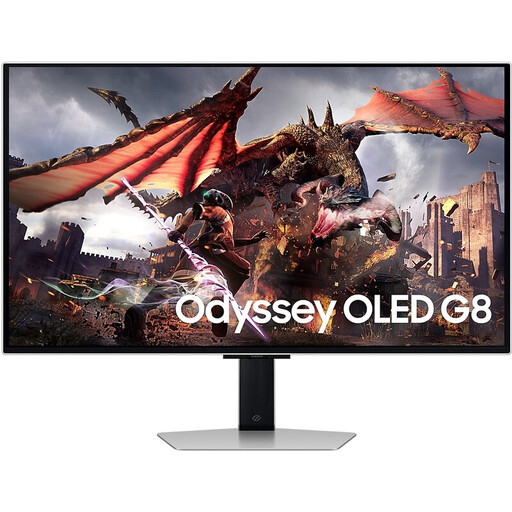
Why this model stands out: This model combines the best of both worlds: a razor-sharp 4K resolution with an extremely high 240Hz refresh rate. It's a top-tier all-rounder, suitable for both competitive and visually rich games.
Pros:
Who is this model for? For the gamer who doesn't want to compromise. You have a powerful PC or a next-gen console and want to enjoy both the visual splendour of 4K and the fluid gameplay of a high refresh rate. Also ideal for content creators who need a colour-accurate and sharp screen.
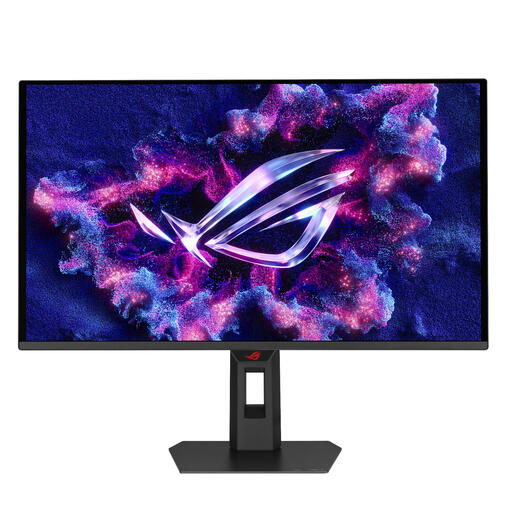
Why this model stands out: With a 500Hz refresh rate, this screen is purely focused on speed. It's designed for the competitive esports player for whom every millisecond counts. The QD-OLED panel ensures that speed doesn't come at the expense of image quality.
Pros:
Who is this model for? For the serious esports player and competitive gamer. If you primarily play fast-paced shooters and are looking for an edge over the competition, this model's extreme refresh rate is a clear advantage.
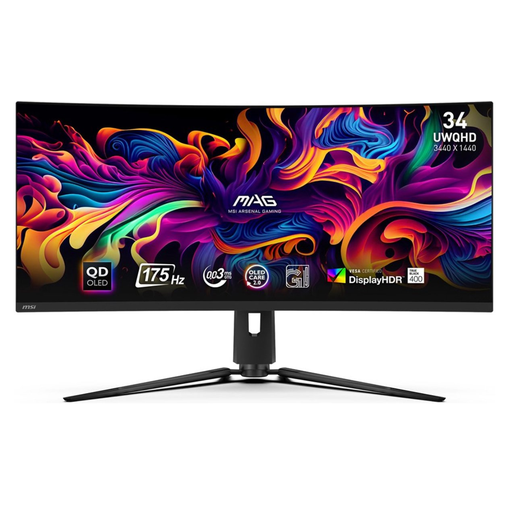
Why this model stands out: This model focuses entirely on immersion. The 34-inch curved ultrawide QD-OLED panel pulls you deeper into the game, ideal for racing, simulation, and adventure games.
Pros:
Who is this model for? For the gamer looking for an immersive, cinematic experience. Perfect for fans of racing games, flight simulators, and open-world RPGs where a wide field of view enhances the experience.
The world of gaming monitors is vast, and technology is evolving rapidly. The models above are popular choices, but you might be looking for a different size, price point, or specific features.
Check out our full range and compare different models on our OLED computer monitor category page.
1. What is the risk of burn-in on an OLED gaming monitor? This is a well-known concern with OLED technology. Manufacturers are aware of this and incorporate various protection mechanisms, such as 'Pixel Shift' and 'Static Screen Detection'. Many brands, like MSI with their OLED Care 2.0, also offer specific warranties against burn-in. With normal, varied use (gaming, browsing, watching videos), the risk on modern screens has been significantly reduced.
2. Is a QD-OLED monitor really better than a standard OLED? A QD-OLED panel adds a layer of quantum dots to the OLED structure. This allows the screen to achieve higher peak brightness and a wider colour gamut than many traditional (W-OLED) panels. The result is often a more vibrant and impressive HDR image. It's an evolution of the technology that is especially noticeable in bright and colourful scenes.
3. Do I need an expensive graphics card for a 4K 240Hz monitor? Yes, to fully utilise the capabilities of a 4K 240Hz monitor, you need a top-tier graphics card. Think of an NVIDIA GeForce RTX 4080/4090 or a comparable model from AMD. Only with such hardware can you achieve high frame rates at 4K resolution in modern games. For consoles like the PS5 and Xbox Series X, you are limited to the console's output, which is typically 4K at 120Hz.
