
Vandaag of morgen in huis

Kwaliteit gegarandeerd

Welkomstaanbiedingen ontgrendelen: GRATIS bezorging | Tot 80% korting | Gratis 30 dagen JoyPlus-proefperiode
Download de app
Whether you're setting up a home office, restocking your business supplies, or looking for study materials, the right office supplies make your work significantly easier. But buying office supplies online can sometimes feel like navigating a maze. The wrong ink cartridge, paper that keeps jamming, or labels that won't stick—these are common frustrations that cost time and money. This guide will help you avoid common pitfalls and make the right choices for your needs.
Before you fill your shopping cart, it's wise to be aware of a few common missteps.
To prevent these problems, it's helpful to check a few specifications. This takes an extra minute but will save you a lot of hassle.
The most crucial step when buying printer supplies is to check for compatibility. This applies to ink cartridges, toners, and paper rolls.
PG-545 or CL-561XL.Manufacturers often use the ISO/IEC standard to indicate a cartridge's print yield (the number of pages). This is a standardised measurement, but the actual output depends on what you print. A page full of images uses more ink than a few lines of text.
Original brand cartridges are designed for a specific printer, which often ensures a reliable result. According to Canon, for instance, their original cartridges deliver an average of 35% more high-quality prints than imitation cartridges. While alternatives may be cheaper, it's important to consider the specifications and user reviews.
Not all paper is created equal. The choice depends entirely on its intended use.
To help you get started, we've highlighted a few products that suit different user profiles.
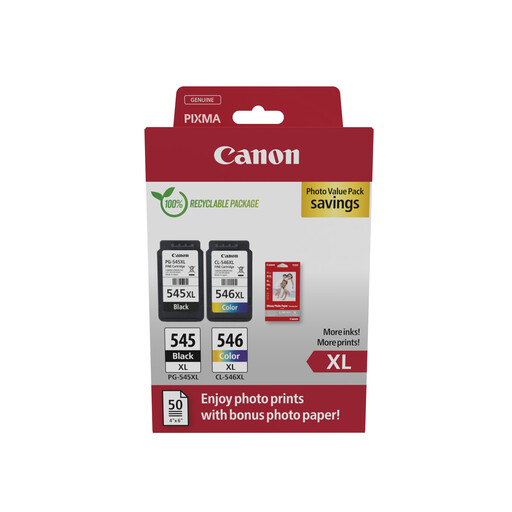
Why This Fits Their Persona: This Photo Value Pack is ideal for the home worker who prints both documents and the occasional photo. It includes a black and a colour ink cartridge, plus photo paper. This gives you everything you need for various printing tasks in one package.
As an original Canon product, compatibility with a wide range of PIXMA printers is guaranteed. You're not buying separate components that might not work together; the ink and paper are designed to be a perfect match.
The bundle includes 50 sheets of glossy photo paper, making it a cost-effective start for printing photos without needing to make additional purchases.

Why This Fits Their Persona: Perfect for the small business owner or freelancer who needs structure. Label folders, storage boxes, products, or cables directly from your smartphone. Its compact size makes it easy to take with you.
The Bluetooth connection and the intuitive LetraTag Connect app ensure you always choose the right settings and label types. This prevents wasted labels from misprints or incompatibility.
The thermal printing technology requires no ink or toner. This lowers operational costs, and you'll never have to worry about an empty cartridge at an inconvenient moment.
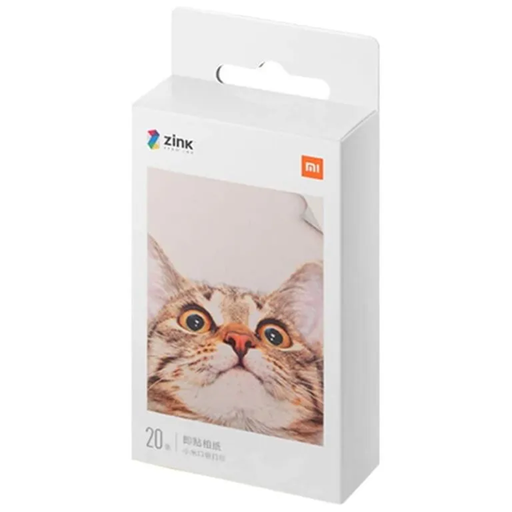
Why This Fits Their Persona: For those who love to capture memories and use them instantly in scrapbooks, on gifts, or in a journal. This paper is specially made for Xiaomi's portable photo printer and has a self-adhesive back.
This paper is exclusively designed for the Xiaomi Mi Portable Photo Printer. The ZINK (Zero Ink) technology completely eliminates the need for ink cartridges, so you can never buy the wrong ink.
The self-adhesive back makes the photos instantly usable as stickers. This is ideal for creative projects without the mess of dealing with glue.
We have compiled a complete, up-to-date list of products that meet these selection criteria and current regulations.
The most reliable method is to find the exact model number of your printer. This number is usually on a sticker on the front, back, or inside of the printer. Use this model number on the ink cartridge's product page to verify that your printer is on the list of compatible devices.
Generally, yes. More expensive photo paper often has a higher weight (g/m?) and a more advanced coating. This ensures that the ink doesn't bleed, colours are more vibrant, and the photo lasts longer without yellowing. For a simple print, cheaper paper is sufficient, but for photos you want to keep or frame, investing in quality paper is worth it.
Regular paper requires ink or toner from a printer to create a print. Thermal paper is coated with a chemical layer that reacts to heat. A thermal printer uses a heated printhead to 'burn' text and images directly onto the paper, without any ink. This is often used in receipt printers and some label makers.
