
Photo gallery creator
You select and edit photos at a desk and want to tailor how they look to suit their intended purpose. The BenQ and EIZO models reviewed are designed for working with photos at a desk.


Choose a monitor to suit its main purpose: opt for a display screen if colleagues will mostly view the gallery in the room, or a work monitor if someone will be selecting and editing photos at a desk. For a shared workspace, connectivity and adjustability matter too; neither type of screen is automatically suitable for every task.
You select and edit photos at a desk and want to tailor how they look to suit their intended purpose. The BenQ and EIZO models reviewed are designed for working with photos at a desk.
You want to show photos on a well-positioned monitor and manage the presentation during office hours. The Philips Signage 4050 series is one option reviewed for displaying content in an office.
You share a laptop or workspace with others and need practical connectivity and an adjustable monitor. The Dell S2725QC reviewed is one option for a shared desk.
First, decide whether colleagues will mainly view the photo gallery or whether someone will put it together at a desk. Then check the features that matter for that task.
| What to consider | What should you check? | Who is this important for? |
|---|---|---|
| Visibility and operating hours | Check viewing distance, reflections, mounting options, stated operating hours and how you will update the photos. | If I want to show the gallery to colleagues in different locations, visibility and long operating hours matter. Around 33% of consumers prioritise visibility when buying. |
| Editing photos | Choose the resolution, colour space, calibration options and screen coating to suit the intended digital image or print. | If you select, retouch or prepare photos for printing at a desk, accurate image assessment is key. Around 27% of consumers prioritise photo editing when buying. |
| Connecting and adjusting | Compare each laptop’s video output and power requirements with the ports and capabilities of the exact monitor model. Also check its adjustability and the space available on the desk. | If colleagues take turns using the same desk, I want to connect laptops easily and adjust the screen to suit. Around 20% of consumers prioritise a shared workspace when buying. |
| Management and running costs | Check the energy label for the exact model and factor in mounting, cables and any presentation management tools you may need. | If you plan to display the gallery for long periods or update it regularly, management and energy use matter too. Around 20% of consumers prioritise use and costs when buying. |
Photo-editing specifications don’t tell you whether the screen size, placement and stated operating hours are right for showing images to a group.
First, work out the viewing distance, available space and how long the screen will be on. Then compare work monitors with screens designed for presentations.
You may need separate mounting or presentation equipment for the setup, so factor this in before planning the installation.
A larger or brighter screen does not, by itself, mean that colours can be assessed accurately while retouching.
Keep your choice for presentations separate from your choice for colour-critical work, unless the exact model’s features support both tasks.
A USB-C port on the monitor does not confirm that every laptop and cable supports the required video and power functions.
Check the video output and power requirements for each laptop, then compare them with the specifications of the exact monitor model.
You may also need a different cable, an adapter or a separate laptop charger.
The Signage 4050 series reviewed is designed to display a separate gallery in an office.
The PhotoVue SW272U reviewed is aimed at photographers editing gallery images at a desk.
The ColorEdge CS2740 reviewed is an option for a colour-focused photo workflow at a desk.
The Dell Plus S2725QC reviewed is a potential choice for putting a gallery together at a shared desk.
These product choices are aimed at two uses: putting a photo gallery together at a desk and displaying photos in an office.
 No image available
An option for a shared workspace where the gallery is put together and viewed.
27 inches, 4K UHD IPS, 3840 × 2160 pixels, 60 Hz and 4 ms; HDMI and DisplayPort; height-adjustable stand.
 No image available
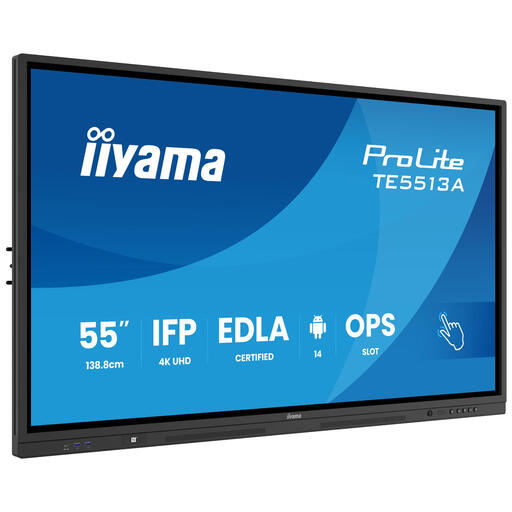
A large interactive display for viewing photos with colleagues in the office.
This product is described as a 55-inch interactive collaboration display. The product description recommends professional installation; make sure it is mounted securely.
 No image available
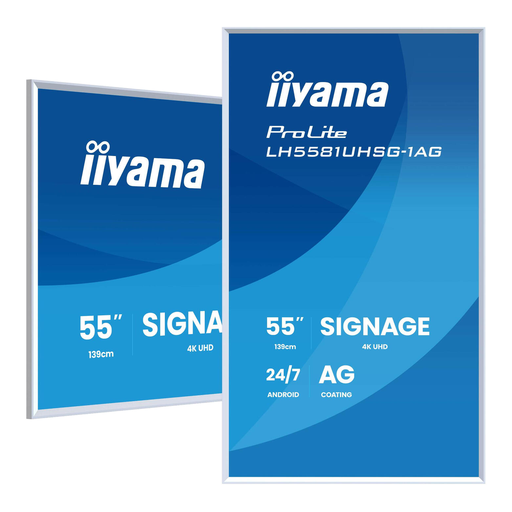
An option for displaying a photo gallery in the office for long periods; check placement and content management beforehand.
The product title lists 4K UHD, 500 cd/m², Wi-Fi, Android and 24/7 operation. For mounting, the product information specifies VESA hardware measuring 300 × 400 mm, with a load capacity of at least 20 kg and a minimum of 10 cm ventilation clearance.
 No image available
A potential choice if you want to assess and edit photos at a desk; check that the size suits your available workspace.
31.5 inches, 3840 × 2160 pixels and 4K UHD LCD.
 No image available
An option for putting photos together at a shared desk; check that the connections work with the laptops used there.
27 inches, 2560 × 1440 pixels and Quad HD LED.
Not necessarily: start with the main purpose. Philips says the 50BDL4050Q/00 is designed for long-term display, while the BenQ and EIZO models reviewed have specifications for photo work at a desk. Consider the viewing distance and what the photos are for before choosing a screen type.
Check that users can adjust the monitor and that you can position it without distracting reflections. The Dutch regulations for a safe and healthy computer workstation are also relevant for employees who work at a screen for long periods; this is different from a screen used only to display photos.
Compare the energy label for the exact model and factor in any mounting, cables and presentation management tools as part of your preparations. Check the warranty and support with the specific seller, and make sure they cover your intended business or personal use.
If an employer takes and publishes recognisable photos of employees, the Dutch Data Protection Authority says there must be a lawful basis; in many cases, this is the consent of the employee pictured. The rules depend on the photos, the purpose and who can see them. For someone else’s work, Auteursrecht.nl generally says you need permission in advance, subject to any applicable exceptions.