
Vandaag of morgen in huis

Kwaliteit gegarandeerd

Welkomstaanbiedingen ontgrendelen: GRATIS bezorging | Tot 80% korting | Gratis 30 dagen JoyPlus-proefperiode
Download de app
A tidy office doesn't start with more stuff – it starts with a clear system. Yet many people buy a document holder, wall organiser or scanner based on a nice photo and a long list of features. That can lead to an organiser that doesn't fit, a wall holder that's overloaded, or a scanner that doesn't match your daily workflow.
These pointers will help you make a more informed choice for office document organisation, whether for home working, study or admin.
More compartments don't automatically mean a better system. A wall holder with ten tiers takes up little floor space, but it does need a sturdy wall and a logical category system. Without labels, you'll soon end up with a pile of papers that's simply been moved vertically.
An A4 document holder is fine for standard paper, but folders, ring binders and magazines can be thicker than the holder can accommodate. So don't just check the paper size – also check the depth, width and opening of each compartment.
A document camera may also be marketed as a webcam or scanner. That's handy, but check the maximum paper size, connection type, software and any required accessories. Some models, for example, need a separate scanning mat. What's more, a high resolution doesn't just determine how sharp a scan is; lighting, positioning and software also affect the result.
Compare the product dimensions with your available space. A 10-tier wall model from this selection, for example, measures approximately 32.5 × 10.5 × 81.5 cm. That's compact in width, but it does need enough vertical space.
For wall mounting, check:
A wall-mounted post holder must be securely fixed before you store daily post or files in it.
According to the product descriptions of the metal Senhoglb and EasyPAG organisers, various models feature a powder coating. This finish is mentioned in the descriptions as protection against daily use and moisture, but that doesn't make an organiser suitable for prolonged exposure to water. Dry cleaning and occasionally checking screws and rubber feet is still advisable.
For a scanner or document camera, other points are important:
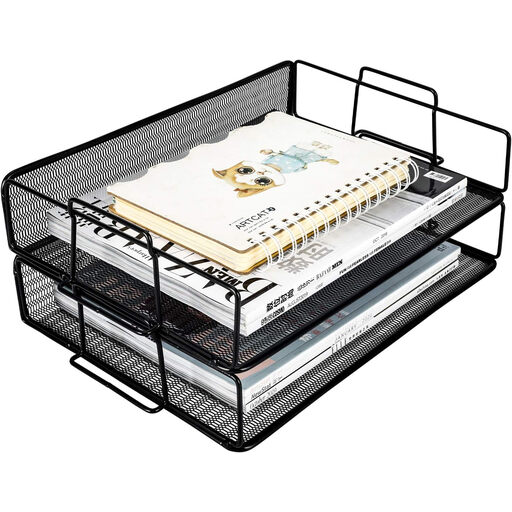
Why this fits the profile: Two A4 trays offer a clear starting point for home workers, students and small offices without much assembly work.
The two clearly separated levels make it harder to leave documents unsorted in one pile. Place the model on a flat surface and distribute the weight evenly.
Two A4 trays, stackable design, handles and metal mesh construction according to the product description.
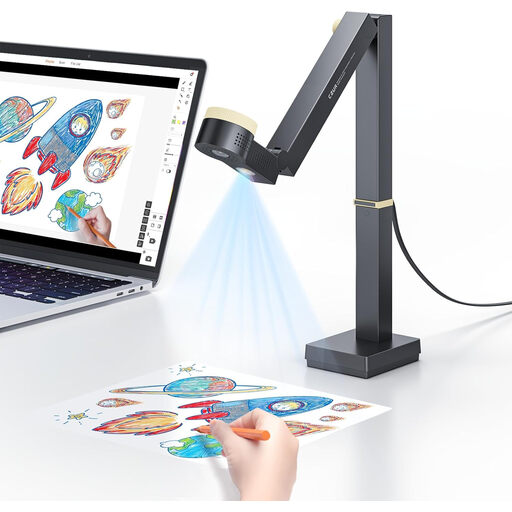
Why this fits the profile: For users who present, teach online and digitise documents with one USB device.
The product description states the maximum A3 capture size, autofocus and USB connection. Bear in mind that a separate scanning mat is needed for the scanning function.
12MP camera, 1080p at 60 fps, 4K at 15 fps and a flexible arm; these specifications come from the CZUR product information.

Why this fits the profile: Suits offices, schools and mobile workstations where A3 documents need to be captured regularly.
The product information explicitly mentions A3 support, USB connectivity and a foldable design. For glossy materials, caution is advised according to the instructions.
8MP CMOS sensor, A3 format, OCR software and a stated scan time of less than one second per page according to the product description.
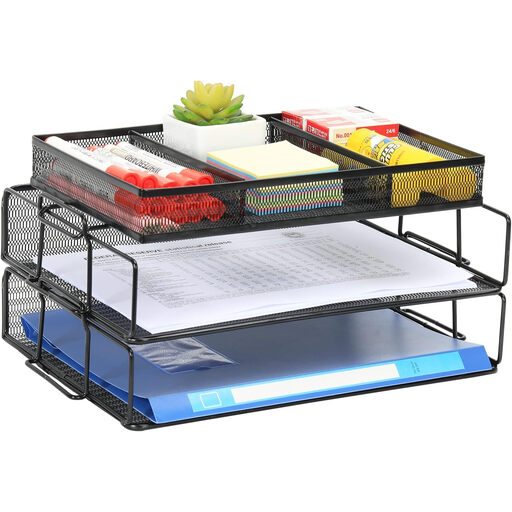
Why this fits the profile: Ten labelled compartments are practical for teams who sort incoming post, invoices, forms and files by category.
The label plates help you assign a fixed function to each compartment in advance. Only mount the holder with suitable fixings and check the wall anchors regularly.
Ten A4 compartments, label plates and a vertical wall setup according to the product data.
We've put together a full, up-to-date list of products that fully meet these strict selection criteria and current European safety regulations.
Before you buy, create three categories: action now, temporary storage and archive. Only then choose the number of compartments. For post, a wall holder may suffice; for daily files, an A4 document tray on your desk is often more convenient. Documents you rarely need can be digitised with an A3 document scanner or portable document scanner and then stored according to your own retention policy.
For digital storage, pay attention to file names, backups and access rights. A document camera is mainly suitable for quickly showing, capturing or sharing content; a scanner with OCR is a better fit when searchable text files are important.
Start with the document flow. For example, use three A4 document trays for "new", "in progress" and "completed". Only add extra compartments when you can assign a fixed category to each one. This keeps the system clear for everyone who uses it.
That depends on the load capacity, the fixings and the weight per compartment. Check the product information, use suitable wall anchors and distribute heavy folders evenly. A metal file holder is not automatically suitable for unlimited weight.
Most of the models mentioned work via USB and don't need batteries. However, do factor in a computer, any software installation and accessories. For the CZUR Fancy S Pro, a separate scanning mat is mentioned in the product information for the scanning function. Also check whether the software works with your operating system.
