
Mod creator using one PC
You’re showing a mod running on the same computer as OBS and want to know whether you need any extra hardware. OBS Project describes Game Capture as a way to capture a game directly.


If the mod runs on the same Windows PC as OBS, try Game Capture first. If you want to capture footage from a separate console or another HDMI source, you may need a capture card. Choose one based on the recording quality you need, whether you want HDMI passthrough to your screen and which USB connection is available. A high passthrough resolution doesn’t automatically mean the recording will have the same resolution.
You’re showing a mod running on the same computer as OBS and want to know whether you need any extra hardware. OBS Project describes Game Capture as a way to capture a game directly.
You want to bring footage from a console or second computer into OBS without adding lots of equipment to your desk. OBS Project describes a capture device as a way to add console footage as a video source.
You’re using a separate HDMI source and want to distinguish between what your screen displays and what your recording captures. Elgato’s model specifications make the difference between passthrough and capture clear.
First, work out where your footage is coming from. Then choose a capture card based on recording, screen passthrough and the connections that will work for your desk.
| What to consider | What should you check? | Who is this important for? |
|---|---|---|
| First, decide whether you need a card | Check whether the mod runs on the same Windows PC as OBS and try Game Capture. OBS recommends Window Capture as an alternative if Game Capture doesn’t work properly. | If the mod is already running on my OBS PC, I want to know whether I can capture the footage without an extra device. Around 40% of consumers prioritise finding out whether extra hardware is needed. |
| Connecting a separate HDMI source | Check that the source has HDMI output and that your computer can select the capture device in OBS. | When I’m presenting footage from a console or second computer, I want to use the HDMI signal as a video source in OBS. Around 20% of consumers prioritise connecting a separate HDMI source. |
| Distinguishing between recording and screen display | For the exact model, compare the capture and passthrough specifications for the display mode you want to use. | If I want to show details of a mod, I want to know what my screen receives and what the recording actually captures. Around 20% of consumers prioritise their preferred recording and screen display settings. |
| Planning connections and cables | Map out the route from the HDMI source to the capture device, computer and, if needed, screen. Also check which cables are included. | On a small desk, I want a practical setup without unnecessary equipment or cables. Around 20% of consumers say limited desk connections are their main concern. |
OBS Project describes Game Capture as a way to capture a game directly. An extra device may not be necessary.
Try Game Capture first, then use Window Capture if needed. Choose an HDMI capture card if you really need to bring in a separate source.
An unnecessary device takes up space and adds cables to a small desk.
Elgato specifies passthrough up to 2160p60 for the Game Capture Neo, but capture up to 1080p60. The screen signal and the recorded resolution are different things.
For the exact model, compare the capture and passthrough specifications for the display mode you want to use.
Elgato states that an HDMI cable isn’t included with the Game Capture Neo.
Check what’s in the box and measure the cable route across your desk before you order.
If you don’t already have a suitable HDMI cable, you’ll need to buy one separately.
Magewell specifies one HDMI input for the USB Capture HDMI Gen 2. Don’t assume this model also has an HDMI output for a separate gaming screen.
Check that the exact capture model has an HDMI output if you also want to view the source on a separate screen.
The Game Capture Neo is designed for capture up to 1080p60. The Game Capture 4K S is an option if you need capture up to 2160p60.
The Live Gamer MINI GC311 is an external option for an HDMI source, with Full HD passthrough.
USB Capture HDMI Gen 2 is designed to connect an HDMI input to video software.
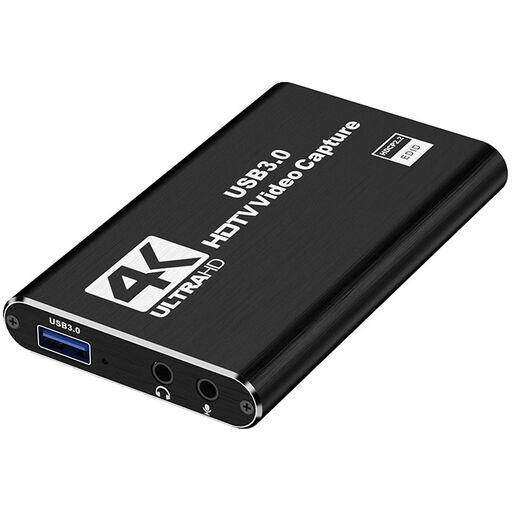
These Joybuy product picks are designed for a separate HDMI source, with recording up to 1080p and specified HDMI passthrough to a screen.
 No image available
For a separate HDMI source when you also want to pass the signal through to a screen.
The product name specifies recording up to 1080p and HDMI passthrough up to 4K; 4K passthrough doesn’t mean 4K recording.
The product name mentions UVC and UAC, a microphone input and a headphone output.
 No image available
An option for a separate HDMI source if you also want to connect a separate screen.
The product name specifies HDMI input up to 4K 30Hz and recording up to 1080p 60Hz; the description mentions HDMI loop-out and use with OBS.
Connect a compatible capture device and add a Video Capture Device source in OBS, then select the device. If there’s no picture, check the supported resolution and frame rate.
OBS Project suggests Window Capture as an alternative for some games. Try running the game in windowed or borderless fullscreen mode, then make a short test recording to check what’s being captured.
Not using the dock-and-HDMI setup described by OBS Project: the Switch Lite can’t be placed in a dock. OBS describes capture via a dock for other Switch models.
For a faulty product, contact the seller about your statutory rights under Dutch consumer law. According to the Dutch government, there’s no fixed statutory guarantee period. For eligible online consumer purchases, you generally have a 14-day cooling-off period. Check the terms that apply to your specific purchase.
No. A capture card doesn’t, by itself, give you permission to make copyrighted material available to the public. The Dutch government states that permission may be required to use protected material and that a private copy must not be made public. Check the rights for the specific game, mod, music and footage separately.